 ROS Index
Repository Summary
| Checkout URI | https://github.com/pal-robotics/tiago_simulation.git |
| VCS Type | git |
| VCS Version | humble-devel |
| Last Updated | 2026-02-10 |
| Dev Status | DEVELOPED |
| Released | RELEASED |
| Contributing |
Help Wanted (-)
Good First Issues (-) Pull Requests to Review (-) |
Packages
| Name | Version |
|---|---|
| tiago_gazebo | 4.10.1 |
| tiago_simulation | 4.10.1 |
README
TIAGo ROS 2 Simulation
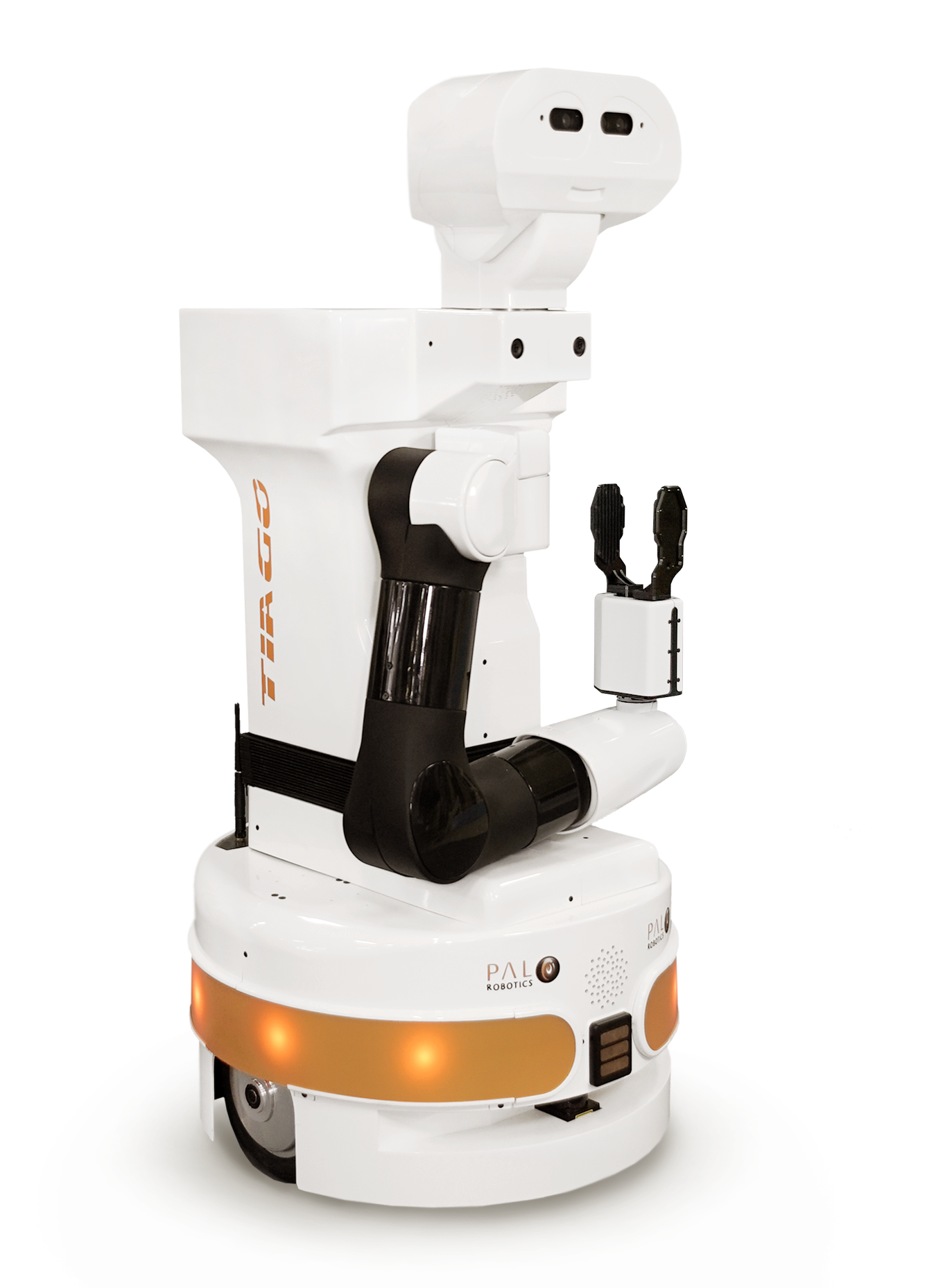
This repository contains the launch files to simulate the TIAGo robot in ROS 2.
Setup
Prerequisites
-
Install ROS 2 Humble by following the installation instructions.
-
Update the apt package index and install needed packages
sudo apt-get update

sudo apt-get install git python3-vcstool python3-rosdep python3-colcon-common-extensions
Disclaimer: In our testing environment, we’ve found out that the simulation is more reliable if we switch to Cyclone DDS. You can do this by installing it with
sudo apt install ros-humble-rmw-cyclonedds-cppand setting theRMW_IMPLEMENTATIONenvironment variable:export RMW_IMPLEMENTATION=rmw_cyclonedds_cpp. More information on working with different DDS implementations here.We are still looking on the issues when working with Fast RTPS.
Setting up the workspace
Create a workspace and clone all repositories:
mkdir -p ~/tiago_public_ws/src
cd ~/tiago_public_ws
vcs import --input https://raw.githubusercontent.com/pal-robotics/tiago_tutorials/humble-devel/tiago_public.repos src
Install dependencies using rosdep
sudo rosdep init
rosdep update
rosdep install --from-paths src -y --ignore-src
Source the environment and build
source /opt/ros/humble/setup.bash
colcon build --symlink-install
Finally, before running any application you have to source the workspace
source ~/tiago_public_ws/install/setup.bash
Also you can add it to your .bashrc
Simulation
Standalone
Launch gazebo simulation:
ros2 launch tiago_gazebo tiago_gazebo.launch.py is_public_sim:=True [arm_type:=no-arm]
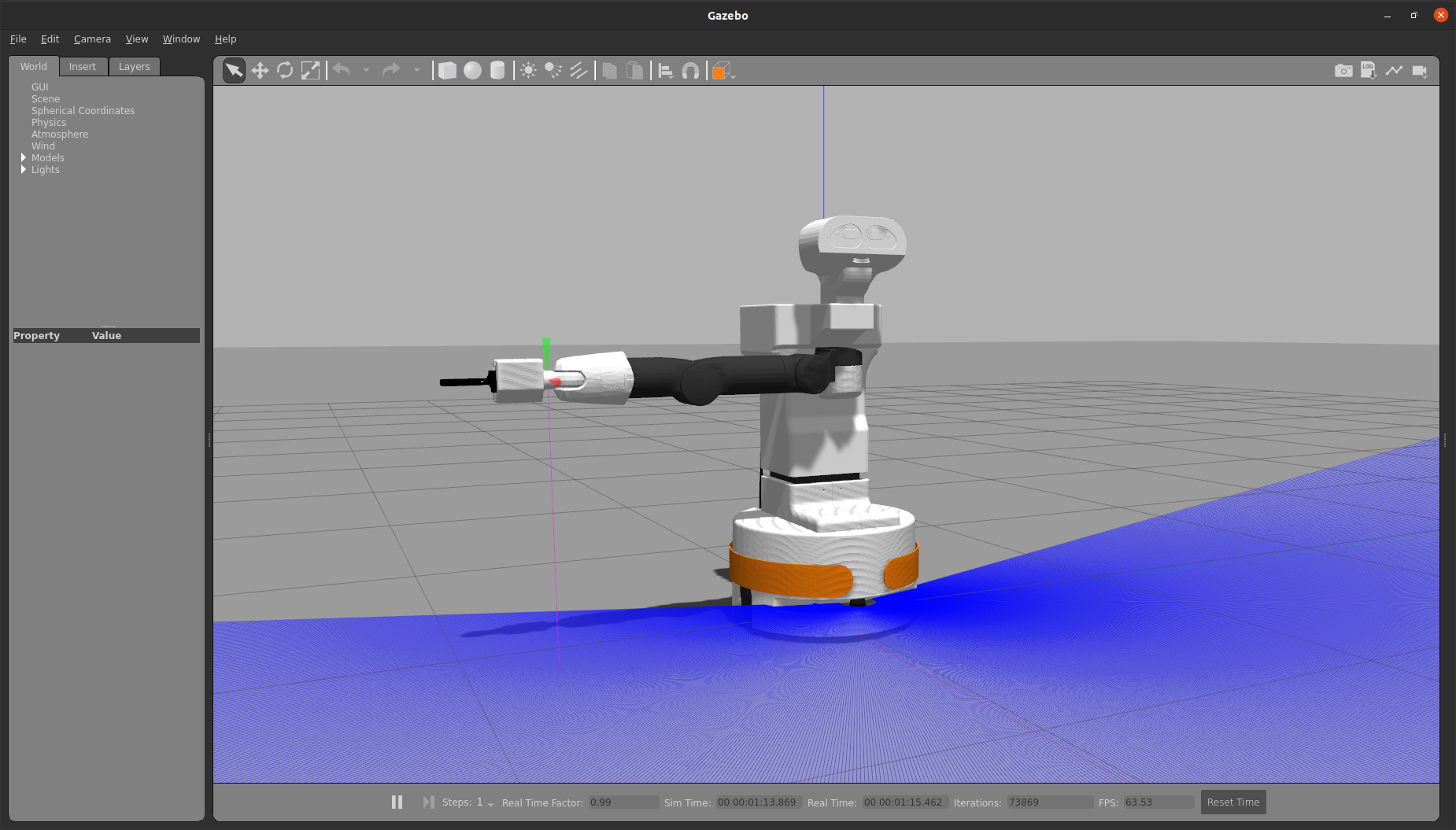
You can launch gazebo simulation using PAL office gazebo world by executing:
ros2 launch tiago_gazebo tiago_gazebo.launch.py is_public_sim:=True world_name:=pal_office [arm_type:=no-arm]
To move the robot you can use the following command from another terminal:
ros2 topic pub /mobile_base_controller/cmd_vel_unstamped geometry_msgs/msg/Twist '{linear: {x: 1}, angular: {z: 0}}' -r10
The velocities can be modified by changing the values of x and z.
Navigation 2
You can launch TIAGo navigation by executing
ros2 launch tiago_2dnav tiago_nav_bringup.launch.py is_public_sim:=True
Then, you can send a goal:
- With rviz2
File truncated at 100 lines see the full file
CONTRIBUTING
Repository Summary
| Checkout URI | https://github.com/pal-robotics/tiago_simulation.git |
| VCS Type | git |
| VCS Version | humble-devel |
| Last Updated | 2026-02-10 |
| Dev Status | DEVELOPED |
| Released | RELEASED |
| Contributing |
Help Wanted (-)
Good First Issues (-) Pull Requests to Review (-) |
Packages
| Name | Version |
|---|---|
| tiago_gazebo | 4.10.1 |
| tiago_simulation | 4.10.1 |
README
TIAGo ROS 2 Simulation
This repository contains the launch files to simulate the TIAGo robot in ROS 2.
Setup
Prerequisites
-
Install ROS 2 Humble by following the installation instructions.
-
Update the apt package index and install needed packages
sudo apt-get update

sudo apt-get install git python3-vcstool python3-rosdep python3-colcon-common-extensions
Disclaimer: In our testing environment, we’ve found out that the simulation is more reliable if we switch to Cyclone DDS. You can do this by installing it with
sudo apt install ros-humble-rmw-cyclonedds-cppand setting theRMW_IMPLEMENTATIONenvironment variable:export RMW_IMPLEMENTATION=rmw_cyclonedds_cpp. More information on working with different DDS implementations here.We are still looking on the issues when working with Fast RTPS.
Setting up the workspace
Create a workspace and clone all repositories:
mkdir -p ~/tiago_public_ws/src
cd ~/tiago_public_ws
vcs import --input https://raw.githubusercontent.com/pal-robotics/tiago_tutorials/humble-devel/tiago_public.repos src
Install dependencies using rosdep
sudo rosdep init
rosdep update
rosdep install --from-paths src -y --ignore-src
Source the environment and build
source /opt/ros/humble/setup.bash
colcon build --symlink-install
Finally, before running any application you have to source the workspace
source ~/tiago_public_ws/install/setup.bash
Also you can add it to your .bashrc
Simulation
Standalone
Launch gazebo simulation:
ros2 launch tiago_gazebo tiago_gazebo.launch.py is_public_sim:=True [arm_type:=no-arm]
You can launch gazebo simulation using PAL office gazebo world by executing:
ros2 launch tiago_gazebo tiago_gazebo.launch.py is_public_sim:=True world_name:=pal_office [arm_type:=no-arm]
To move the robot you can use the following command from another terminal:
ros2 topic pub /mobile_base_controller/cmd_vel_unstamped geometry_msgs/msg/Twist '{linear: {x: 1}, angular: {z: 0}}' -r10
The velocities can be modified by changing the values of x and z.
Navigation 2
You can launch TIAGo navigation by executing
ros2 launch tiago_2dnav tiago_nav_bringup.launch.py is_public_sim:=True
Then, you can send a goal:
- With rviz2
File truncated at 100 lines see the full file
CONTRIBUTING
Repository Summary
| Checkout URI | https://github.com/pal-robotics/tiago_simulation.git |
| VCS Type | git |
| VCS Version | humble-devel |
| Last Updated | 2026-02-10 |
| Dev Status | DEVELOPED |
| Released | RELEASED |
| Contributing |
Help Wanted (-)
Good First Issues (-) Pull Requests to Review (-) |
Packages
| Name | Version |
|---|---|
| tiago_gazebo | 4.10.1 |
| tiago_simulation | 4.10.1 |
README
TIAGo ROS 2 Simulation
This repository contains the launch files to simulate the TIAGo robot in ROS 2.
Setup
Prerequisites
-
Install ROS 2 Humble by following the installation instructions.
-
Update the apt package index and install needed packages
sudo apt-get update

sudo apt-get install git python3-vcstool python3-rosdep python3-colcon-common-extensions
Disclaimer: In our testing environment, we’ve found out that the simulation is more reliable if we switch to Cyclone DDS. You can do this by installing it with
sudo apt install ros-humble-rmw-cyclonedds-cppand setting theRMW_IMPLEMENTATIONenvironment variable:export RMW_IMPLEMENTATION=rmw_cyclonedds_cpp. More information on working with different DDS implementations here.We are still looking on the issues when working with Fast RTPS.
Setting up the workspace
Create a workspace and clone all repositories:
mkdir -p ~/tiago_public_ws/src
cd ~/tiago_public_ws
vcs import --input https://raw.githubusercontent.com/pal-robotics/tiago_tutorials/humble-devel/tiago_public.repos src
Install dependencies using rosdep
sudo rosdep init
rosdep update
rosdep install --from-paths src -y --ignore-src
Source the environment and build
source /opt/ros/humble/setup.bash
colcon build --symlink-install
Finally, before running any application you have to source the workspace
source ~/tiago_public_ws/install/setup.bash
Also you can add it to your .bashrc
Simulation
Standalone
Launch gazebo simulation:
ros2 launch tiago_gazebo tiago_gazebo.launch.py is_public_sim:=True [arm_type:=no-arm]
You can launch gazebo simulation using PAL office gazebo world by executing:
ros2 launch tiago_gazebo tiago_gazebo.launch.py is_public_sim:=True world_name:=pal_office [arm_type:=no-arm]
To move the robot you can use the following command from another terminal:
ros2 topic pub /mobile_base_controller/cmd_vel_unstamped geometry_msgs/msg/Twist '{linear: {x: 1}, angular: {z: 0}}' -r10
The velocities can be modified by changing the values of x and z.
Navigation 2
You can launch TIAGo navigation by executing
ros2 launch tiago_2dnav tiago_nav_bringup.launch.py is_public_sim:=True
Then, you can send a goal:
- With rviz2
File truncated at 100 lines see the full file
CONTRIBUTING
Repository Summary
| Checkout URI | https://github.com/pal-robotics/tiago_simulation.git |
| VCS Type | git |
| VCS Version | humble-devel |
| Last Updated | 2026-02-10 |
| Dev Status | DEVELOPED |
| Released | RELEASED |
| Contributing |
Help Wanted (-)
Good First Issues (-) Pull Requests to Review (-) |
Packages
| Name | Version |
|---|---|
| tiago_gazebo | 4.10.1 |
| tiago_simulation | 4.10.1 |
README
TIAGo ROS 2 Simulation
This repository contains the launch files to simulate the TIAGo robot in ROS 2.
Setup
Prerequisites
-
Install ROS 2 Humble by following the installation instructions.
-
Update the apt package index and install needed packages
sudo apt-get update

sudo apt-get install git python3-vcstool python3-rosdep python3-colcon-common-extensions
Disclaimer: In our testing environment, we’ve found out that the simulation is more reliable if we switch to Cyclone DDS. You can do this by installing it with
sudo apt install ros-humble-rmw-cyclonedds-cppand setting theRMW_IMPLEMENTATIONenvironment variable:export RMW_IMPLEMENTATION=rmw_cyclonedds_cpp. More information on working with different DDS implementations here.We are still looking on the issues when working with Fast RTPS.
Setting up the workspace
Create a workspace and clone all repositories:
mkdir -p ~/tiago_public_ws/src
cd ~/tiago_public_ws
vcs import --input https://raw.githubusercontent.com/pal-robotics/tiago_tutorials/humble-devel/tiago_public.repos src
Install dependencies using rosdep
sudo rosdep init
rosdep update
rosdep install --from-paths src -y --ignore-src
Source the environment and build
source /opt/ros/humble/setup.bash
colcon build --symlink-install
Finally, before running any application you have to source the workspace
source ~/tiago_public_ws/install/setup.bash
Also you can add it to your .bashrc
Simulation
Standalone
Launch gazebo simulation:
ros2 launch tiago_gazebo tiago_gazebo.launch.py is_public_sim:=True [arm_type:=no-arm]
You can launch gazebo simulation using PAL office gazebo world by executing:
ros2 launch tiago_gazebo tiago_gazebo.launch.py is_public_sim:=True world_name:=pal_office [arm_type:=no-arm]
To move the robot you can use the following command from another terminal:
ros2 topic pub /mobile_base_controller/cmd_vel_unstamped geometry_msgs/msg/Twist '{linear: {x: 1}, angular: {z: 0}}' -r10
The velocities can be modified by changing the values of x and z.
Navigation 2
You can launch TIAGo navigation by executing
ros2 launch tiago_2dnav tiago_nav_bringup.launch.py is_public_sim:=True
Then, you can send a goal:
- With rviz2
File truncated at 100 lines see the full file
CONTRIBUTING
Repository Summary
| Checkout URI | https://github.com/pal-robotics/tiago_simulation.git |
| VCS Type | git |
| VCS Version | humble-devel |
| Last Updated | 2026-02-10 |
| Dev Status | DEVELOPED |
| Released | RELEASED |
| Contributing |
Help Wanted (-)
Good First Issues (-) Pull Requests to Review (-) |
Packages
| Name | Version |
|---|---|
| tiago_gazebo | 4.10.1 |
| tiago_simulation | 4.10.1 |
README
TIAGo ROS 2 Simulation
This repository contains the launch files to simulate the TIAGo robot in ROS 2.
Setup
Prerequisites
-
Install ROS 2 Humble by following the installation instructions.
-
Update the apt package index and install needed packages
sudo apt-get update

sudo apt-get install git python3-vcstool python3-rosdep python3-colcon-common-extensions
Disclaimer: In our testing environment, we’ve found out that the simulation is more reliable if we switch to Cyclone DDS. You can do this by installing it with
sudo apt install ros-humble-rmw-cyclonedds-cppand setting theRMW_IMPLEMENTATIONenvironment variable:export RMW_IMPLEMENTATION=rmw_cyclonedds_cpp. More information on working with different DDS implementations here.We are still looking on the issues when working with Fast RTPS.
Setting up the workspace
Create a workspace and clone all repositories:
mkdir -p ~/tiago_public_ws/src
cd ~/tiago_public_ws
vcs import --input https://raw.githubusercontent.com/pal-robotics/tiago_tutorials/humble-devel/tiago_public.repos src
Install dependencies using rosdep
sudo rosdep init
rosdep update
rosdep install --from-paths src -y --ignore-src
Source the environment and build
source /opt/ros/humble/setup.bash
colcon build --symlink-install
Finally, before running any application you have to source the workspace
source ~/tiago_public_ws/install/setup.bash
Also you can add it to your .bashrc
Simulation
Standalone
Launch gazebo simulation:
ros2 launch tiago_gazebo tiago_gazebo.launch.py is_public_sim:=True [arm_type:=no-arm]
You can launch gazebo simulation using PAL office gazebo world by executing:
ros2 launch tiago_gazebo tiago_gazebo.launch.py is_public_sim:=True world_name:=pal_office [arm_type:=no-arm]
To move the robot you can use the following command from another terminal:
ros2 topic pub /mobile_base_controller/cmd_vel_unstamped geometry_msgs/msg/Twist '{linear: {x: 1}, angular: {z: 0}}' -r10
The velocities can be modified by changing the values of x and z.
Navigation 2
You can launch TIAGo navigation by executing
ros2 launch tiago_2dnav tiago_nav_bringup.launch.py is_public_sim:=True
Then, you can send a goal:
- With rviz2
File truncated at 100 lines see the full file
CONTRIBUTING
Repository Summary
| Checkout URI | https://github.com/pal-robotics/tiago_simulation.git |
| VCS Type | git |
| VCS Version | humble-devel |
| Last Updated | 2026-02-10 |
| Dev Status | DEVELOPED |
| Released | RELEASED |
| Contributing |
Help Wanted (-)
Good First Issues (-) Pull Requests to Review (-) |
Packages
| Name | Version |
|---|---|
| tiago_gazebo | 4.10.1 |
| tiago_simulation | 4.10.1 |
README
TIAGo ROS 2 Simulation
This repository contains the launch files to simulate the TIAGo robot in ROS 2.
Setup
Prerequisites
-
Install ROS 2 Humble by following the installation instructions.
-
Update the apt package index and install needed packages
sudo apt-get update

sudo apt-get install git python3-vcstool python3-rosdep python3-colcon-common-extensions
Disclaimer: In our testing environment, we’ve found out that the simulation is more reliable if we switch to Cyclone DDS. You can do this by installing it with
sudo apt install ros-humble-rmw-cyclonedds-cppand setting theRMW_IMPLEMENTATIONenvironment variable:export RMW_IMPLEMENTATION=rmw_cyclonedds_cpp. More information on working with different DDS implementations here.We are still looking on the issues when working with Fast RTPS.
Setting up the workspace
Create a workspace and clone all repositories:
mkdir -p ~/tiago_public_ws/src
cd ~/tiago_public_ws
vcs import --input https://raw.githubusercontent.com/pal-robotics/tiago_tutorials/humble-devel/tiago_public.repos src
Install dependencies using rosdep
sudo rosdep init
rosdep update
rosdep install --from-paths src -y --ignore-src
Source the environment and build
source /opt/ros/humble/setup.bash
colcon build --symlink-install
Finally, before running any application you have to source the workspace
source ~/tiago_public_ws/install/setup.bash
Also you can add it to your .bashrc
Simulation
Standalone
Launch gazebo simulation:
ros2 launch tiago_gazebo tiago_gazebo.launch.py is_public_sim:=True [arm_type:=no-arm]
You can launch gazebo simulation using PAL office gazebo world by executing:
ros2 launch tiago_gazebo tiago_gazebo.launch.py is_public_sim:=True world_name:=pal_office [arm_type:=no-arm]
To move the robot you can use the following command from another terminal:
ros2 topic pub /mobile_base_controller/cmd_vel_unstamped geometry_msgs/msg/Twist '{linear: {x: 1}, angular: {z: 0}}' -r10
The velocities can be modified by changing the values of x and z.
Navigation 2
You can launch TIAGo navigation by executing
ros2 launch tiago_2dnav tiago_nav_bringup.launch.py is_public_sim:=True
Then, you can send a goal:
- With rviz2
File truncated at 100 lines see the full file
CONTRIBUTING
Repository Summary
| Checkout URI | https://github.com/pal-robotics/tiago_simulation.git |
| VCS Type | git |
| VCS Version | humble-devel |
| Last Updated | 2026-02-10 |
| Dev Status | DEVELOPED |
| Released | RELEASED |
| Contributing |
Help Wanted (-)
Good First Issues (-) Pull Requests to Review (-) |
Packages
| Name | Version |
|---|---|
| tiago_gazebo | 4.10.1 |
| tiago_simulation | 4.10.1 |
README
TIAGo ROS 2 Simulation
This repository contains the launch files to simulate the TIAGo robot in ROS 2.
Setup
Prerequisites
-
Install ROS 2 Humble by following the installation instructions.
-
Update the apt package index and install needed packages
sudo apt-get update

sudo apt-get install git python3-vcstool python3-rosdep python3-colcon-common-extensions
Disclaimer: In our testing environment, we’ve found out that the simulation is more reliable if we switch to Cyclone DDS. You can do this by installing it with
sudo apt install ros-humble-rmw-cyclonedds-cppand setting theRMW_IMPLEMENTATIONenvironment variable:export RMW_IMPLEMENTATION=rmw_cyclonedds_cpp. More information on working with different DDS implementations here.We are still looking on the issues when working with Fast RTPS.
Setting up the workspace
Create a workspace and clone all repositories:
mkdir -p ~/tiago_public_ws/src
cd ~/tiago_public_ws
vcs import --input https://raw.githubusercontent.com/pal-robotics/tiago_tutorials/humble-devel/tiago_public.repos src
Install dependencies using rosdep
sudo rosdep init
rosdep update
rosdep install --from-paths src -y --ignore-src
Source the environment and build
source /opt/ros/humble/setup.bash
colcon build --symlink-install
Finally, before running any application you have to source the workspace
source ~/tiago_public_ws/install/setup.bash
Also you can add it to your .bashrc
Simulation
Standalone
Launch gazebo simulation:
ros2 launch tiago_gazebo tiago_gazebo.launch.py is_public_sim:=True [arm_type:=no-arm]
You can launch gazebo simulation using PAL office gazebo world by executing:
ros2 launch tiago_gazebo tiago_gazebo.launch.py is_public_sim:=True world_name:=pal_office [arm_type:=no-arm]
To move the robot you can use the following command from another terminal:
ros2 topic pub /mobile_base_controller/cmd_vel_unstamped geometry_msgs/msg/Twist '{linear: {x: 1}, angular: {z: 0}}' -r10
The velocities can be modified by changing the values of x and z.
Navigation 2
You can launch TIAGo navigation by executing
ros2 launch tiago_2dnav tiago_nav_bringup.launch.py is_public_sim:=True
Then, you can send a goal:
- With rviz2
File truncated at 100 lines see the full file
CONTRIBUTING
Repository Summary
| Checkout URI | https://github.com/pal-robotics/tiago_simulation.git |
| VCS Type | git |
| VCS Version | humble-devel |
| Last Updated | 2026-02-10 |
| Dev Status | DEVELOPED |
| Released | RELEASED |
| Contributing |
Help Wanted (-)
Good First Issues (-) Pull Requests to Review (-) |
Packages
| Name | Version |
|---|---|
| tiago_gazebo | 4.10.1 |
| tiago_simulation | 4.10.1 |
README
TIAGo ROS 2 Simulation
This repository contains the launch files to simulate the TIAGo robot in ROS 2.
Setup
Prerequisites
-
Install ROS 2 Humble by following the installation instructions.
-
Update the apt package index and install needed packages
sudo apt-get update

sudo apt-get install git python3-vcstool python3-rosdep python3-colcon-common-extensions
Disclaimer: In our testing environment, we’ve found out that the simulation is more reliable if we switch to Cyclone DDS. You can do this by installing it with
sudo apt install ros-humble-rmw-cyclonedds-cppand setting theRMW_IMPLEMENTATIONenvironment variable:export RMW_IMPLEMENTATION=rmw_cyclonedds_cpp. More information on working with different DDS implementations here.We are still looking on the issues when working with Fast RTPS.
Setting up the workspace
Create a workspace and clone all repositories:
mkdir -p ~/tiago_public_ws/src
cd ~/tiago_public_ws
vcs import --input https://raw.githubusercontent.com/pal-robotics/tiago_tutorials/humble-devel/tiago_public.repos src
Install dependencies using rosdep
sudo rosdep init
rosdep update
rosdep install --from-paths src -y --ignore-src
Source the environment and build
source /opt/ros/humble/setup.bash
colcon build --symlink-install
Finally, before running any application you have to source the workspace
source ~/tiago_public_ws/install/setup.bash
Also you can add it to your .bashrc
Simulation
Standalone
Launch gazebo simulation:
ros2 launch tiago_gazebo tiago_gazebo.launch.py is_public_sim:=True [arm_type:=no-arm]
You can launch gazebo simulation using PAL office gazebo world by executing:
ros2 launch tiago_gazebo tiago_gazebo.launch.py is_public_sim:=True world_name:=pal_office [arm_type:=no-arm]
To move the robot you can use the following command from another terminal:
ros2 topic pub /mobile_base_controller/cmd_vel_unstamped geometry_msgs/msg/Twist '{linear: {x: 1}, angular: {z: 0}}' -r10
The velocities can be modified by changing the values of x and z.
Navigation 2
You can launch TIAGo navigation by executing
ros2 launch tiago_2dnav tiago_nav_bringup.launch.py is_public_sim:=True
Then, you can send a goal:
- With rviz2
File truncated at 100 lines see the full file
CONTRIBUTING
Repository Summary
| Checkout URI | https://github.com/pal-robotics/tiago_simulation.git |
| VCS Type | git |
| VCS Version | humble-devel |
| Last Updated | 2026-02-10 |
| Dev Status | DEVELOPED |
| Released | RELEASED |
| Contributing |
Help Wanted (-)
Good First Issues (-) Pull Requests to Review (-) |
Packages
| Name | Version |
|---|---|
| tiago_gazebo | 4.10.1 |
| tiago_simulation | 4.10.1 |
README
TIAGo ROS 2 Simulation
This repository contains the launch files to simulate the TIAGo robot in ROS 2.
Setup
Prerequisites
-
Install ROS 2 Humble by following the installation instructions.
-
Update the apt package index and install needed packages
sudo apt-get update

sudo apt-get install git python3-vcstool python3-rosdep python3-colcon-common-extensions
Disclaimer: In our testing environment, we’ve found out that the simulation is more reliable if we switch to Cyclone DDS. You can do this by installing it with
sudo apt install ros-humble-rmw-cyclonedds-cppand setting theRMW_IMPLEMENTATIONenvironment variable:export RMW_IMPLEMENTATION=rmw_cyclonedds_cpp. More information on working with different DDS implementations here.We are still looking on the issues when working with Fast RTPS.
Setting up the workspace
Create a workspace and clone all repositories:
mkdir -p ~/tiago_public_ws/src
cd ~/tiago_public_ws
vcs import --input https://raw.githubusercontent.com/pal-robotics/tiago_tutorials/humble-devel/tiago_public.repos src
Install dependencies using rosdep
sudo rosdep init
rosdep update
rosdep install --from-paths src -y --ignore-src
Source the environment and build
source /opt/ros/humble/setup.bash
colcon build --symlink-install
Finally, before running any application you have to source the workspace
source ~/tiago_public_ws/install/setup.bash
Also you can add it to your .bashrc
Simulation
Standalone
Launch gazebo simulation:
ros2 launch tiago_gazebo tiago_gazebo.launch.py is_public_sim:=True [arm_type:=no-arm]
You can launch gazebo simulation using PAL office gazebo world by executing:
ros2 launch tiago_gazebo tiago_gazebo.launch.py is_public_sim:=True world_name:=pal_office [arm_type:=no-arm]
To move the robot you can use the following command from another terminal:
ros2 topic pub /mobile_base_controller/cmd_vel_unstamped geometry_msgs/msg/Twist '{linear: {x: 1}, angular: {z: 0}}' -r10
The velocities can be modified by changing the values of x and z.
Navigation 2
You can launch TIAGo navigation by executing
ros2 launch tiago_2dnav tiago_nav_bringup.launch.py is_public_sim:=True
Then, you can send a goal:
- With rviz2
File truncated at 100 lines see the full file
CONTRIBUTING
Repository Summary
| Checkout URI | https://github.com/pal-robotics/tiago_simulation.git |
| VCS Type | git |
| VCS Version | humble-devel |
| Last Updated | 2026-02-10 |
| Dev Status | DEVELOPED |
| Released | RELEASED |
| Contributing |
Help Wanted (-)
Good First Issues (-) Pull Requests to Review (-) |
Packages
| Name | Version |
|---|---|
| tiago_gazebo | 4.10.1 |
| tiago_simulation | 4.10.1 |
README
TIAGo ROS 2 Simulation
This repository contains the launch files to simulate the TIAGo robot in ROS 2.
Setup
Prerequisites
-
Install ROS 2 Humble by following the installation instructions.
-
Update the apt package index and install needed packages
sudo apt-get update

sudo apt-get install git python3-vcstool python3-rosdep python3-colcon-common-extensions
Disclaimer: In our testing environment, we’ve found out that the simulation is more reliable if we switch to Cyclone DDS. You can do this by installing it with
sudo apt install ros-humble-rmw-cyclonedds-cppand setting theRMW_IMPLEMENTATIONenvironment variable:export RMW_IMPLEMENTATION=rmw_cyclonedds_cpp. More information on working with different DDS implementations here.We are still looking on the issues when working with Fast RTPS.
Setting up the workspace
Create a workspace and clone all repositories:
mkdir -p ~/tiago_public_ws/src
cd ~/tiago_public_ws
vcs import --input https://raw.githubusercontent.com/pal-robotics/tiago_tutorials/humble-devel/tiago_public.repos src
Install dependencies using rosdep
sudo rosdep init
rosdep update
rosdep install --from-paths src -y --ignore-src
Source the environment and build
source /opt/ros/humble/setup.bash
colcon build --symlink-install
Finally, before running any application you have to source the workspace
source ~/tiago_public_ws/install/setup.bash
Also you can add it to your .bashrc
Simulation
Standalone
Launch gazebo simulation:
ros2 launch tiago_gazebo tiago_gazebo.launch.py is_public_sim:=True [arm_type:=no-arm]
You can launch gazebo simulation using PAL office gazebo world by executing:
ros2 launch tiago_gazebo tiago_gazebo.launch.py is_public_sim:=True world_name:=pal_office [arm_type:=no-arm]
To move the robot you can use the following command from another terminal:
ros2 topic pub /mobile_base_controller/cmd_vel_unstamped geometry_msgs/msg/Twist '{linear: {x: 1}, angular: {z: 0}}' -r10
The velocities can be modified by changing the values of x and z.
Navigation 2
You can launch TIAGo navigation by executing
ros2 launch tiago_2dnav tiago_nav_bringup.launch.py is_public_sim:=True
Then, you can send a goal:
- With rviz2
File truncated at 100 lines see the full file
CONTRIBUTING
Repository Summary
| Checkout URI | https://github.com/pal-robotics/tiago_simulation.git |
| VCS Type | git |
| VCS Version | humble-devel |
| Last Updated | 2026-02-10 |
| Dev Status | DEVELOPED |
| Released | RELEASED |
| Contributing |
Help Wanted (-)
Good First Issues (-) Pull Requests to Review (-) |
Packages
| Name | Version |
|---|---|
| tiago_gazebo | 4.10.1 |
| tiago_simulation | 4.10.1 |
README
TIAGo ROS 2 Simulation
This repository contains the launch files to simulate the TIAGo robot in ROS 2.
Setup
Prerequisites
-
Install ROS 2 Humble by following the installation instructions.
-
Update the apt package index and install needed packages
sudo apt-get update

sudo apt-get install git python3-vcstool python3-rosdep python3-colcon-common-extensions
Disclaimer: In our testing environment, we’ve found out that the simulation is more reliable if we switch to Cyclone DDS. You can do this by installing it with
sudo apt install ros-humble-rmw-cyclonedds-cppand setting theRMW_IMPLEMENTATIONenvironment variable:export RMW_IMPLEMENTATION=rmw_cyclonedds_cpp. More information on working with different DDS implementations here.We are still looking on the issues when working with Fast RTPS.
Setting up the workspace
Create a workspace and clone all repositories:
mkdir -p ~/tiago_public_ws/src
cd ~/tiago_public_ws
vcs import --input https://raw.githubusercontent.com/pal-robotics/tiago_tutorials/humble-devel/tiago_public.repos src
Install dependencies using rosdep
sudo rosdep init
rosdep update
rosdep install --from-paths src -y --ignore-src
Source the environment and build
source /opt/ros/humble/setup.bash
colcon build --symlink-install
Finally, before running any application you have to source the workspace
source ~/tiago_public_ws/install/setup.bash
Also you can add it to your .bashrc
Simulation
Standalone
Launch gazebo simulation:
ros2 launch tiago_gazebo tiago_gazebo.launch.py is_public_sim:=True [arm_type:=no-arm]
You can launch gazebo simulation using PAL office gazebo world by executing:
ros2 launch tiago_gazebo tiago_gazebo.launch.py is_public_sim:=True world_name:=pal_office [arm_type:=no-arm]
To move the robot you can use the following command from another terminal:
ros2 topic pub /mobile_base_controller/cmd_vel_unstamped geometry_msgs/msg/Twist '{linear: {x: 1}, angular: {z: 0}}' -r10
The velocities can be modified by changing the values of x and z.
Navigation 2
You can launch TIAGo navigation by executing
ros2 launch tiago_2dnav tiago_nav_bringup.launch.py is_public_sim:=True
Then, you can send a goal:
- With rviz2
File truncated at 100 lines see the full file
CONTRIBUTING
Repository Summary
| Checkout URI | https://github.com/pal-robotics/tiago_simulation.git |
| VCS Type | git |
| VCS Version | humble-devel |
| Last Updated | 2026-02-10 |
| Dev Status | DEVELOPED |
| Released | RELEASED |
| Contributing |
Help Wanted (-)
Good First Issues (-) Pull Requests to Review (-) |
Packages
| Name | Version |
|---|---|
| tiago_gazebo | 4.10.1 |
| tiago_simulation | 4.10.1 |
README
TIAGo ROS 2 Simulation
This repository contains the launch files to simulate the TIAGo robot in ROS 2.
Setup
Prerequisites
-
Install ROS 2 Humble by following the installation instructions.
-
Update the apt package index and install needed packages
sudo apt-get update

sudo apt-get install git python3-vcstool python3-rosdep python3-colcon-common-extensions
Disclaimer: In our testing environment, we’ve found out that the simulation is more reliable if we switch to Cyclone DDS. You can do this by installing it with
sudo apt install ros-humble-rmw-cyclonedds-cppand setting theRMW_IMPLEMENTATIONenvironment variable:export RMW_IMPLEMENTATION=rmw_cyclonedds_cpp. More information on working with different DDS implementations here.We are still looking on the issues when working with Fast RTPS.
Setting up the workspace
Create a workspace and clone all repositories:
mkdir -p ~/tiago_public_ws/src
cd ~/tiago_public_ws
vcs import --input https://raw.githubusercontent.com/pal-robotics/tiago_tutorials/humble-devel/tiago_public.repos src
Install dependencies using rosdep
sudo rosdep init
rosdep update
rosdep install --from-paths src -y --ignore-src
Source the environment and build
source /opt/ros/humble/setup.bash
colcon build --symlink-install
Finally, before running any application you have to source the workspace
source ~/tiago_public_ws/install/setup.bash
Also you can add it to your .bashrc
Simulation
Standalone
Launch gazebo simulation:
ros2 launch tiago_gazebo tiago_gazebo.launch.py is_public_sim:=True [arm_type:=no-arm]
You can launch gazebo simulation using PAL office gazebo world by executing:
ros2 launch tiago_gazebo tiago_gazebo.launch.py is_public_sim:=True world_name:=pal_office [arm_type:=no-arm]
To move the robot you can use the following command from another terminal:
ros2 topic pub /mobile_base_controller/cmd_vel_unstamped geometry_msgs/msg/Twist '{linear: {x: 1}, angular: {z: 0}}' -r10
The velocities can be modified by changing the values of x and z.
Navigation 2
You can launch TIAGo navigation by executing
ros2 launch tiago_2dnav tiago_nav_bringup.launch.py is_public_sim:=True
Then, you can send a goal:
- With rviz2
File truncated at 100 lines see the full file
CONTRIBUTING
Repository Summary
| Checkout URI | https://github.com/pal-robotics/tiago_simulation.git |
| VCS Type | git |
| VCS Version | humble-devel |
| Last Updated | 2026-02-10 |
| Dev Status | DEVELOPED |
| Released | RELEASED |
| Contributing |
Help Wanted (-)
Good First Issues (-) Pull Requests to Review (-) |
Packages
| Name | Version |
|---|---|
| tiago_gazebo | 4.10.1 |
| tiago_simulation | 4.10.1 |
README
TIAGo ROS 2 Simulation
This repository contains the launch files to simulate the TIAGo robot in ROS 2.
Setup
Prerequisites
-
Install ROS 2 Humble by following the installation instructions.
-
Update the apt package index and install needed packages
sudo apt-get update

sudo apt-get install git python3-vcstool python3-rosdep python3-colcon-common-extensions
Disclaimer: In our testing environment, we’ve found out that the simulation is more reliable if we switch to Cyclone DDS. You can do this by installing it with
sudo apt install ros-humble-rmw-cyclonedds-cppand setting theRMW_IMPLEMENTATIONenvironment variable:export RMW_IMPLEMENTATION=rmw_cyclonedds_cpp. More information on working with different DDS implementations here.We are still looking on the issues when working with Fast RTPS.
Setting up the workspace
Create a workspace and clone all repositories:
mkdir -p ~/tiago_public_ws/src
cd ~/tiago_public_ws
vcs import --input https://raw.githubusercontent.com/pal-robotics/tiago_tutorials/humble-devel/tiago_public.repos src
Install dependencies using rosdep
sudo rosdep init
rosdep update
rosdep install --from-paths src -y --ignore-src
Source the environment and build
source /opt/ros/humble/setup.bash
colcon build --symlink-install
Finally, before running any application you have to source the workspace
source ~/tiago_public_ws/install/setup.bash
Also you can add it to your .bashrc
Simulation
Standalone
Launch gazebo simulation:
ros2 launch tiago_gazebo tiago_gazebo.launch.py is_public_sim:=True [arm_type:=no-arm]
You can launch gazebo simulation using PAL office gazebo world by executing:
ros2 launch tiago_gazebo tiago_gazebo.launch.py is_public_sim:=True world_name:=pal_office [arm_type:=no-arm]
To move the robot you can use the following command from another terminal:
ros2 topic pub /mobile_base_controller/cmd_vel_unstamped geometry_msgs/msg/Twist '{linear: {x: 1}, angular: {z: 0}}' -r10
The velocities can be modified by changing the values of x and z.
Navigation 2
You can launch TIAGo navigation by executing
ros2 launch tiago_2dnav tiago_nav_bringup.launch.py is_public_sim:=True
Then, you can send a goal:
- With rviz2
File truncated at 100 lines see the full file
CONTRIBUTING
Repository Summary
| Checkout URI | https://github.com/pal-robotics/tiago_simulation.git |
| VCS Type | git |
| VCS Version | humble-devel |
| Last Updated | 2026-02-10 |
| Dev Status | DEVELOPED |
| Released | RELEASED |
| Contributing |
Help Wanted (-)
Good First Issues (-) Pull Requests to Review (-) |
Packages
| Name | Version |
|---|---|
| tiago_gazebo | 4.10.1 |
| tiago_simulation | 4.10.1 |
README
TIAGo ROS 2 Simulation
This repository contains the launch files to simulate the TIAGo robot in ROS 2.
Setup
Prerequisites
-
Install ROS 2 Humble by following the installation instructions.
-
Update the apt package index and install needed packages
sudo apt-get update

sudo apt-get install git python3-vcstool python3-rosdep python3-colcon-common-extensions
Disclaimer: In our testing environment, we’ve found out that the simulation is more reliable if we switch to Cyclone DDS. You can do this by installing it with
sudo apt install ros-humble-rmw-cyclonedds-cppand setting theRMW_IMPLEMENTATIONenvironment variable:export RMW_IMPLEMENTATION=rmw_cyclonedds_cpp. More information on working with different DDS implementations here.We are still looking on the issues when working with Fast RTPS.
Setting up the workspace
Create a workspace and clone all repositories:
mkdir -p ~/tiago_public_ws/src
cd ~/tiago_public_ws
vcs import --input https://raw.githubusercontent.com/pal-robotics/tiago_tutorials/humble-devel/tiago_public.repos src
Install dependencies using rosdep
sudo rosdep init
rosdep update
rosdep install --from-paths src -y --ignore-src
Source the environment and build
source /opt/ros/humble/setup.bash
colcon build --symlink-install
Finally, before running any application you have to source the workspace
source ~/tiago_public_ws/install/setup.bash
Also you can add it to your .bashrc
Simulation
Standalone
Launch gazebo simulation:
ros2 launch tiago_gazebo tiago_gazebo.launch.py is_public_sim:=True [arm_type:=no-arm]
You can launch gazebo simulation using PAL office gazebo world by executing:
ros2 launch tiago_gazebo tiago_gazebo.launch.py is_public_sim:=True world_name:=pal_office [arm_type:=no-arm]
To move the robot you can use the following command from another terminal:
ros2 topic pub /mobile_base_controller/cmd_vel_unstamped geometry_msgs/msg/Twist '{linear: {x: 1}, angular: {z: 0}}' -r10
The velocities can be modified by changing the values of x and z.
Navigation 2
You can launch TIAGo navigation by executing
ros2 launch tiago_2dnav tiago_nav_bringup.launch.py is_public_sim:=True
Then, you can send a goal:
- With rviz2
File truncated at 100 lines see the full file
CONTRIBUTING
Repository Summary
| Checkout URI | https://github.com/pal-robotics/tiago_simulation.git |
| VCS Type | git |
| VCS Version | humble-devel |
| Last Updated | 2026-02-10 |
| Dev Status | DEVELOPED |
| Released | RELEASED |
| Contributing |
Help Wanted (-)
Good First Issues (-) Pull Requests to Review (-) |
Packages
| Name | Version |
|---|---|
| tiago_gazebo | 4.10.1 |
| tiago_simulation | 4.10.1 |
README
TIAGo ROS 2 Simulation
This repository contains the launch files to simulate the TIAGo robot in ROS 2.
Setup
Prerequisites
-
Install ROS 2 Humble by following the installation instructions.
-
Update the apt package index and install needed packages
sudo apt-get update

sudo apt-get install git python3-vcstool python3-rosdep python3-colcon-common-extensions
Disclaimer: In our testing environment, we’ve found out that the simulation is more reliable if we switch to Cyclone DDS. You can do this by installing it with
sudo apt install ros-humble-rmw-cyclonedds-cppand setting theRMW_IMPLEMENTATIONenvironment variable:export RMW_IMPLEMENTATION=rmw_cyclonedds_cpp. More information on working with different DDS implementations here.We are still looking on the issues when working with Fast RTPS.
Setting up the workspace
Create a workspace and clone all repositories:
mkdir -p ~/tiago_public_ws/src
cd ~/tiago_public_ws
vcs import --input https://raw.githubusercontent.com/pal-robotics/tiago_tutorials/humble-devel/tiago_public.repos src
Install dependencies using rosdep
sudo rosdep init
rosdep update
rosdep install --from-paths src -y --ignore-src
Source the environment and build
source /opt/ros/humble/setup.bash
colcon build --symlink-install
Finally, before running any application you have to source the workspace
source ~/tiago_public_ws/install/setup.bash
Also you can add it to your .bashrc
Simulation
Standalone
Launch gazebo simulation:
ros2 launch tiago_gazebo tiago_gazebo.launch.py is_public_sim:=True [arm_type:=no-arm]
You can launch gazebo simulation using PAL office gazebo world by executing:
ros2 launch tiago_gazebo tiago_gazebo.launch.py is_public_sim:=True world_name:=pal_office [arm_type:=no-arm]
To move the robot you can use the following command from another terminal:
ros2 topic pub /mobile_base_controller/cmd_vel_unstamped geometry_msgs/msg/Twist '{linear: {x: 1}, angular: {z: 0}}' -r10
The velocities can be modified by changing the values of x and z.
Navigation 2
You can launch TIAGo navigation by executing
ros2 launch tiago_2dnav tiago_nav_bringup.launch.py is_public_sim:=True
Then, you can send a goal:
- With rviz2
File truncated at 100 lines see the full file
CONTRIBUTING
Repository Summary
| Checkout URI | https://github.com/pal-robotics/tiago_simulation.git |
| VCS Type | git |
| VCS Version | humble-devel |
| Last Updated | 2026-02-10 |
| Dev Status | DEVELOPED |
| Released | RELEASED |
| Contributing |
Help Wanted (-)
Good First Issues (-) Pull Requests to Review (-) |
Packages
| Name | Version |
|---|---|
| tiago_gazebo | 4.10.1 |
| tiago_simulation | 4.10.1 |
README
TIAGo ROS 2 Simulation
This repository contains the launch files to simulate the TIAGo robot in ROS 2.
Setup
Prerequisites
-
Install ROS 2 Humble by following the installation instructions.
-
Update the apt package index and install needed packages
sudo apt-get update

sudo apt-get install git python3-vcstool python3-rosdep python3-colcon-common-extensions
Disclaimer: In our testing environment, we’ve found out that the simulation is more reliable if we switch to Cyclone DDS. You can do this by installing it with
sudo apt install ros-humble-rmw-cyclonedds-cppand setting theRMW_IMPLEMENTATIONenvironment variable:export RMW_IMPLEMENTATION=rmw_cyclonedds_cpp. More information on working with different DDS implementations here.We are still looking on the issues when working with Fast RTPS.
Setting up the workspace
Create a workspace and clone all repositories:
mkdir -p ~/tiago_public_ws/src
cd ~/tiago_public_ws
vcs import --input https://raw.githubusercontent.com/pal-robotics/tiago_tutorials/humble-devel/tiago_public.repos src
Install dependencies using rosdep
sudo rosdep init
rosdep update
rosdep install --from-paths src -y --ignore-src
Source the environment and build
source /opt/ros/humble/setup.bash
colcon build --symlink-install
Finally, before running any application you have to source the workspace
source ~/tiago_public_ws/install/setup.bash
Also you can add it to your .bashrc
Simulation
Standalone
Launch gazebo simulation:
ros2 launch tiago_gazebo tiago_gazebo.launch.py is_public_sim:=True [arm_type:=no-arm]
You can launch gazebo simulation using PAL office gazebo world by executing:
ros2 launch tiago_gazebo tiago_gazebo.launch.py is_public_sim:=True world_name:=pal_office [arm_type:=no-arm]
To move the robot you can use the following command from another terminal:
ros2 topic pub /mobile_base_controller/cmd_vel_unstamped geometry_msgs/msg/Twist '{linear: {x: 1}, angular: {z: 0}}' -r10
The velocities can be modified by changing the values of x and z.
Navigation 2
You can launch TIAGo navigation by executing
ros2 launch tiago_2dnav tiago_nav_bringup.launch.py is_public_sim:=True
Then, you can send a goal:
- With rviz2
File truncated at 100 lines see the full file
CONTRIBUTING
Repository Summary
| Checkout URI | https://github.com/pal-robotics/tiago_simulation.git |
| VCS Type | git |
| VCS Version | humble-devel |
| Last Updated | 2026-02-10 |
| Dev Status | DEVELOPED |
| Released | RELEASED |
| Contributing |
Help Wanted (-)
Good First Issues (-) Pull Requests to Review (-) |
Packages
| Name | Version |
|---|---|
| tiago_gazebo | 4.10.1 |
| tiago_simulation | 4.10.1 |
README
TIAGo ROS 2 Simulation
This repository contains the launch files to simulate the TIAGo robot in ROS 2.
Setup
Prerequisites
-
Install ROS 2 Humble by following the installation instructions.
-
Update the apt package index and install needed packages
sudo apt-get update

sudo apt-get install git python3-vcstool python3-rosdep python3-colcon-common-extensions
Disclaimer: In our testing environment, we’ve found out that the simulation is more reliable if we switch to Cyclone DDS. You can do this by installing it with
sudo apt install ros-humble-rmw-cyclonedds-cppand setting theRMW_IMPLEMENTATIONenvironment variable:export RMW_IMPLEMENTATION=rmw_cyclonedds_cpp. More information on working with different DDS implementations here.We are still looking on the issues when working with Fast RTPS.
Setting up the workspace
Create a workspace and clone all repositories:
mkdir -p ~/tiago_public_ws/src
cd ~/tiago_public_ws
vcs import --input https://raw.githubusercontent.com/pal-robotics/tiago_tutorials/humble-devel/tiago_public.repos src
Install dependencies using rosdep
sudo rosdep init
rosdep update
rosdep install --from-paths src -y --ignore-src
Source the environment and build
source /opt/ros/humble/setup.bash
colcon build --symlink-install
Finally, before running any application you have to source the workspace
source ~/tiago_public_ws/install/setup.bash
Also you can add it to your .bashrc
Simulation
Standalone
Launch gazebo simulation:
ros2 launch tiago_gazebo tiago_gazebo.launch.py is_public_sim:=True [arm_type:=no-arm]
You can launch gazebo simulation using PAL office gazebo world by executing:
ros2 launch tiago_gazebo tiago_gazebo.launch.py is_public_sim:=True world_name:=pal_office [arm_type:=no-arm]
To move the robot you can use the following command from another terminal:
ros2 topic pub /mobile_base_controller/cmd_vel_unstamped geometry_msgs/msg/Twist '{linear: {x: 1}, angular: {z: 0}}' -r10
The velocities can be modified by changing the values of x and z.
Navigation 2
You can launch TIAGo navigation by executing
ros2 launch tiago_2dnav tiago_nav_bringup.launch.py is_public_sim:=True
Then, you can send a goal:
- With rviz2
File truncated at 100 lines see the full file
CONTRIBUTING
Repository Summary
| Checkout URI | https://github.com/pal-robotics/tiago_simulation.git |
| VCS Type | git |
| VCS Version | humble-devel |
| Last Updated | 2026-02-10 |
| Dev Status | DEVELOPED |
| Released | RELEASED |
| Contributing |
Help Wanted (-)
Good First Issues (-) Pull Requests to Review (-) |
Packages
| Name | Version |
|---|---|
| tiago_gazebo | 4.10.1 |
| tiago_simulation | 4.10.1 |
README
TIAGo ROS 2 Simulation
This repository contains the launch files to simulate the TIAGo robot in ROS 2.
Setup
Prerequisites
-
Install ROS 2 Humble by following the installation instructions.
-
Update the apt package index and install needed packages
sudo apt-get update

sudo apt-get install git python3-vcstool python3-rosdep python3-colcon-common-extensions
Disclaimer: In our testing environment, we’ve found out that the simulation is more reliable if we switch to Cyclone DDS. You can do this by installing it with
sudo apt install ros-humble-rmw-cyclonedds-cppand setting theRMW_IMPLEMENTATIONenvironment variable:export RMW_IMPLEMENTATION=rmw_cyclonedds_cpp. More information on working with different DDS implementations here.We are still looking on the issues when working with Fast RTPS.
Setting up the workspace
Create a workspace and clone all repositories:
mkdir -p ~/tiago_public_ws/src
cd ~/tiago_public_ws
vcs import --input https://raw.githubusercontent.com/pal-robotics/tiago_tutorials/humble-devel/tiago_public.repos src
Install dependencies using rosdep
sudo rosdep init
rosdep update
rosdep install --from-paths src -y --ignore-src
Source the environment and build
source /opt/ros/humble/setup.bash
colcon build --symlink-install
Finally, before running any application you have to source the workspace
source ~/tiago_public_ws/install/setup.bash
Also you can add it to your .bashrc
Simulation
Standalone
Launch gazebo simulation:
ros2 launch tiago_gazebo tiago_gazebo.launch.py is_public_sim:=True [arm_type:=no-arm]
You can launch gazebo simulation using PAL office gazebo world by executing:
ros2 launch tiago_gazebo tiago_gazebo.launch.py is_public_sim:=True world_name:=pal_office [arm_type:=no-arm]
To move the robot you can use the following command from another terminal:
ros2 topic pub /mobile_base_controller/cmd_vel_unstamped geometry_msgs/msg/Twist '{linear: {x: 1}, angular: {z: 0}}' -r10
The velocities can be modified by changing the values of x and z.
Navigation 2
You can launch TIAGo navigation by executing
ros2 launch tiago_2dnav tiago_nav_bringup.launch.py is_public_sim:=True
Then, you can send a goal:
- With rviz2
File truncated at 100 lines see the full file
CONTRIBUTING
Repository Summary
| Checkout URI | https://github.com/pal-robotics/tiago_simulation.git |
| VCS Type | git |
| VCS Version | humble-devel |
| Last Updated | 2026-02-10 |
| Dev Status | DEVELOPED |
| Released | RELEASED |
| Contributing |
Help Wanted (-)
Good First Issues (-) Pull Requests to Review (-) |
Packages
| Name | Version |
|---|---|
| tiago_gazebo | 4.10.1 |
| tiago_simulation | 4.10.1 |
README
TIAGo ROS 2 Simulation
This repository contains the launch files to simulate the TIAGo robot in ROS 2.
Setup
Prerequisites
-
Install ROS 2 Humble by following the installation instructions.
-
Update the apt package index and install needed packages
sudo apt-get update

sudo apt-get install git python3-vcstool python3-rosdep python3-colcon-common-extensions
Disclaimer: In our testing environment, we’ve found out that the simulation is more reliable if we switch to Cyclone DDS. You can do this by installing it with
sudo apt install ros-humble-rmw-cyclonedds-cppand setting theRMW_IMPLEMENTATIONenvironment variable:export RMW_IMPLEMENTATION=rmw_cyclonedds_cpp. More information on working with different DDS implementations here.We are still looking on the issues when working with Fast RTPS.
Setting up the workspace
Create a workspace and clone all repositories:
mkdir -p ~/tiago_public_ws/src
cd ~/tiago_public_ws
vcs import --input https://raw.githubusercontent.com/pal-robotics/tiago_tutorials/humble-devel/tiago_public.repos src
Install dependencies using rosdep
sudo rosdep init
rosdep update
rosdep install --from-paths src -y --ignore-src
Source the environment and build
source /opt/ros/humble/setup.bash
colcon build --symlink-install
Finally, before running any application you have to source the workspace
source ~/tiago_public_ws/install/setup.bash
Also you can add it to your .bashrc
Simulation
Standalone
Launch gazebo simulation:
ros2 launch tiago_gazebo tiago_gazebo.launch.py is_public_sim:=True [arm_type:=no-arm]
You can launch gazebo simulation using PAL office gazebo world by executing:
ros2 launch tiago_gazebo tiago_gazebo.launch.py is_public_sim:=True world_name:=pal_office [arm_type:=no-arm]
To move the robot you can use the following command from another terminal:
ros2 topic pub /mobile_base_controller/cmd_vel_unstamped geometry_msgs/msg/Twist '{linear: {x: 1}, angular: {z: 0}}' -r10
The velocities can be modified by changing the values of x and z.
Navigation 2
You can launch TIAGo navigation by executing
ros2 launch tiago_2dnav tiago_nav_bringup.launch.py is_public_sim:=True
Then, you can send a goal:
- With rviz2
File truncated at 100 lines see the full file