 ROS Index
Repository Summary
| Checkout URI | https://github.com/Miko997/metriplane.git |
| VCS Type | git |
| VCS Version | main |
| Last Updated | 2026-09-30 |
| Dev Status | UNMAINTAINED |
| Released | UNRELEASED |
| Contributing |
Help Wanted (-)
Good First Issues (-) Pull Requests to Review (-) |
Packages
| Name | Version |
|---|---|
| metriplane_ros | 0.2.0 |
README
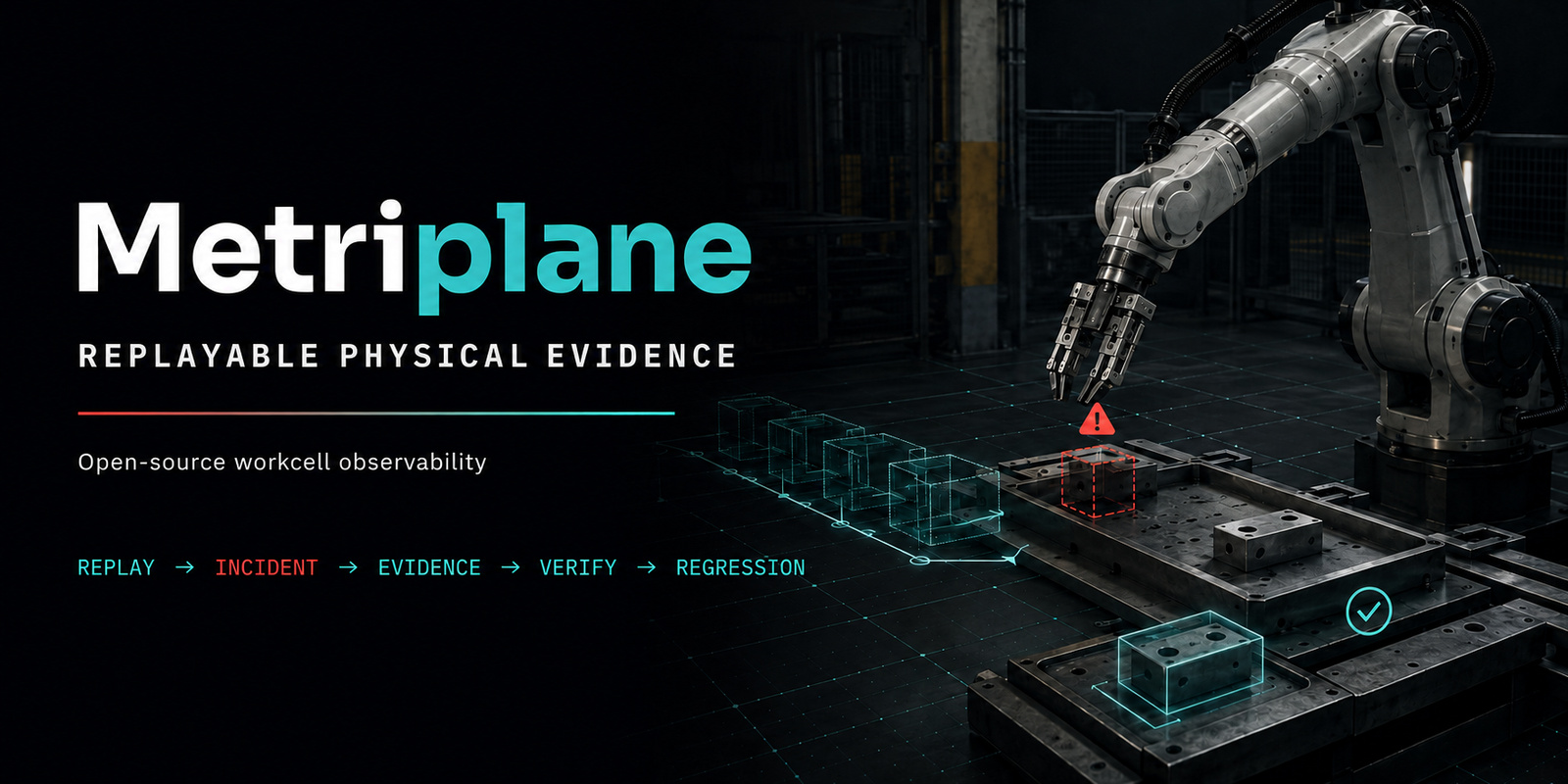
Metriplane
Understand what went wrong in a recorded workcell run—and turn it into a repeatable test.
Give Metriplane timestamped object positions and process rules. It creates an incident timeline, a human-readable report, a verified evidence bundle, and a regression check you can run again.
In the bundled example, a required torque driver is missing and an assembly step is delayed by 35.0 seconds. The generated check lets an engineer rerun that same case after the software or process rules change. Metriplane analyzes recordings; it does not control machinery or make safety or quality decisions.









Watch the AGV handoff demo
In this bounded, observe-only demo, a finished pallet is ready, but the recorded AGV state does not enter the configured pickup zone within 60 seconds. See how Metriplane turns the missed handoff into an inspectable incident, an integrity-verified evidence bundle, and a repeatable regression check.
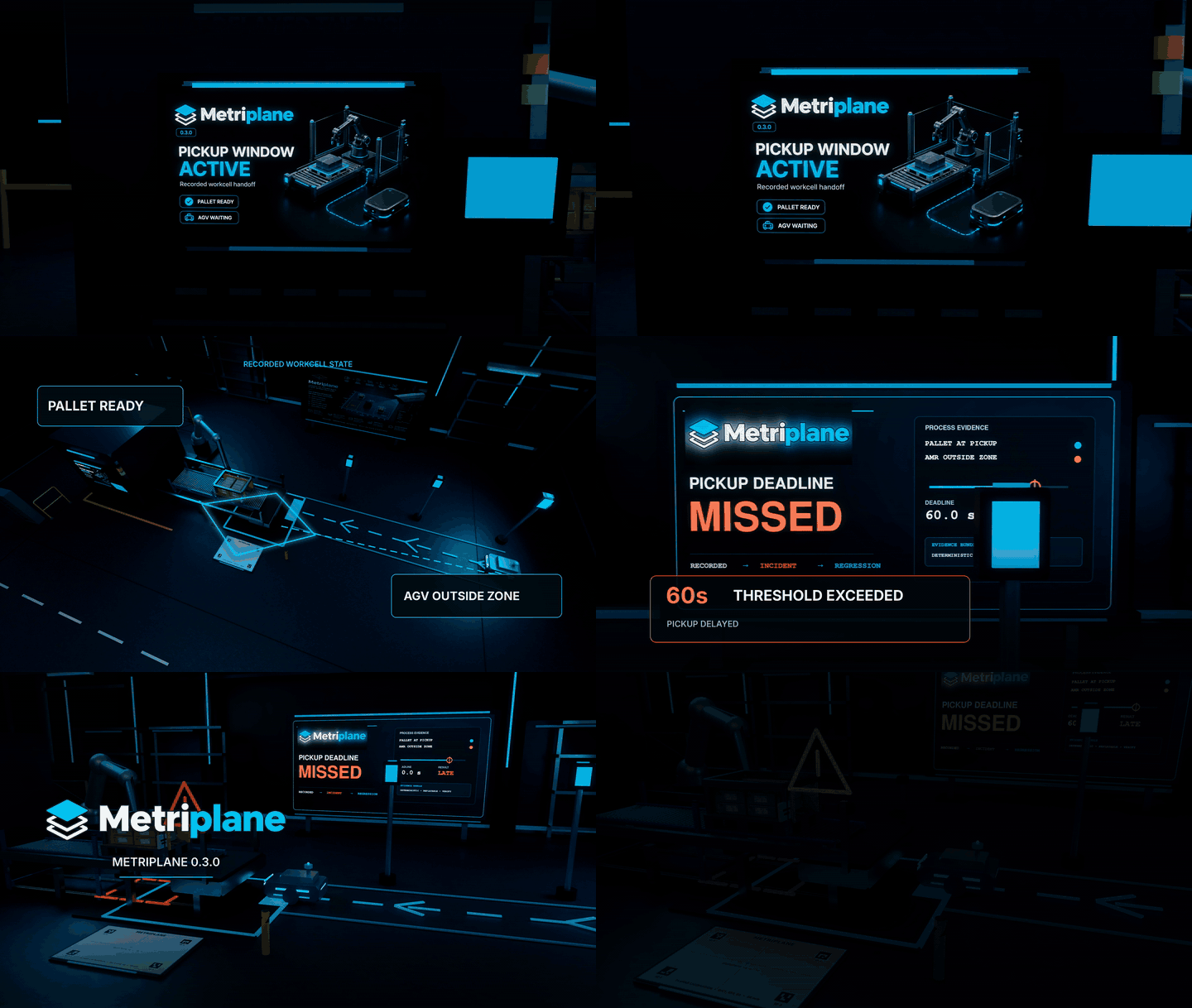
Watch the full 52-second 4K film on YouTube →
Quickstart
python -m pip install "metriplane==0.4.1"
metriplane demo --open
Or install the same release from conda-forge:
conda install conda-forge::metriplane
metriplane demo --open
The example is camera-free, GPU-free, Docker-free, ROS-free, and offline after
installation. It writes an HTML report and requests that the browser open it.
Headless users can omit --open.
This is a real replay of the package’s inspectable recorded JSONL state and
process rules: Metriplane runs the normal incident engine, writes a fresh
report and evidence bundle, verifies that bundle, and reruns the generated
regression check. Copy the exact starter inputs with
metriplane demo --export-inputs example-inputs.
Metriplane bundled demo

Scenario:
A required torque driver is missing during an assembly step.
The fastening step is delayed by 35.0 seconds.

Result:
PASS  Incident timeline: 6 events
PASS  Incident report: 1 incident
PASS  Evidence bundle: verified
PASS  Repeatable regression check: passed
Browser: open request sent
If no browser opens, use the Report path above.
Demo complete.
Input and output
```text Input Timestamped object positions + process rules
Metriplane
File truncated at 100 lines see the full file
CONTRIBUTING
Contributing to Metriplane
Thank you for helping make Metriplane easier to understand, test, and use. Keep each contribution focused on one clear problem. Before starting a large change or a new integration, open an integration-request issue so the intended scope can be checked against the project’s current boundaries.
By participating, you agree to follow the Code of Conduct. The support guide routes usage questions, reproducible defects, and documentation problems to the right project channel. Do not report a vulnerability or disclose sensitive recordings in a public issue; follow SECURITY.md instead.
Supported development environment
Use Python 3.12 or 3.13. The complete suite is tested on Ubuntu with both Python versions. The camera-free suite and installed-wheel demo are tested on macOS. WSL2 Ubuntu 24.04 has a bounded manual installed-wheel camera-free/headless validation, but it is not the complete-suite development path. One reported native-Windows demo run does not make Windows a supported development environment. A camera and GPU are optional for the bundled demo and most tests.
From a clean clone on Linux or macOS:
git clone https://github.com/Miko997/metriplane.git
cd metriplane
python3.12 -m venv .venv
source .venv/bin/activate
python -m pip install --upgrade pip
python -m pip install -e .
python -m pip install pytest playwright build twine
python -m playwright install chromium
Use python3.13 instead when testing that interpreter. On Ubuntu, Playwright’s
system packages can be installed with python -m playwright install chromium
--with-deps. That command may request operating-system privileges.
Check the installation before changing code:
metriplane --version
metriplane doctor
metriplane demo
Tests
The complete suite command, when a full qualification is required, is:
PYTEST_DISABLE_PLUGIN_AUTOLOAD=1 python -m pytest -q
Run the narrowest relevant test while iterating. Examples:
PYTEST_DISABLE_PLUGIN_AUTOLOAD=1 python -m pytest -q tests/test_demo.py
PYTEST_DISABLE_PLUGIN_AUTOLOAD=1 python -m pytest -q tests/test_rule_engine.py
PYTEST_DISABLE_PLUGIN_AUTOLOAD=1 python -m pytest -q tests/test_community_health.py
Changes to the browser UI must also pass:
PYTEST_DISABLE_PLUGIN_AUTOLOAD=1 python -m pytest -q tests/e2e
Packaging changes must be checked as built artifacts, not only as an editable install:
python -m build
python -m twine check --strict dist/*
Batch a coherent change, review every affected producer and consumer, resolve known findings, and run focused tests, static checks and deterministic generation before pushing a stable candidate. CI runs the complete Linux and macOS combinations and the repository’s Release Gates. A pull request is ready to merge only when every required check is green for its exact candidate. Do not repeat a full suite during ordinary iteration or merely to refresh metadata or provider readback. Preserve the original result identity and record the concrete source or environment change that requires another qualification.
Branch and pull-request workflow
- Update
mainand create a short-lived branch for one problem. - Make the smallest coherent change and add or update tests.
- Update user-facing documentation when behavior, commands, artifacts, or support boundaries change.
- Run focused tests and static/generation checks; resolve all known review findings.
- Open a pull request using the repository template. Explain the user-visible result, compatibility impact, and evidence/research impact.
File truncated at 100 lines see the full file
Repository Summary
| Checkout URI | https://github.com/Miko997/metriplane.git |
| VCS Type | git |
| VCS Version | main |
| Last Updated | 2026-09-30 |
| Dev Status | UNMAINTAINED |
| Released | UNRELEASED |
| Contributing |
Help Wanted (-)
Good First Issues (-) Pull Requests to Review (-) |
Packages
| Name | Version |
|---|---|
| metriplane_ros | 0.2.0 |
README
Metriplane
Understand what went wrong in a recorded workcell run—and turn it into a repeatable test.
Give Metriplane timestamped object positions and process rules. It creates an incident timeline, a human-readable report, a verified evidence bundle, and a regression check you can run again.
In the bundled example, a required torque driver is missing and an assembly step is delayed by 35.0 seconds. The generated check lets an engineer rerun that same case after the software or process rules change. Metriplane analyzes recordings; it does not control machinery or make safety or quality decisions.
Watch the AGV handoff demo
In this bounded, observe-only demo, a finished pallet is ready, but the recorded AGV state does not enter the configured pickup zone within 60 seconds. See how Metriplane turns the missed handoff into an inspectable incident, an integrity-verified evidence bundle, and a repeatable regression check.
Watch the full 52-second 4K film on YouTube →
Quickstart
python -m pip install "metriplane==0.4.1"
metriplane demo --open
Or install the same release from conda-forge:
conda install conda-forge::metriplane
metriplane demo --open
The example is camera-free, GPU-free, Docker-free, ROS-free, and offline after
installation. It writes an HTML report and requests that the browser open it.
Headless users can omit --open.
This is a real replay of the package’s inspectable recorded JSONL state and
process rules: Metriplane runs the normal incident engine, writes a fresh
report and evidence bundle, verifies that bundle, and reruns the generated
regression check. Copy the exact starter inputs with
metriplane demo --export-inputs example-inputs.
Metriplane bundled demo

Scenario:
A required torque driver is missing during an assembly step.
The fastening step is delayed by 35.0 seconds.

Result:
PASS  Incident timeline: 6 events
PASS  Incident report: 1 incident
PASS  Evidence bundle: verified
PASS  Repeatable regression check: passed
Browser: open request sent
If no browser opens, use the Report path above.
Demo complete.
Input and output
```text Input Timestamped object positions + process rules
Metriplane
File truncated at 100 lines see the full file
CONTRIBUTING
Contributing to Metriplane
Thank you for helping make Metriplane easier to understand, test, and use. Keep each contribution focused on one clear problem. Before starting a large change or a new integration, open an integration-request issue so the intended scope can be checked against the project’s current boundaries.
By participating, you agree to follow the Code of Conduct. The support guide routes usage questions, reproducible defects, and documentation problems to the right project channel. Do not report a vulnerability or disclose sensitive recordings in a public issue; follow SECURITY.md instead.
Supported development environment
Use Python 3.12 or 3.13. The complete suite is tested on Ubuntu with both Python versions. The camera-free suite and installed-wheel demo are tested on macOS. WSL2 Ubuntu 24.04 has a bounded manual installed-wheel camera-free/headless validation, but it is not the complete-suite development path. One reported native-Windows demo run does not make Windows a supported development environment. A camera and GPU are optional for the bundled demo and most tests.
From a clean clone on Linux or macOS:
git clone https://github.com/Miko997/metriplane.git
cd metriplane
python3.12 -m venv .venv
source .venv/bin/activate
python -m pip install --upgrade pip
python -m pip install -e .
python -m pip install pytest playwright build twine
python -m playwright install chromium
Use python3.13 instead when testing that interpreter. On Ubuntu, Playwright’s
system packages can be installed with python -m playwright install chromium
--with-deps. That command may request operating-system privileges.
Check the installation before changing code:
metriplane --version
metriplane doctor
metriplane demo
Tests
The complete suite command, when a full qualification is required, is:
PYTEST_DISABLE_PLUGIN_AUTOLOAD=1 python -m pytest -q
Run the narrowest relevant test while iterating. Examples:
PYTEST_DISABLE_PLUGIN_AUTOLOAD=1 python -m pytest -q tests/test_demo.py
PYTEST_DISABLE_PLUGIN_AUTOLOAD=1 python -m pytest -q tests/test_rule_engine.py
PYTEST_DISABLE_PLUGIN_AUTOLOAD=1 python -m pytest -q tests/test_community_health.py
Changes to the browser UI must also pass:
PYTEST_DISABLE_PLUGIN_AUTOLOAD=1 python -m pytest -q tests/e2e
Packaging changes must be checked as built artifacts, not only as an editable install:
python -m build
python -m twine check --strict dist/*
Batch a coherent change, review every affected producer and consumer, resolve known findings, and run focused tests, static checks and deterministic generation before pushing a stable candidate. CI runs the complete Linux and macOS combinations and the repository’s Release Gates. A pull request is ready to merge only when every required check is green for its exact candidate. Do not repeat a full suite during ordinary iteration or merely to refresh metadata or provider readback. Preserve the original result identity and record the concrete source or environment change that requires another qualification.
Branch and pull-request workflow
- Update
mainand create a short-lived branch for one problem. - Make the smallest coherent change and add or update tests.
- Update user-facing documentation when behavior, commands, artifacts, or support boundaries change.
- Run focused tests and static/generation checks; resolve all known review findings.
- Open a pull request using the repository template. Explain the user-visible result, compatibility impact, and evidence/research impact.
File truncated at 100 lines see the full file
Repository Summary
| Checkout URI | https://github.com/Miko997/metriplane.git |
| VCS Type | git |
| VCS Version | main |
| Last Updated | 2026-09-30 |
| Dev Status | UNMAINTAINED |
| Released | UNRELEASED |
| Contributing |
Help Wanted (-)
Good First Issues (-) Pull Requests to Review (-) |
Packages
| Name | Version |
|---|---|
| metriplane_ros | 0.2.0 |
README
Metriplane
Understand what went wrong in a recorded workcell run—and turn it into a repeatable test.
Give Metriplane timestamped object positions and process rules. It creates an incident timeline, a human-readable report, a verified evidence bundle, and a regression check you can run again.
In the bundled example, a required torque driver is missing and an assembly step is delayed by 35.0 seconds. The generated check lets an engineer rerun that same case after the software or process rules change. Metriplane analyzes recordings; it does not control machinery or make safety or quality decisions.
Watch the AGV handoff demo
In this bounded, observe-only demo, a finished pallet is ready, but the recorded AGV state does not enter the configured pickup zone within 60 seconds. See how Metriplane turns the missed handoff into an inspectable incident, an integrity-verified evidence bundle, and a repeatable regression check.
Watch the full 52-second 4K film on YouTube →
Quickstart
python -m pip install "metriplane==0.4.1"
metriplane demo --open
Or install the same release from conda-forge:
conda install conda-forge::metriplane
metriplane demo --open
The example is camera-free, GPU-free, Docker-free, ROS-free, and offline after
installation. It writes an HTML report and requests that the browser open it.
Headless users can omit --open.
This is a real replay of the package’s inspectable recorded JSONL state and
process rules: Metriplane runs the normal incident engine, writes a fresh
report and evidence bundle, verifies that bundle, and reruns the generated
regression check. Copy the exact starter inputs with
metriplane demo --export-inputs example-inputs.
Metriplane bundled demo

Scenario:
A required torque driver is missing during an assembly step.
The fastening step is delayed by 35.0 seconds.

Result:
PASS  Incident timeline: 6 events
PASS  Incident report: 1 incident
PASS  Evidence bundle: verified
PASS  Repeatable regression check: passed
Browser: open request sent
If no browser opens, use the Report path above.
Demo complete.
Input and output
```text Input Timestamped object positions + process rules
Metriplane
File truncated at 100 lines see the full file
CONTRIBUTING
Contributing to Metriplane
Thank you for helping make Metriplane easier to understand, test, and use. Keep each contribution focused on one clear problem. Before starting a large change or a new integration, open an integration-request issue so the intended scope can be checked against the project’s current boundaries.
By participating, you agree to follow the Code of Conduct. The support guide routes usage questions, reproducible defects, and documentation problems to the right project channel. Do not report a vulnerability or disclose sensitive recordings in a public issue; follow SECURITY.md instead.
Supported development environment
Use Python 3.12 or 3.13. The complete suite is tested on Ubuntu with both Python versions. The camera-free suite and installed-wheel demo are tested on macOS. WSL2 Ubuntu 24.04 has a bounded manual installed-wheel camera-free/headless validation, but it is not the complete-suite development path. One reported native-Windows demo run does not make Windows a supported development environment. A camera and GPU are optional for the bundled demo and most tests.
From a clean clone on Linux or macOS:
git clone https://github.com/Miko997/metriplane.git
cd metriplane
python3.12 -m venv .venv
source .venv/bin/activate
python -m pip install --upgrade pip
python -m pip install -e .
python -m pip install pytest playwright build twine
python -m playwright install chromium
Use python3.13 instead when testing that interpreter. On Ubuntu, Playwright’s
system packages can be installed with python -m playwright install chromium
--with-deps. That command may request operating-system privileges.
Check the installation before changing code:
metriplane --version
metriplane doctor
metriplane demo
Tests
The complete suite command, when a full qualification is required, is:
PYTEST_DISABLE_PLUGIN_AUTOLOAD=1 python -m pytest -q
Run the narrowest relevant test while iterating. Examples:
PYTEST_DISABLE_PLUGIN_AUTOLOAD=1 python -m pytest -q tests/test_demo.py
PYTEST_DISABLE_PLUGIN_AUTOLOAD=1 python -m pytest -q tests/test_rule_engine.py
PYTEST_DISABLE_PLUGIN_AUTOLOAD=1 python -m pytest -q tests/test_community_health.py
Changes to the browser UI must also pass:
PYTEST_DISABLE_PLUGIN_AUTOLOAD=1 python -m pytest -q tests/e2e
Packaging changes must be checked as built artifacts, not only as an editable install:
python -m build
python -m twine check --strict dist/*
Batch a coherent change, review every affected producer and consumer, resolve known findings, and run focused tests, static checks and deterministic generation before pushing a stable candidate. CI runs the complete Linux and macOS combinations and the repository’s Release Gates. A pull request is ready to merge only when every required check is green for its exact candidate. Do not repeat a full suite during ordinary iteration or merely to refresh metadata or provider readback. Preserve the original result identity and record the concrete source or environment change that requires another qualification.
Branch and pull-request workflow
- Update
mainand create a short-lived branch for one problem. - Make the smallest coherent change and add or update tests.
- Update user-facing documentation when behavior, commands, artifacts, or support boundaries change.
- Run focused tests and static/generation checks; resolve all known review findings.
- Open a pull request using the repository template. Explain the user-visible result, compatibility impact, and evidence/research impact.
File truncated at 100 lines see the full file
Repository Summary
| Checkout URI | https://github.com/Miko997/metriplane.git |
| VCS Type | git |
| VCS Version | main |
| Last Updated | 2026-09-30 |
| Dev Status | UNMAINTAINED |
| Released | UNRELEASED |
| Contributing |
Help Wanted (-)
Good First Issues (-) Pull Requests to Review (-) |
Packages
| Name | Version |
|---|---|
| metriplane_ros | 0.2.0 |
README
Metriplane
Understand what went wrong in a recorded workcell run—and turn it into a repeatable test.
Give Metriplane timestamped object positions and process rules. It creates an incident timeline, a human-readable report, a verified evidence bundle, and a regression check you can run again.
In the bundled example, a required torque driver is missing and an assembly step is delayed by 35.0 seconds. The generated check lets an engineer rerun that same case after the software or process rules change. Metriplane analyzes recordings; it does not control machinery or make safety or quality decisions.
Watch the AGV handoff demo
In this bounded, observe-only demo, a finished pallet is ready, but the recorded AGV state does not enter the configured pickup zone within 60 seconds. See how Metriplane turns the missed handoff into an inspectable incident, an integrity-verified evidence bundle, and a repeatable regression check.
Watch the full 52-second 4K film on YouTube →
Quickstart
python -m pip install "metriplane==0.4.1"
metriplane demo --open
Or install the same release from conda-forge:
conda install conda-forge::metriplane
metriplane demo --open
The example is camera-free, GPU-free, Docker-free, ROS-free, and offline after
installation. It writes an HTML report and requests that the browser open it.
Headless users can omit --open.
This is a real replay of the package’s inspectable recorded JSONL state and
process rules: Metriplane runs the normal incident engine, writes a fresh
report and evidence bundle, verifies that bundle, and reruns the generated
regression check. Copy the exact starter inputs with
metriplane demo --export-inputs example-inputs.
Metriplane bundled demo

Scenario:
A required torque driver is missing during an assembly step.
The fastening step is delayed by 35.0 seconds.

Result:
PASS  Incident timeline: 6 events
PASS  Incident report: 1 incident
PASS  Evidence bundle: verified
PASS  Repeatable regression check: passed
Browser: open request sent
If no browser opens, use the Report path above.
Demo complete.
Input and output
```text Input Timestamped object positions + process rules
Metriplane
File truncated at 100 lines see the full file
CONTRIBUTING
Contributing to Metriplane
Thank you for helping make Metriplane easier to understand, test, and use. Keep each contribution focused on one clear problem. Before starting a large change or a new integration, open an integration-request issue so the intended scope can be checked against the project’s current boundaries.
By participating, you agree to follow the Code of Conduct. The support guide routes usage questions, reproducible defects, and documentation problems to the right project channel. Do not report a vulnerability or disclose sensitive recordings in a public issue; follow SECURITY.md instead.
Supported development environment
Use Python 3.12 or 3.13. The complete suite is tested on Ubuntu with both Python versions. The camera-free suite and installed-wheel demo are tested on macOS. WSL2 Ubuntu 24.04 has a bounded manual installed-wheel camera-free/headless validation, but it is not the complete-suite development path. One reported native-Windows demo run does not make Windows a supported development environment. A camera and GPU are optional for the bundled demo and most tests.
From a clean clone on Linux or macOS:
git clone https://github.com/Miko997/metriplane.git
cd metriplane
python3.12 -m venv .venv
source .venv/bin/activate
python -m pip install --upgrade pip
python -m pip install -e .
python -m pip install pytest playwright build twine
python -m playwright install chromium
Use python3.13 instead when testing that interpreter. On Ubuntu, Playwright’s
system packages can be installed with python -m playwright install chromium
--with-deps. That command may request operating-system privileges.
Check the installation before changing code:
metriplane --version
metriplane doctor
metriplane demo
Tests
The complete suite command, when a full qualification is required, is:
PYTEST_DISABLE_PLUGIN_AUTOLOAD=1 python -m pytest -q
Run the narrowest relevant test while iterating. Examples:
PYTEST_DISABLE_PLUGIN_AUTOLOAD=1 python -m pytest -q tests/test_demo.py
PYTEST_DISABLE_PLUGIN_AUTOLOAD=1 python -m pytest -q tests/test_rule_engine.py
PYTEST_DISABLE_PLUGIN_AUTOLOAD=1 python -m pytest -q tests/test_community_health.py
Changes to the browser UI must also pass:
PYTEST_DISABLE_PLUGIN_AUTOLOAD=1 python -m pytest -q tests/e2e
Packaging changes must be checked as built artifacts, not only as an editable install:
python -m build
python -m twine check --strict dist/*
Batch a coherent change, review every affected producer and consumer, resolve known findings, and run focused tests, static checks and deterministic generation before pushing a stable candidate. CI runs the complete Linux and macOS combinations and the repository’s Release Gates. A pull request is ready to merge only when every required check is green for its exact candidate. Do not repeat a full suite during ordinary iteration or merely to refresh metadata or provider readback. Preserve the original result identity and record the concrete source or environment change that requires another qualification.
Branch and pull-request workflow
- Update
mainand create a short-lived branch for one problem. - Make the smallest coherent change and add or update tests.
- Update user-facing documentation when behavior, commands, artifacts, or support boundaries change.
- Run focused tests and static/generation checks; resolve all known review findings.
- Open a pull request using the repository template. Explain the user-visible result, compatibility impact, and evidence/research impact.
File truncated at 100 lines see the full file
Repository Summary
| Checkout URI | https://github.com/Miko997/metriplane.git |
| VCS Type | git |
| VCS Version | main |
| Last Updated | 2026-09-30 |
| Dev Status | UNMAINTAINED |
| Released | UNRELEASED |
| Contributing |
Help Wanted (-)
Good First Issues (-) Pull Requests to Review (-) |
Packages
| Name | Version |
|---|---|
| metriplane_ros | 0.2.0 |
README
Metriplane
Understand what went wrong in a recorded workcell run—and turn it into a repeatable test.
Give Metriplane timestamped object positions and process rules. It creates an incident timeline, a human-readable report, a verified evidence bundle, and a regression check you can run again.
In the bundled example, a required torque driver is missing and an assembly step is delayed by 35.0 seconds. The generated check lets an engineer rerun that same case after the software or process rules change. Metriplane analyzes recordings; it does not control machinery or make safety or quality decisions.
Watch the AGV handoff demo
In this bounded, observe-only demo, a finished pallet is ready, but the recorded AGV state does not enter the configured pickup zone within 60 seconds. See how Metriplane turns the missed handoff into an inspectable incident, an integrity-verified evidence bundle, and a repeatable regression check.
Watch the full 52-second 4K film on YouTube →
Quickstart
python -m pip install "metriplane==0.4.1"
metriplane demo --open
Or install the same release from conda-forge:
conda install conda-forge::metriplane
metriplane demo --open
The example is camera-free, GPU-free, Docker-free, ROS-free, and offline after
installation. It writes an HTML report and requests that the browser open it.
Headless users can omit --open.
This is a real replay of the package’s inspectable recorded JSONL state and
process rules: Metriplane runs the normal incident engine, writes a fresh
report and evidence bundle, verifies that bundle, and reruns the generated
regression check. Copy the exact starter inputs with
metriplane demo --export-inputs example-inputs.
Metriplane bundled demo

Scenario:
A required torque driver is missing during an assembly step.
The fastening step is delayed by 35.0 seconds.

Result:
PASS  Incident timeline: 6 events
PASS  Incident report: 1 incident
PASS  Evidence bundle: verified
PASS  Repeatable regression check: passed
Browser: open request sent
If no browser opens, use the Report path above.
Demo complete.
Input and output
```text Input Timestamped object positions + process rules
Metriplane
File truncated at 100 lines see the full file
CONTRIBUTING
Contributing to Metriplane
Thank you for helping make Metriplane easier to understand, test, and use. Keep each contribution focused on one clear problem. Before starting a large change or a new integration, open an integration-request issue so the intended scope can be checked against the project’s current boundaries.
By participating, you agree to follow the Code of Conduct. The support guide routes usage questions, reproducible defects, and documentation problems to the right project channel. Do not report a vulnerability or disclose sensitive recordings in a public issue; follow SECURITY.md instead.
Supported development environment
Use Python 3.12 or 3.13. The complete suite is tested on Ubuntu with both Python versions. The camera-free suite and installed-wheel demo are tested on macOS. WSL2 Ubuntu 24.04 has a bounded manual installed-wheel camera-free/headless validation, but it is not the complete-suite development path. One reported native-Windows demo run does not make Windows a supported development environment. A camera and GPU are optional for the bundled demo and most tests.
From a clean clone on Linux or macOS:
git clone https://github.com/Miko997/metriplane.git
cd metriplane
python3.12 -m venv .venv
source .venv/bin/activate
python -m pip install --upgrade pip
python -m pip install -e .
python -m pip install pytest playwright build twine
python -m playwright install chromium
Use python3.13 instead when testing that interpreter. On Ubuntu, Playwright’s
system packages can be installed with python -m playwright install chromium
--with-deps. That command may request operating-system privileges.
Check the installation before changing code:
metriplane --version
metriplane doctor
metriplane demo
Tests
The complete suite command, when a full qualification is required, is:
PYTEST_DISABLE_PLUGIN_AUTOLOAD=1 python -m pytest -q
Run the narrowest relevant test while iterating. Examples:
PYTEST_DISABLE_PLUGIN_AUTOLOAD=1 python -m pytest -q tests/test_demo.py
PYTEST_DISABLE_PLUGIN_AUTOLOAD=1 python -m pytest -q tests/test_rule_engine.py
PYTEST_DISABLE_PLUGIN_AUTOLOAD=1 python -m pytest -q tests/test_community_health.py
Changes to the browser UI must also pass:
PYTEST_DISABLE_PLUGIN_AUTOLOAD=1 python -m pytest -q tests/e2e
Packaging changes must be checked as built artifacts, not only as an editable install:
python -m build
python -m twine check --strict dist/*
Batch a coherent change, review every affected producer and consumer, resolve known findings, and run focused tests, static checks and deterministic generation before pushing a stable candidate. CI runs the complete Linux and macOS combinations and the repository’s Release Gates. A pull request is ready to merge only when every required check is green for its exact candidate. Do not repeat a full suite during ordinary iteration or merely to refresh metadata or provider readback. Preserve the original result identity and record the concrete source or environment change that requires another qualification.
Branch and pull-request workflow
- Update
mainand create a short-lived branch for one problem. - Make the smallest coherent change and add or update tests.
- Update user-facing documentation when behavior, commands, artifacts, or support boundaries change.
- Run focused tests and static/generation checks; resolve all known review findings.
- Open a pull request using the repository template. Explain the user-visible result, compatibility impact, and evidence/research impact.
File truncated at 100 lines see the full file
Repository Summary
| Checkout URI | https://github.com/Miko997/metriplane.git |
| VCS Type | git |
| VCS Version | main |
| Last Updated | 2026-09-30 |
| Dev Status | UNMAINTAINED |
| Released | UNRELEASED |
| Contributing |
Help Wanted (-)
Good First Issues (-) Pull Requests to Review (-) |
Packages
| Name | Version |
|---|---|
| metriplane_ros | 0.2.0 |
README
Metriplane
Understand what went wrong in a recorded workcell run—and turn it into a repeatable test.
Give Metriplane timestamped object positions and process rules. It creates an incident timeline, a human-readable report, a verified evidence bundle, and a regression check you can run again.
In the bundled example, a required torque driver is missing and an assembly step is delayed by 35.0 seconds. The generated check lets an engineer rerun that same case after the software or process rules change. Metriplane analyzes recordings; it does not control machinery or make safety or quality decisions.
Watch the AGV handoff demo
In this bounded, observe-only demo, a finished pallet is ready, but the recorded AGV state does not enter the configured pickup zone within 60 seconds. See how Metriplane turns the missed handoff into an inspectable incident, an integrity-verified evidence bundle, and a repeatable regression check.
Watch the full 52-second 4K film on YouTube →
Quickstart
python -m pip install "metriplane==0.4.1"
metriplane demo --open
Or install the same release from conda-forge:
conda install conda-forge::metriplane
metriplane demo --open
The example is camera-free, GPU-free, Docker-free, ROS-free, and offline after
installation. It writes an HTML report and requests that the browser open it.
Headless users can omit --open.
This is a real replay of the package’s inspectable recorded JSONL state and
process rules: Metriplane runs the normal incident engine, writes a fresh
report and evidence bundle, verifies that bundle, and reruns the generated
regression check. Copy the exact starter inputs with
metriplane demo --export-inputs example-inputs.
Metriplane bundled demo

Scenario:
A required torque driver is missing during an assembly step.
The fastening step is delayed by 35.0 seconds.

Result:
PASS  Incident timeline: 6 events
PASS  Incident report: 1 incident
PASS  Evidence bundle: verified
PASS  Repeatable regression check: passed
Browser: open request sent
If no browser opens, use the Report path above.
Demo complete.
Input and output
```text Input Timestamped object positions + process rules
Metriplane
File truncated at 100 lines see the full file
CONTRIBUTING
Contributing to Metriplane
Thank you for helping make Metriplane easier to understand, test, and use. Keep each contribution focused on one clear problem. Before starting a large change or a new integration, open an integration-request issue so the intended scope can be checked against the project’s current boundaries.
By participating, you agree to follow the Code of Conduct. The support guide routes usage questions, reproducible defects, and documentation problems to the right project channel. Do not report a vulnerability or disclose sensitive recordings in a public issue; follow SECURITY.md instead.
Supported development environment
Use Python 3.12 or 3.13. The complete suite is tested on Ubuntu with both Python versions. The camera-free suite and installed-wheel demo are tested on macOS. WSL2 Ubuntu 24.04 has a bounded manual installed-wheel camera-free/headless validation, but it is not the complete-suite development path. One reported native-Windows demo run does not make Windows a supported development environment. A camera and GPU are optional for the bundled demo and most tests.
From a clean clone on Linux or macOS:
git clone https://github.com/Miko997/metriplane.git
cd metriplane
python3.12 -m venv .venv
source .venv/bin/activate
python -m pip install --upgrade pip
python -m pip install -e .
python -m pip install pytest playwright build twine
python -m playwright install chromium
Use python3.13 instead when testing that interpreter. On Ubuntu, Playwright’s
system packages can be installed with python -m playwright install chromium
--with-deps. That command may request operating-system privileges.
Check the installation before changing code:
metriplane --version
metriplane doctor
metriplane demo
Tests
The complete suite command, when a full qualification is required, is:
PYTEST_DISABLE_PLUGIN_AUTOLOAD=1 python -m pytest -q
Run the narrowest relevant test while iterating. Examples:
PYTEST_DISABLE_PLUGIN_AUTOLOAD=1 python -m pytest -q tests/test_demo.py
PYTEST_DISABLE_PLUGIN_AUTOLOAD=1 python -m pytest -q tests/test_rule_engine.py
PYTEST_DISABLE_PLUGIN_AUTOLOAD=1 python -m pytest -q tests/test_community_health.py
Changes to the browser UI must also pass:
PYTEST_DISABLE_PLUGIN_AUTOLOAD=1 python -m pytest -q tests/e2e
Packaging changes must be checked as built artifacts, not only as an editable install:
python -m build
python -m twine check --strict dist/*
Batch a coherent change, review every affected producer and consumer, resolve known findings, and run focused tests, static checks and deterministic generation before pushing a stable candidate. CI runs the complete Linux and macOS combinations and the repository’s Release Gates. A pull request is ready to merge only when every required check is green for its exact candidate. Do not repeat a full suite during ordinary iteration or merely to refresh metadata or provider readback. Preserve the original result identity and record the concrete source or environment change that requires another qualification.
Branch and pull-request workflow
- Update
mainand create a short-lived branch for one problem. - Make the smallest coherent change and add or update tests.
- Update user-facing documentation when behavior, commands, artifacts, or support boundaries change.
- Run focused tests and static/generation checks; resolve all known review findings.
- Open a pull request using the repository template. Explain the user-visible result, compatibility impact, and evidence/research impact.
File truncated at 100 lines see the full file
Repository Summary
| Checkout URI | https://github.com/Miko997/metriplane.git |
| VCS Type | git |
| VCS Version | main |
| Last Updated | 2026-09-30 |
| Dev Status | UNMAINTAINED |
| Released | UNRELEASED |
| Contributing |
Help Wanted (-)
Good First Issues (-) Pull Requests to Review (-) |
Packages
| Name | Version |
|---|---|
| metriplane_ros | 0.2.0 |
README
Metriplane
Understand what went wrong in a recorded workcell run—and turn it into a repeatable test.
Give Metriplane timestamped object positions and process rules. It creates an incident timeline, a human-readable report, a verified evidence bundle, and a regression check you can run again.
In the bundled example, a required torque driver is missing and an assembly step is delayed by 35.0 seconds. The generated check lets an engineer rerun that same case after the software or process rules change. Metriplane analyzes recordings; it does not control machinery or make safety or quality decisions.
Watch the AGV handoff demo
In this bounded, observe-only demo, a finished pallet is ready, but the recorded AGV state does not enter the configured pickup zone within 60 seconds. See how Metriplane turns the missed handoff into an inspectable incident, an integrity-verified evidence bundle, and a repeatable regression check.
Watch the full 52-second 4K film on YouTube →
Quickstart
python -m pip install "metriplane==0.4.1"
metriplane demo --open
Or install the same release from conda-forge:
conda install conda-forge::metriplane
metriplane demo --open
The example is camera-free, GPU-free, Docker-free, ROS-free, and offline after
installation. It writes an HTML report and requests that the browser open it.
Headless users can omit --open.
This is a real replay of the package’s inspectable recorded JSONL state and
process rules: Metriplane runs the normal incident engine, writes a fresh
report and evidence bundle, verifies that bundle, and reruns the generated
regression check. Copy the exact starter inputs with
metriplane demo --export-inputs example-inputs.
Metriplane bundled demo

Scenario:
A required torque driver is missing during an assembly step.
The fastening step is delayed by 35.0 seconds.

Result:
PASS  Incident timeline: 6 events
PASS  Incident report: 1 incident
PASS  Evidence bundle: verified
PASS  Repeatable regression check: passed
Browser: open request sent
If no browser opens, use the Report path above.
Demo complete.
Input and output
```text Input Timestamped object positions + process rules
Metriplane
File truncated at 100 lines see the full file
CONTRIBUTING
Contributing to Metriplane
Thank you for helping make Metriplane easier to understand, test, and use. Keep each contribution focused on one clear problem. Before starting a large change or a new integration, open an integration-request issue so the intended scope can be checked against the project’s current boundaries.
By participating, you agree to follow the Code of Conduct. The support guide routes usage questions, reproducible defects, and documentation problems to the right project channel. Do not report a vulnerability or disclose sensitive recordings in a public issue; follow SECURITY.md instead.
Supported development environment
Use Python 3.12 or 3.13. The complete suite is tested on Ubuntu with both Python versions. The camera-free suite and installed-wheel demo are tested on macOS. WSL2 Ubuntu 24.04 has a bounded manual installed-wheel camera-free/headless validation, but it is not the complete-suite development path. One reported native-Windows demo run does not make Windows a supported development environment. A camera and GPU are optional for the bundled demo and most tests.
From a clean clone on Linux or macOS:
git clone https://github.com/Miko997/metriplane.git
cd metriplane
python3.12 -m venv .venv
source .venv/bin/activate
python -m pip install --upgrade pip
python -m pip install -e .
python -m pip install pytest playwright build twine
python -m playwright install chromium
Use python3.13 instead when testing that interpreter. On Ubuntu, Playwright’s
system packages can be installed with python -m playwright install chromium
--with-deps. That command may request operating-system privileges.
Check the installation before changing code:
metriplane --version
metriplane doctor
metriplane demo
Tests
The complete suite command, when a full qualification is required, is:
PYTEST_DISABLE_PLUGIN_AUTOLOAD=1 python -m pytest -q
Run the narrowest relevant test while iterating. Examples:
PYTEST_DISABLE_PLUGIN_AUTOLOAD=1 python -m pytest -q tests/test_demo.py
PYTEST_DISABLE_PLUGIN_AUTOLOAD=1 python -m pytest -q tests/test_rule_engine.py
PYTEST_DISABLE_PLUGIN_AUTOLOAD=1 python -m pytest -q tests/test_community_health.py
Changes to the browser UI must also pass:
PYTEST_DISABLE_PLUGIN_AUTOLOAD=1 python -m pytest -q tests/e2e
Packaging changes must be checked as built artifacts, not only as an editable install:
python -m build
python -m twine check --strict dist/*
Batch a coherent change, review every affected producer and consumer, resolve known findings, and run focused tests, static checks and deterministic generation before pushing a stable candidate. CI runs the complete Linux and macOS combinations and the repository’s Release Gates. A pull request is ready to merge only when every required check is green for its exact candidate. Do not repeat a full suite during ordinary iteration or merely to refresh metadata or provider readback. Preserve the original result identity and record the concrete source or environment change that requires another qualification.
Branch and pull-request workflow
- Update
mainand create a short-lived branch for one problem. - Make the smallest coherent change and add or update tests.
- Update user-facing documentation when behavior, commands, artifacts, or support boundaries change.
- Run focused tests and static/generation checks; resolve all known review findings.
- Open a pull request using the repository template. Explain the user-visible result, compatibility impact, and evidence/research impact.
File truncated at 100 lines see the full file
Repository Summary
| Checkout URI | https://github.com/Miko997/metriplane.git |
| VCS Type | git |
| VCS Version | main |
| Last Updated | 2026-09-30 |
| Dev Status | UNMAINTAINED |
| Released | UNRELEASED |
| Contributing |
Help Wanted (-)
Good First Issues (-) Pull Requests to Review (-) |
Packages
| Name | Version |
|---|---|
| metriplane_ros | 0.2.0 |
README
Metriplane
Understand what went wrong in a recorded workcell run—and turn it into a repeatable test.
Give Metriplane timestamped object positions and process rules. It creates an incident timeline, a human-readable report, a verified evidence bundle, and a regression check you can run again.
In the bundled example, a required torque driver is missing and an assembly step is delayed by 35.0 seconds. The generated check lets an engineer rerun that same case after the software or process rules change. Metriplane analyzes recordings; it does not control machinery or make safety or quality decisions.
Watch the AGV handoff demo
In this bounded, observe-only demo, a finished pallet is ready, but the recorded AGV state does not enter the configured pickup zone within 60 seconds. See how Metriplane turns the missed handoff into an inspectable incident, an integrity-verified evidence bundle, and a repeatable regression check.
Watch the full 52-second 4K film on YouTube →
Quickstart
python -m pip install "metriplane==0.4.1"
metriplane demo --open
Or install the same release from conda-forge:
conda install conda-forge::metriplane
metriplane demo --open
The example is camera-free, GPU-free, Docker-free, ROS-free, and offline after
installation. It writes an HTML report and requests that the browser open it.
Headless users can omit --open.
This is a real replay of the package’s inspectable recorded JSONL state and
process rules: Metriplane runs the normal incident engine, writes a fresh
report and evidence bundle, verifies that bundle, and reruns the generated
regression check. Copy the exact starter inputs with
metriplane demo --export-inputs example-inputs.
Metriplane bundled demo

Scenario:
A required torque driver is missing during an assembly step.
The fastening step is delayed by 35.0 seconds.

Result:
PASS  Incident timeline: 6 events
PASS  Incident report: 1 incident
PASS  Evidence bundle: verified
PASS  Repeatable regression check: passed
Browser: open request sent
If no browser opens, use the Report path above.
Demo complete.
Input and output
```text Input Timestamped object positions + process rules
Metriplane
File truncated at 100 lines see the full file
CONTRIBUTING
Contributing to Metriplane
Thank you for helping make Metriplane easier to understand, test, and use. Keep each contribution focused on one clear problem. Before starting a large change or a new integration, open an integration-request issue so the intended scope can be checked against the project’s current boundaries.
By participating, you agree to follow the Code of Conduct. The support guide routes usage questions, reproducible defects, and documentation problems to the right project channel. Do not report a vulnerability or disclose sensitive recordings in a public issue; follow SECURITY.md instead.
Supported development environment
Use Python 3.12 or 3.13. The complete suite is tested on Ubuntu with both Python versions. The camera-free suite and installed-wheel demo are tested on macOS. WSL2 Ubuntu 24.04 has a bounded manual installed-wheel camera-free/headless validation, but it is not the complete-suite development path. One reported native-Windows demo run does not make Windows a supported development environment. A camera and GPU are optional for the bundled demo and most tests.
From a clean clone on Linux or macOS:
git clone https://github.com/Miko997/metriplane.git
cd metriplane
python3.12 -m venv .venv
source .venv/bin/activate
python -m pip install --upgrade pip
python -m pip install -e .
python -m pip install pytest playwright build twine
python -m playwright install chromium
Use python3.13 instead when testing that interpreter. On Ubuntu, Playwright’s
system packages can be installed with python -m playwright install chromium
--with-deps. That command may request operating-system privileges.
Check the installation before changing code:
metriplane --version
metriplane doctor
metriplane demo
Tests
The complete suite command, when a full qualification is required, is:
PYTEST_DISABLE_PLUGIN_AUTOLOAD=1 python -m pytest -q
Run the narrowest relevant test while iterating. Examples:
PYTEST_DISABLE_PLUGIN_AUTOLOAD=1 python -m pytest -q tests/test_demo.py
PYTEST_DISABLE_PLUGIN_AUTOLOAD=1 python -m pytest -q tests/test_rule_engine.py
PYTEST_DISABLE_PLUGIN_AUTOLOAD=1 python -m pytest -q tests/test_community_health.py
Changes to the browser UI must also pass:
PYTEST_DISABLE_PLUGIN_AUTOLOAD=1 python -m pytest -q tests/e2e
Packaging changes must be checked as built artifacts, not only as an editable install:
python -m build
python -m twine check --strict dist/*
Batch a coherent change, review every affected producer and consumer, resolve known findings, and run focused tests, static checks and deterministic generation before pushing a stable candidate. CI runs the complete Linux and macOS combinations and the repository’s Release Gates. A pull request is ready to merge only when every required check is green for its exact candidate. Do not repeat a full suite during ordinary iteration or merely to refresh metadata or provider readback. Preserve the original result identity and record the concrete source or environment change that requires another qualification.
Branch and pull-request workflow
- Update
mainand create a short-lived branch for one problem. - Make the smallest coherent change and add or update tests.
- Update user-facing documentation when behavior, commands, artifacts, or support boundaries change.
- Run focused tests and static/generation checks; resolve all known review findings.
- Open a pull request using the repository template. Explain the user-visible result, compatibility impact, and evidence/research impact.
File truncated at 100 lines see the full file
Repository Summary
| Checkout URI | https://github.com/Miko997/metriplane.git |
| VCS Type | git |
| VCS Version | main |
| Last Updated | 2026-09-30 |
| Dev Status | UNMAINTAINED |
| Released | UNRELEASED |
| Contributing |
Help Wanted (-)
Good First Issues (-) Pull Requests to Review (-) |
Packages
| Name | Version |
|---|---|
| metriplane_ros | 0.2.0 |
README
Metriplane
Understand what went wrong in a recorded workcell run—and turn it into a repeatable test.
Give Metriplane timestamped object positions and process rules. It creates an incident timeline, a human-readable report, a verified evidence bundle, and a regression check you can run again.
In the bundled example, a required torque driver is missing and an assembly step is delayed by 35.0 seconds. The generated check lets an engineer rerun that same case after the software or process rules change. Metriplane analyzes recordings; it does not control machinery or make safety or quality decisions.
Watch the AGV handoff demo
In this bounded, observe-only demo, a finished pallet is ready, but the recorded AGV state does not enter the configured pickup zone within 60 seconds. See how Metriplane turns the missed handoff into an inspectable incident, an integrity-verified evidence bundle, and a repeatable regression check.
Watch the full 52-second 4K film on YouTube →
Quickstart
python -m pip install "metriplane==0.4.1"
metriplane demo --open
Or install the same release from conda-forge:
conda install conda-forge::metriplane
metriplane demo --open
The example is camera-free, GPU-free, Docker-free, ROS-free, and offline after
installation. It writes an HTML report and requests that the browser open it.
Headless users can omit --open.
This is a real replay of the package’s inspectable recorded JSONL state and
process rules: Metriplane runs the normal incident engine, writes a fresh
report and evidence bundle, verifies that bundle, and reruns the generated
regression check. Copy the exact starter inputs with
metriplane demo --export-inputs example-inputs.
Metriplane bundled demo

Scenario:
A required torque driver is missing during an assembly step.
The fastening step is delayed by 35.0 seconds.

Result:
PASS  Incident timeline: 6 events
PASS  Incident report: 1 incident
PASS  Evidence bundle: verified
PASS  Repeatable regression check: passed
Browser: open request sent
If no browser opens, use the Report path above.
Demo complete.
Input and output
```text Input Timestamped object positions + process rules
Metriplane
File truncated at 100 lines see the full file
CONTRIBUTING
Contributing to Metriplane
Thank you for helping make Metriplane easier to understand, test, and use. Keep each contribution focused on one clear problem. Before starting a large change or a new integration, open an integration-request issue so the intended scope can be checked against the project’s current boundaries.
By participating, you agree to follow the Code of Conduct. The support guide routes usage questions, reproducible defects, and documentation problems to the right project channel. Do not report a vulnerability or disclose sensitive recordings in a public issue; follow SECURITY.md instead.
Supported development environment
Use Python 3.12 or 3.13. The complete suite is tested on Ubuntu with both Python versions. The camera-free suite and installed-wheel demo are tested on macOS. WSL2 Ubuntu 24.04 has a bounded manual installed-wheel camera-free/headless validation, but it is not the complete-suite development path. One reported native-Windows demo run does not make Windows a supported development environment. A camera and GPU are optional for the bundled demo and most tests.
From a clean clone on Linux or macOS:
git clone https://github.com/Miko997/metriplane.git
cd metriplane
python3.12 -m venv .venv
source .venv/bin/activate
python -m pip install --upgrade pip
python -m pip install -e .
python -m pip install pytest playwright build twine
python -m playwright install chromium
Use python3.13 instead when testing that interpreter. On Ubuntu, Playwright’s
system packages can be installed with python -m playwright install chromium
--with-deps. That command may request operating-system privileges.
Check the installation before changing code:
metriplane --version
metriplane doctor
metriplane demo
Tests
The complete suite command, when a full qualification is required, is:
PYTEST_DISABLE_PLUGIN_AUTOLOAD=1 python -m pytest -q
Run the narrowest relevant test while iterating. Examples:
PYTEST_DISABLE_PLUGIN_AUTOLOAD=1 python -m pytest -q tests/test_demo.py
PYTEST_DISABLE_PLUGIN_AUTOLOAD=1 python -m pytest -q tests/test_rule_engine.py
PYTEST_DISABLE_PLUGIN_AUTOLOAD=1 python -m pytest -q tests/test_community_health.py
Changes to the browser UI must also pass:
PYTEST_DISABLE_PLUGIN_AUTOLOAD=1 python -m pytest -q tests/e2e
Packaging changes must be checked as built artifacts, not only as an editable install:
python -m build
python -m twine check --strict dist/*
Batch a coherent change, review every affected producer and consumer, resolve known findings, and run focused tests, static checks and deterministic generation before pushing a stable candidate. CI runs the complete Linux and macOS combinations and the repository’s Release Gates. A pull request is ready to merge only when every required check is green for its exact candidate. Do not repeat a full suite during ordinary iteration or merely to refresh metadata or provider readback. Preserve the original result identity and record the concrete source or environment change that requires another qualification.
Branch and pull-request workflow
- Update
mainand create a short-lived branch for one problem. - Make the smallest coherent change and add or update tests.
- Update user-facing documentation when behavior, commands, artifacts, or support boundaries change.
- Run focused tests and static/generation checks; resolve all known review findings.
- Open a pull request using the repository template. Explain the user-visible result, compatibility impact, and evidence/research impact.
File truncated at 100 lines see the full file
Repository Summary
| Checkout URI | https://github.com/Miko997/metriplane.git |
| VCS Type | git |
| VCS Version | main |
| Last Updated | 2026-09-30 |
| Dev Status | UNMAINTAINED |
| Released | UNRELEASED |
| Contributing |
Help Wanted (-)
Good First Issues (-) Pull Requests to Review (-) |
Packages
| Name | Version |
|---|---|
| metriplane_ros | 0.2.0 |
README
Metriplane
Understand what went wrong in a recorded workcell run—and turn it into a repeatable test.
Give Metriplane timestamped object positions and process rules. It creates an incident timeline, a human-readable report, a verified evidence bundle, and a regression check you can run again.
In the bundled example, a required torque driver is missing and an assembly step is delayed by 35.0 seconds. The generated check lets an engineer rerun that same case after the software or process rules change. Metriplane analyzes recordings; it does not control machinery or make safety or quality decisions.
Watch the AGV handoff demo
In this bounded, observe-only demo, a finished pallet is ready, but the recorded AGV state does not enter the configured pickup zone within 60 seconds. See how Metriplane turns the missed handoff into an inspectable incident, an integrity-verified evidence bundle, and a repeatable regression check.
Watch the full 52-second 4K film on YouTube →
Quickstart
python -m pip install "metriplane==0.4.1"
metriplane demo --open
Or install the same release from conda-forge:
conda install conda-forge::metriplane
metriplane demo --open
The example is camera-free, GPU-free, Docker-free, ROS-free, and offline after
installation. It writes an HTML report and requests that the browser open it.
Headless users can omit --open.
This is a real replay of the package’s inspectable recorded JSONL state and
process rules: Metriplane runs the normal incident engine, writes a fresh
report and evidence bundle, verifies that bundle, and reruns the generated
regression check. Copy the exact starter inputs with
metriplane demo --export-inputs example-inputs.
Metriplane bundled demo

Scenario:
A required torque driver is missing during an assembly step.
The fastening step is delayed by 35.0 seconds.

Result:
PASS  Incident timeline: 6 events
PASS  Incident report: 1 incident
PASS  Evidence bundle: verified
PASS  Repeatable regression check: passed
Browser: open request sent
If no browser opens, use the Report path above.
Demo complete.
Input and output
```text Input Timestamped object positions + process rules
Metriplane
File truncated at 100 lines see the full file
CONTRIBUTING
Contributing to Metriplane
Thank you for helping make Metriplane easier to understand, test, and use. Keep each contribution focused on one clear problem. Before starting a large change or a new integration, open an integration-request issue so the intended scope can be checked against the project’s current boundaries.
By participating, you agree to follow the Code of Conduct. The support guide routes usage questions, reproducible defects, and documentation problems to the right project channel. Do not report a vulnerability or disclose sensitive recordings in a public issue; follow SECURITY.md instead.
Supported development environment
Use Python 3.12 or 3.13. The complete suite is tested on Ubuntu with both Python versions. The camera-free suite and installed-wheel demo are tested on macOS. WSL2 Ubuntu 24.04 has a bounded manual installed-wheel camera-free/headless validation, but it is not the complete-suite development path. One reported native-Windows demo run does not make Windows a supported development environment. A camera and GPU are optional for the bundled demo and most tests.
From a clean clone on Linux or macOS:
git clone https://github.com/Miko997/metriplane.git
cd metriplane
python3.12 -m venv .venv
source .venv/bin/activate
python -m pip install --upgrade pip
python -m pip install -e .
python -m pip install pytest playwright build twine
python -m playwright install chromium
Use python3.13 instead when testing that interpreter. On Ubuntu, Playwright’s
system packages can be installed with python -m playwright install chromium
--with-deps. That command may request operating-system privileges.
Check the installation before changing code:
metriplane --version
metriplane doctor
metriplane demo
Tests
The complete suite command, when a full qualification is required, is:
PYTEST_DISABLE_PLUGIN_AUTOLOAD=1 python -m pytest -q
Run the narrowest relevant test while iterating. Examples:
PYTEST_DISABLE_PLUGIN_AUTOLOAD=1 python -m pytest -q tests/test_demo.py
PYTEST_DISABLE_PLUGIN_AUTOLOAD=1 python -m pytest -q tests/test_rule_engine.py
PYTEST_DISABLE_PLUGIN_AUTOLOAD=1 python -m pytest -q tests/test_community_health.py
Changes to the browser UI must also pass:
PYTEST_DISABLE_PLUGIN_AUTOLOAD=1 python -m pytest -q tests/e2e
Packaging changes must be checked as built artifacts, not only as an editable install:
python -m build
python -m twine check --strict dist/*
Batch a coherent change, review every affected producer and consumer, resolve known findings, and run focused tests, static checks and deterministic generation before pushing a stable candidate. CI runs the complete Linux and macOS combinations and the repository’s Release Gates. A pull request is ready to merge only when every required check is green for its exact candidate. Do not repeat a full suite during ordinary iteration or merely to refresh metadata or provider readback. Preserve the original result identity and record the concrete source or environment change that requires another qualification.
Branch and pull-request workflow
- Update
mainand create a short-lived branch for one problem. - Make the smallest coherent change and add or update tests.
- Update user-facing documentation when behavior, commands, artifacts, or support boundaries change.
- Run focused tests and static/generation checks; resolve all known review findings.
- Open a pull request using the repository template. Explain the user-visible result, compatibility impact, and evidence/research impact.
File truncated at 100 lines see the full file
Repository Summary
| Checkout URI | https://github.com/Miko997/metriplane.git |
| VCS Type | git |
| VCS Version | main |
| Last Updated | 2026-09-30 |
| Dev Status | UNMAINTAINED |
| Released | UNRELEASED |
| Contributing |
Help Wanted (-)
Good First Issues (-) Pull Requests to Review (-) |
Packages
| Name | Version |
|---|---|
| metriplane_ros | 0.2.0 |
README
Metriplane
Understand what went wrong in a recorded workcell run—and turn it into a repeatable test.
Give Metriplane timestamped object positions and process rules. It creates an incident timeline, a human-readable report, a verified evidence bundle, and a regression check you can run again.
In the bundled example, a required torque driver is missing and an assembly step is delayed by 35.0 seconds. The generated check lets an engineer rerun that same case after the software or process rules change. Metriplane analyzes recordings; it does not control machinery or make safety or quality decisions.
Watch the AGV handoff demo
In this bounded, observe-only demo, a finished pallet is ready, but the recorded AGV state does not enter the configured pickup zone within 60 seconds. See how Metriplane turns the missed handoff into an inspectable incident, an integrity-verified evidence bundle, and a repeatable regression check.
Watch the full 52-second 4K film on YouTube →
Quickstart
python -m pip install "metriplane==0.4.1"
metriplane demo --open
Or install the same release from conda-forge:
conda install conda-forge::metriplane
metriplane demo --open
The example is camera-free, GPU-free, Docker-free, ROS-free, and offline after
installation. It writes an HTML report and requests that the browser open it.
Headless users can omit --open.
This is a real replay of the package’s inspectable recorded JSONL state and
process rules: Metriplane runs the normal incident engine, writes a fresh
report and evidence bundle, verifies that bundle, and reruns the generated
regression check. Copy the exact starter inputs with
metriplane demo --export-inputs example-inputs.
Metriplane bundled demo

Scenario:
A required torque driver is missing during an assembly step.
The fastening step is delayed by 35.0 seconds.

Result:
PASS  Incident timeline: 6 events
PASS  Incident report: 1 incident
PASS  Evidence bundle: verified
PASS  Repeatable regression check: passed
Browser: open request sent
If no browser opens, use the Report path above.
Demo complete.
Input and output
```text Input Timestamped object positions + process rules
Metriplane
File truncated at 100 lines see the full file
CONTRIBUTING
Contributing to Metriplane
Thank you for helping make Metriplane easier to understand, test, and use. Keep each contribution focused on one clear problem. Before starting a large change or a new integration, open an integration-request issue so the intended scope can be checked against the project’s current boundaries.
By participating, you agree to follow the Code of Conduct. The support guide routes usage questions, reproducible defects, and documentation problems to the right project channel. Do not report a vulnerability or disclose sensitive recordings in a public issue; follow SECURITY.md instead.
Supported development environment
Use Python 3.12 or 3.13. The complete suite is tested on Ubuntu with both Python versions. The camera-free suite and installed-wheel demo are tested on macOS. WSL2 Ubuntu 24.04 has a bounded manual installed-wheel camera-free/headless validation, but it is not the complete-suite development path. One reported native-Windows demo run does not make Windows a supported development environment. A camera and GPU are optional for the bundled demo and most tests.
From a clean clone on Linux or macOS:
git clone https://github.com/Miko997/metriplane.git
cd metriplane
python3.12 -m venv .venv
source .venv/bin/activate
python -m pip install --upgrade pip
python -m pip install -e .
python -m pip install pytest playwright build twine
python -m playwright install chromium
Use python3.13 instead when testing that interpreter. On Ubuntu, Playwright’s
system packages can be installed with python -m playwright install chromium
--with-deps. That command may request operating-system privileges.
Check the installation before changing code:
metriplane --version
metriplane doctor
metriplane demo
Tests
The complete suite command, when a full qualification is required, is:
PYTEST_DISABLE_PLUGIN_AUTOLOAD=1 python -m pytest -q
Run the narrowest relevant test while iterating. Examples:
PYTEST_DISABLE_PLUGIN_AUTOLOAD=1 python -m pytest -q tests/test_demo.py
PYTEST_DISABLE_PLUGIN_AUTOLOAD=1 python -m pytest -q tests/test_rule_engine.py
PYTEST_DISABLE_PLUGIN_AUTOLOAD=1 python -m pytest -q tests/test_community_health.py
Changes to the browser UI must also pass:
PYTEST_DISABLE_PLUGIN_AUTOLOAD=1 python -m pytest -q tests/e2e
Packaging changes must be checked as built artifacts, not only as an editable install:
python -m build
python -m twine check --strict dist/*
Batch a coherent change, review every affected producer and consumer, resolve known findings, and run focused tests, static checks and deterministic generation before pushing a stable candidate. CI runs the complete Linux and macOS combinations and the repository’s Release Gates. A pull request is ready to merge only when every required check is green for its exact candidate. Do not repeat a full suite during ordinary iteration or merely to refresh metadata or provider readback. Preserve the original result identity and record the concrete source or environment change that requires another qualification.
Branch and pull-request workflow
- Update
mainand create a short-lived branch for one problem. - Make the smallest coherent change and add or update tests.
- Update user-facing documentation when behavior, commands, artifacts, or support boundaries change.
- Run focused tests and static/generation checks; resolve all known review findings.
- Open a pull request using the repository template. Explain the user-visible result, compatibility impact, and evidence/research impact.
File truncated at 100 lines see the full file
Repository Summary
| Checkout URI | https://github.com/Miko997/metriplane.git |
| VCS Type | git |
| VCS Version | main |
| Last Updated | 2026-09-30 |
| Dev Status | UNMAINTAINED |
| Released | UNRELEASED |
| Contributing |
Help Wanted (-)
Good First Issues (-) Pull Requests to Review (-) |
Packages
| Name | Version |
|---|---|
| metriplane_ros | 0.2.0 |
README
Metriplane
Understand what went wrong in a recorded workcell run—and turn it into a repeatable test.
Give Metriplane timestamped object positions and process rules. It creates an incident timeline, a human-readable report, a verified evidence bundle, and a regression check you can run again.
In the bundled example, a required torque driver is missing and an assembly step is delayed by 35.0 seconds. The generated check lets an engineer rerun that same case after the software or process rules change. Metriplane analyzes recordings; it does not control machinery or make safety or quality decisions.
Watch the AGV handoff demo
In this bounded, observe-only demo, a finished pallet is ready, but the recorded AGV state does not enter the configured pickup zone within 60 seconds. See how Metriplane turns the missed handoff into an inspectable incident, an integrity-verified evidence bundle, and a repeatable regression check.
Watch the full 52-second 4K film on YouTube →
Quickstart
python -m pip install "metriplane==0.4.1"
metriplane demo --open
Or install the same release from conda-forge:
conda install conda-forge::metriplane
metriplane demo --open
The example is camera-free, GPU-free, Docker-free, ROS-free, and offline after
installation. It writes an HTML report and requests that the browser open it.
Headless users can omit --open.
This is a real replay of the package’s inspectable recorded JSONL state and
process rules: Metriplane runs the normal incident engine, writes a fresh
report and evidence bundle, verifies that bundle, and reruns the generated
regression check. Copy the exact starter inputs with
metriplane demo --export-inputs example-inputs.
Metriplane bundled demo

Scenario:
A required torque driver is missing during an assembly step.
The fastening step is delayed by 35.0 seconds.

Result:
PASS  Incident timeline: 6 events
PASS  Incident report: 1 incident
PASS  Evidence bundle: verified
PASS  Repeatable regression check: passed
Browser: open request sent
If no browser opens, use the Report path above.
Demo complete.
Input and output
```text Input Timestamped object positions + process rules
Metriplane
File truncated at 100 lines see the full file
CONTRIBUTING
Contributing to Metriplane
Thank you for helping make Metriplane easier to understand, test, and use. Keep each contribution focused on one clear problem. Before starting a large change or a new integration, open an integration-request issue so the intended scope can be checked against the project’s current boundaries.
By participating, you agree to follow the Code of Conduct. The support guide routes usage questions, reproducible defects, and documentation problems to the right project channel. Do not report a vulnerability or disclose sensitive recordings in a public issue; follow SECURITY.md instead.
Supported development environment
Use Python 3.12 or 3.13. The complete suite is tested on Ubuntu with both Python versions. The camera-free suite and installed-wheel demo are tested on macOS. WSL2 Ubuntu 24.04 has a bounded manual installed-wheel camera-free/headless validation, but it is not the complete-suite development path. One reported native-Windows demo run does not make Windows a supported development environment. A camera and GPU are optional for the bundled demo and most tests.
From a clean clone on Linux or macOS:
git clone https://github.com/Miko997/metriplane.git
cd metriplane
python3.12 -m venv .venv
source .venv/bin/activate
python -m pip install --upgrade pip
python -m pip install -e .
python -m pip install pytest playwright build twine
python -m playwright install chromium
Use python3.13 instead when testing that interpreter. On Ubuntu, Playwright’s
system packages can be installed with python -m playwright install chromium
--with-deps. That command may request operating-system privileges.
Check the installation before changing code:
metriplane --version
metriplane doctor
metriplane demo
Tests
The complete suite command, when a full qualification is required, is:
PYTEST_DISABLE_PLUGIN_AUTOLOAD=1 python -m pytest -q
Run the narrowest relevant test while iterating. Examples:
PYTEST_DISABLE_PLUGIN_AUTOLOAD=1 python -m pytest -q tests/test_demo.py
PYTEST_DISABLE_PLUGIN_AUTOLOAD=1 python -m pytest -q tests/test_rule_engine.py
PYTEST_DISABLE_PLUGIN_AUTOLOAD=1 python -m pytest -q tests/test_community_health.py
Changes to the browser UI must also pass:
PYTEST_DISABLE_PLUGIN_AUTOLOAD=1 python -m pytest -q tests/e2e
Packaging changes must be checked as built artifacts, not only as an editable install:
python -m build
python -m twine check --strict dist/*
Batch a coherent change, review every affected producer and consumer, resolve known findings, and run focused tests, static checks and deterministic generation before pushing a stable candidate. CI runs the complete Linux and macOS combinations and the repository’s Release Gates. A pull request is ready to merge only when every required check is green for its exact candidate. Do not repeat a full suite during ordinary iteration or merely to refresh metadata or provider readback. Preserve the original result identity and record the concrete source or environment change that requires another qualification.
Branch and pull-request workflow
- Update
mainand create a short-lived branch for one problem. - Make the smallest coherent change and add or update tests.
- Update user-facing documentation when behavior, commands, artifacts, or support boundaries change.
- Run focused tests and static/generation checks; resolve all known review findings.
- Open a pull request using the repository template. Explain the user-visible result, compatibility impact, and evidence/research impact.
File truncated at 100 lines see the full file
Repository Summary
| Checkout URI | https://github.com/Miko997/metriplane.git |
| VCS Type | git |
| VCS Version | main |
| Last Updated | 2026-09-30 |
| Dev Status | UNMAINTAINED |
| Released | UNRELEASED |
| Contributing |
Help Wanted (-)
Good First Issues (-) Pull Requests to Review (-) |
Packages
| Name | Version |
|---|---|
| metriplane_ros | 0.2.0 |
README
Metriplane
Understand what went wrong in a recorded workcell run—and turn it into a repeatable test.
Give Metriplane timestamped object positions and process rules. It creates an incident timeline, a human-readable report, a verified evidence bundle, and a regression check you can run again.
In the bundled example, a required torque driver is missing and an assembly step is delayed by 35.0 seconds. The generated check lets an engineer rerun that same case after the software or process rules change. Metriplane analyzes recordings; it does not control machinery or make safety or quality decisions.
Watch the AGV handoff demo
In this bounded, observe-only demo, a finished pallet is ready, but the recorded AGV state does not enter the configured pickup zone within 60 seconds. See how Metriplane turns the missed handoff into an inspectable incident, an integrity-verified evidence bundle, and a repeatable regression check.
Watch the full 52-second 4K film on YouTube →
Quickstart
python -m pip install "metriplane==0.4.1"
metriplane demo --open
Or install the same release from conda-forge:
conda install conda-forge::metriplane
metriplane demo --open
The example is camera-free, GPU-free, Docker-free, ROS-free, and offline after
installation. It writes an HTML report and requests that the browser open it.
Headless users can omit --open.
This is a real replay of the package’s inspectable recorded JSONL state and
process rules: Metriplane runs the normal incident engine, writes a fresh
report and evidence bundle, verifies that bundle, and reruns the generated
regression check. Copy the exact starter inputs with
metriplane demo --export-inputs example-inputs.
Metriplane bundled demo

Scenario:
A required torque driver is missing during an assembly step.
The fastening step is delayed by 35.0 seconds.

Result:
PASS  Incident timeline: 6 events
PASS  Incident report: 1 incident
PASS  Evidence bundle: verified
PASS  Repeatable regression check: passed
Browser: open request sent
If no browser opens, use the Report path above.
Demo complete.
Input and output
```text Input Timestamped object positions + process rules
Metriplane
File truncated at 100 lines see the full file
CONTRIBUTING
Contributing to Metriplane
Thank you for helping make Metriplane easier to understand, test, and use. Keep each contribution focused on one clear problem. Before starting a large change or a new integration, open an integration-request issue so the intended scope can be checked against the project’s current boundaries.
By participating, you agree to follow the Code of Conduct. The support guide routes usage questions, reproducible defects, and documentation problems to the right project channel. Do not report a vulnerability or disclose sensitive recordings in a public issue; follow SECURITY.md instead.
Supported development environment
Use Python 3.12 or 3.13. The complete suite is tested on Ubuntu with both Python versions. The camera-free suite and installed-wheel demo are tested on macOS. WSL2 Ubuntu 24.04 has a bounded manual installed-wheel camera-free/headless validation, but it is not the complete-suite development path. One reported native-Windows demo run does not make Windows a supported development environment. A camera and GPU are optional for the bundled demo and most tests.
From a clean clone on Linux or macOS:
git clone https://github.com/Miko997/metriplane.git
cd metriplane
python3.12 -m venv .venv
source .venv/bin/activate
python -m pip install --upgrade pip
python -m pip install -e .
python -m pip install pytest playwright build twine
python -m playwright install chromium
Use python3.13 instead when testing that interpreter. On Ubuntu, Playwright’s
system packages can be installed with python -m playwright install chromium
--with-deps. That command may request operating-system privileges.
Check the installation before changing code:
metriplane --version
metriplane doctor
metriplane demo
Tests
The complete suite command, when a full qualification is required, is:
PYTEST_DISABLE_PLUGIN_AUTOLOAD=1 python -m pytest -q
Run the narrowest relevant test while iterating. Examples:
PYTEST_DISABLE_PLUGIN_AUTOLOAD=1 python -m pytest -q tests/test_demo.py
PYTEST_DISABLE_PLUGIN_AUTOLOAD=1 python -m pytest -q tests/test_rule_engine.py
PYTEST_DISABLE_PLUGIN_AUTOLOAD=1 python -m pytest -q tests/test_community_health.py
Changes to the browser UI must also pass:
PYTEST_DISABLE_PLUGIN_AUTOLOAD=1 python -m pytest -q tests/e2e
Packaging changes must be checked as built artifacts, not only as an editable install:
python -m build
python -m twine check --strict dist/*
Batch a coherent change, review every affected producer and consumer, resolve known findings, and run focused tests, static checks and deterministic generation before pushing a stable candidate. CI runs the complete Linux and macOS combinations and the repository’s Release Gates. A pull request is ready to merge only when every required check is green for its exact candidate. Do not repeat a full suite during ordinary iteration or merely to refresh metadata or provider readback. Preserve the original result identity and record the concrete source or environment change that requires another qualification.
Branch and pull-request workflow
- Update
mainand create a short-lived branch for one problem. - Make the smallest coherent change and add or update tests.
- Update user-facing documentation when behavior, commands, artifacts, or support boundaries change.
- Run focused tests and static/generation checks; resolve all known review findings.
- Open a pull request using the repository template. Explain the user-visible result, compatibility impact, and evidence/research impact.
File truncated at 100 lines see the full file
Repository Summary
| Checkout URI | https://github.com/Miko997/metriplane.git |
| VCS Type | git |
| VCS Version | main |
| Last Updated | 2026-09-30 |
| Dev Status | UNMAINTAINED |
| Released | UNRELEASED |
| Contributing |
Help Wanted (-)
Good First Issues (-) Pull Requests to Review (-) |
Packages
| Name | Version |
|---|---|
| metriplane_ros | 0.2.0 |
README
Metriplane
Understand what went wrong in a recorded workcell run—and turn it into a repeatable test.
Give Metriplane timestamped object positions and process rules. It creates an incident timeline, a human-readable report, a verified evidence bundle, and a regression check you can run again.
In the bundled example, a required torque driver is missing and an assembly step is delayed by 35.0 seconds. The generated check lets an engineer rerun that same case after the software or process rules change. Metriplane analyzes recordings; it does not control machinery or make safety or quality decisions.
Watch the AGV handoff demo
In this bounded, observe-only demo, a finished pallet is ready, but the recorded AGV state does not enter the configured pickup zone within 60 seconds. See how Metriplane turns the missed handoff into an inspectable incident, an integrity-verified evidence bundle, and a repeatable regression check.
Watch the full 52-second 4K film on YouTube →
Quickstart
python -m pip install "metriplane==0.4.1"
metriplane demo --open
Or install the same release from conda-forge:
conda install conda-forge::metriplane
metriplane demo --open
The example is camera-free, GPU-free, Docker-free, ROS-free, and offline after
installation. It writes an HTML report and requests that the browser open it.
Headless users can omit --open.
This is a real replay of the package’s inspectable recorded JSONL state and
process rules: Metriplane runs the normal incident engine, writes a fresh
report and evidence bundle, verifies that bundle, and reruns the generated
regression check. Copy the exact starter inputs with
metriplane demo --export-inputs example-inputs.
Metriplane bundled demo

Scenario:
A required torque driver is missing during an assembly step.
The fastening step is delayed by 35.0 seconds.

Result:
PASS  Incident timeline: 6 events
PASS  Incident report: 1 incident
PASS  Evidence bundle: verified
PASS  Repeatable regression check: passed
Browser: open request sent
If no browser opens, use the Report path above.
Demo complete.
Input and output
```text Input Timestamped object positions + process rules
Metriplane
File truncated at 100 lines see the full file
CONTRIBUTING
Contributing to Metriplane
Thank you for helping make Metriplane easier to understand, test, and use. Keep each contribution focused on one clear problem. Before starting a large change or a new integration, open an integration-request issue so the intended scope can be checked against the project’s current boundaries.
By participating, you agree to follow the Code of Conduct. The support guide routes usage questions, reproducible defects, and documentation problems to the right project channel. Do not report a vulnerability or disclose sensitive recordings in a public issue; follow SECURITY.md instead.
Supported development environment
Use Python 3.12 or 3.13. The complete suite is tested on Ubuntu with both Python versions. The camera-free suite and installed-wheel demo are tested on macOS. WSL2 Ubuntu 24.04 has a bounded manual installed-wheel camera-free/headless validation, but it is not the complete-suite development path. One reported native-Windows demo run does not make Windows a supported development environment. A camera and GPU are optional for the bundled demo and most tests.
From a clean clone on Linux or macOS:
git clone https://github.com/Miko997/metriplane.git
cd metriplane
python3.12 -m venv .venv
source .venv/bin/activate
python -m pip install --upgrade pip
python -m pip install -e .
python -m pip install pytest playwright build twine
python -m playwright install chromium
Use python3.13 instead when testing that interpreter. On Ubuntu, Playwright’s
system packages can be installed with python -m playwright install chromium
--with-deps. That command may request operating-system privileges.
Check the installation before changing code:
metriplane --version
metriplane doctor
metriplane demo
Tests
The complete suite command, when a full qualification is required, is:
PYTEST_DISABLE_PLUGIN_AUTOLOAD=1 python -m pytest -q
Run the narrowest relevant test while iterating. Examples:
PYTEST_DISABLE_PLUGIN_AUTOLOAD=1 python -m pytest -q tests/test_demo.py
PYTEST_DISABLE_PLUGIN_AUTOLOAD=1 python -m pytest -q tests/test_rule_engine.py
PYTEST_DISABLE_PLUGIN_AUTOLOAD=1 python -m pytest -q tests/test_community_health.py
Changes to the browser UI must also pass:
PYTEST_DISABLE_PLUGIN_AUTOLOAD=1 python -m pytest -q tests/e2e
Packaging changes must be checked as built artifacts, not only as an editable install:
python -m build
python -m twine check --strict dist/*
Batch a coherent change, review every affected producer and consumer, resolve known findings, and run focused tests, static checks and deterministic generation before pushing a stable candidate. CI runs the complete Linux and macOS combinations and the repository’s Release Gates. A pull request is ready to merge only when every required check is green for its exact candidate. Do not repeat a full suite during ordinary iteration or merely to refresh metadata or provider readback. Preserve the original result identity and record the concrete source or environment change that requires another qualification.
Branch and pull-request workflow
- Update
mainand create a short-lived branch for one problem. - Make the smallest coherent change and add or update tests.
- Update user-facing documentation when behavior, commands, artifacts, or support boundaries change.
- Run focused tests and static/generation checks; resolve all known review findings.
- Open a pull request using the repository template. Explain the user-visible result, compatibility impact, and evidence/research impact.
File truncated at 100 lines see the full file
Repository Summary
| Checkout URI | https://github.com/Miko997/metriplane.git |
| VCS Type | git |
| VCS Version | main |
| Last Updated | 2026-09-30 |
| Dev Status | UNMAINTAINED |
| Released | UNRELEASED |
| Contributing |
Help Wanted (-)
Good First Issues (-) Pull Requests to Review (-) |
Packages
| Name | Version |
|---|---|
| metriplane_ros | 0.2.0 |
README
Metriplane
Understand what went wrong in a recorded workcell run—and turn it into a repeatable test.
Give Metriplane timestamped object positions and process rules. It creates an incident timeline, a human-readable report, a verified evidence bundle, and a regression check you can run again.
In the bundled example, a required torque driver is missing and an assembly step is delayed by 35.0 seconds. The generated check lets an engineer rerun that same case after the software or process rules change. Metriplane analyzes recordings; it does not control machinery or make safety or quality decisions.
Watch the AGV handoff demo
In this bounded, observe-only demo, a finished pallet is ready, but the recorded AGV state does not enter the configured pickup zone within 60 seconds. See how Metriplane turns the missed handoff into an inspectable incident, an integrity-verified evidence bundle, and a repeatable regression check.
Watch the full 52-second 4K film on YouTube →
Quickstart
python -m pip install "metriplane==0.4.1"
metriplane demo --open
Or install the same release from conda-forge:
conda install conda-forge::metriplane
metriplane demo --open
The example is camera-free, GPU-free, Docker-free, ROS-free, and offline after
installation. It writes an HTML report and requests that the browser open it.
Headless users can omit --open.
This is a real replay of the package’s inspectable recorded JSONL state and
process rules: Metriplane runs the normal incident engine, writes a fresh
report and evidence bundle, verifies that bundle, and reruns the generated
regression check. Copy the exact starter inputs with
metriplane demo --export-inputs example-inputs.
Metriplane bundled demo

Scenario:
A required torque driver is missing during an assembly step.
The fastening step is delayed by 35.0 seconds.

Result:
PASS  Incident timeline: 6 events
PASS  Incident report: 1 incident
PASS  Evidence bundle: verified
PASS  Repeatable regression check: passed
Browser: open request sent
If no browser opens, use the Report path above.
Demo complete.
Input and output
```text Input Timestamped object positions + process rules
Metriplane
File truncated at 100 lines see the full file
CONTRIBUTING
Contributing to Metriplane
Thank you for helping make Metriplane easier to understand, test, and use. Keep each contribution focused on one clear problem. Before starting a large change or a new integration, open an integration-request issue so the intended scope can be checked against the project’s current boundaries.
By participating, you agree to follow the Code of Conduct. The support guide routes usage questions, reproducible defects, and documentation problems to the right project channel. Do not report a vulnerability or disclose sensitive recordings in a public issue; follow SECURITY.md instead.
Supported development environment
Use Python 3.12 or 3.13. The complete suite is tested on Ubuntu with both Python versions. The camera-free suite and installed-wheel demo are tested on macOS. WSL2 Ubuntu 24.04 has a bounded manual installed-wheel camera-free/headless validation, but it is not the complete-suite development path. One reported native-Windows demo run does not make Windows a supported development environment. A camera and GPU are optional for the bundled demo and most tests.
From a clean clone on Linux or macOS:
git clone https://github.com/Miko997/metriplane.git
cd metriplane
python3.12 -m venv .venv
source .venv/bin/activate
python -m pip install --upgrade pip
python -m pip install -e .
python -m pip install pytest playwright build twine
python -m playwright install chromium
Use python3.13 instead when testing that interpreter. On Ubuntu, Playwright’s
system packages can be installed with python -m playwright install chromium
--with-deps. That command may request operating-system privileges.
Check the installation before changing code:
metriplane --version
metriplane doctor
metriplane demo
Tests
The complete suite command, when a full qualification is required, is:
PYTEST_DISABLE_PLUGIN_AUTOLOAD=1 python -m pytest -q
Run the narrowest relevant test while iterating. Examples:
PYTEST_DISABLE_PLUGIN_AUTOLOAD=1 python -m pytest -q tests/test_demo.py
PYTEST_DISABLE_PLUGIN_AUTOLOAD=1 python -m pytest -q tests/test_rule_engine.py
PYTEST_DISABLE_PLUGIN_AUTOLOAD=1 python -m pytest -q tests/test_community_health.py
Changes to the browser UI must also pass:
PYTEST_DISABLE_PLUGIN_AUTOLOAD=1 python -m pytest -q tests/e2e
Packaging changes must be checked as built artifacts, not only as an editable install:
python -m build
python -m twine check --strict dist/*
Batch a coherent change, review every affected producer and consumer, resolve known findings, and run focused tests, static checks and deterministic generation before pushing a stable candidate. CI runs the complete Linux and macOS combinations and the repository’s Release Gates. A pull request is ready to merge only when every required check is green for its exact candidate. Do not repeat a full suite during ordinary iteration or merely to refresh metadata or provider readback. Preserve the original result identity and record the concrete source or environment change that requires another qualification.
Branch and pull-request workflow
- Update
mainand create a short-lived branch for one problem. - Make the smallest coherent change and add or update tests.
- Update user-facing documentation when behavior, commands, artifacts, or support boundaries change.
- Run focused tests and static/generation checks; resolve all known review findings.
- Open a pull request using the repository template. Explain the user-visible result, compatibility impact, and evidence/research impact.
File truncated at 100 lines see the full file
Repository Summary
| Checkout URI | https://github.com/Miko997/metriplane.git |
| VCS Type | git |
| VCS Version | main |
| Last Updated | 2026-09-30 |
| Dev Status | UNMAINTAINED |
| Released | UNRELEASED |
| Contributing |
Help Wanted (-)
Good First Issues (-) Pull Requests to Review (-) |
Packages
| Name | Version |
|---|---|
| metriplane_ros | 0.2.0 |
README
Metriplane
Understand what went wrong in a recorded workcell run—and turn it into a repeatable test.
Give Metriplane timestamped object positions and process rules. It creates an incident timeline, a human-readable report, a verified evidence bundle, and a regression check you can run again.
In the bundled example, a required torque driver is missing and an assembly step is delayed by 35.0 seconds. The generated check lets an engineer rerun that same case after the software or process rules change. Metriplane analyzes recordings; it does not control machinery or make safety or quality decisions.
Watch the AGV handoff demo
In this bounded, observe-only demo, a finished pallet is ready, but the recorded AGV state does not enter the configured pickup zone within 60 seconds. See how Metriplane turns the missed handoff into an inspectable incident, an integrity-verified evidence bundle, and a repeatable regression check.
Watch the full 52-second 4K film on YouTube →
Quickstart
python -m pip install "metriplane==0.4.1"
metriplane demo --open
Or install the same release from conda-forge:
conda install conda-forge::metriplane
metriplane demo --open
The example is camera-free, GPU-free, Docker-free, ROS-free, and offline after
installation. It writes an HTML report and requests that the browser open it.
Headless users can omit --open.
This is a real replay of the package’s inspectable recorded JSONL state and
process rules: Metriplane runs the normal incident engine, writes a fresh
report and evidence bundle, verifies that bundle, and reruns the generated
regression check. Copy the exact starter inputs with
metriplane demo --export-inputs example-inputs.
Metriplane bundled demo

Scenario:
A required torque driver is missing during an assembly step.
The fastening step is delayed by 35.0 seconds.

Result:
PASS  Incident timeline: 6 events
PASS  Incident report: 1 incident
PASS  Evidence bundle: verified
PASS  Repeatable regression check: passed
Browser: open request sent
If no browser opens, use the Report path above.
Demo complete.
Input and output
```text Input Timestamped object positions + process rules
Metriplane
File truncated at 100 lines see the full file
CONTRIBUTING
Contributing to Metriplane
Thank you for helping make Metriplane easier to understand, test, and use. Keep each contribution focused on one clear problem. Before starting a large change or a new integration, open an integration-request issue so the intended scope can be checked against the project’s current boundaries.
By participating, you agree to follow the Code of Conduct. The support guide routes usage questions, reproducible defects, and documentation problems to the right project channel. Do not report a vulnerability or disclose sensitive recordings in a public issue; follow SECURITY.md instead.
Supported development environment
Use Python 3.12 or 3.13. The complete suite is tested on Ubuntu with both Python versions. The camera-free suite and installed-wheel demo are tested on macOS. WSL2 Ubuntu 24.04 has a bounded manual installed-wheel camera-free/headless validation, but it is not the complete-suite development path. One reported native-Windows demo run does not make Windows a supported development environment. A camera and GPU are optional for the bundled demo and most tests.
From a clean clone on Linux or macOS:
git clone https://github.com/Miko997/metriplane.git
cd metriplane
python3.12 -m venv .venv
source .venv/bin/activate
python -m pip install --upgrade pip
python -m pip install -e .
python -m pip install pytest playwright build twine
python -m playwright install chromium
Use python3.13 instead when testing that interpreter. On Ubuntu, Playwright’s
system packages can be installed with python -m playwright install chromium
--with-deps. That command may request operating-system privileges.
Check the installation before changing code:
metriplane --version
metriplane doctor
metriplane demo
Tests
The complete suite command, when a full qualification is required, is:
PYTEST_DISABLE_PLUGIN_AUTOLOAD=1 python -m pytest -q
Run the narrowest relevant test while iterating. Examples:
PYTEST_DISABLE_PLUGIN_AUTOLOAD=1 python -m pytest -q tests/test_demo.py
PYTEST_DISABLE_PLUGIN_AUTOLOAD=1 python -m pytest -q tests/test_rule_engine.py
PYTEST_DISABLE_PLUGIN_AUTOLOAD=1 python -m pytest -q tests/test_community_health.py
Changes to the browser UI must also pass:
PYTEST_DISABLE_PLUGIN_AUTOLOAD=1 python -m pytest -q tests/e2e
Packaging changes must be checked as built artifacts, not only as an editable install:
python -m build
python -m twine check --strict dist/*
Batch a coherent change, review every affected producer and consumer, resolve known findings, and run focused tests, static checks and deterministic generation before pushing a stable candidate. CI runs the complete Linux and macOS combinations and the repository’s Release Gates. A pull request is ready to merge only when every required check is green for its exact candidate. Do not repeat a full suite during ordinary iteration or merely to refresh metadata or provider readback. Preserve the original result identity and record the concrete source or environment change that requires another qualification.
Branch and pull-request workflow
- Update
mainand create a short-lived branch for one problem. - Make the smallest coherent change and add or update tests.
- Update user-facing documentation when behavior, commands, artifacts, or support boundaries change.
- Run focused tests and static/generation checks; resolve all known review findings.
- Open a pull request using the repository template. Explain the user-visible result, compatibility impact, and evidence/research impact.
File truncated at 100 lines see the full file
Repository Summary
| Checkout URI | https://github.com/Miko997/metriplane.git |
| VCS Type | git |
| VCS Version | main |
| Last Updated | 2026-09-30 |
| Dev Status | UNMAINTAINED |
| Released | UNRELEASED |
| Contributing |
Help Wanted (-)
Good First Issues (-) Pull Requests to Review (-) |
Packages
| Name | Version |
|---|---|
| metriplane_ros | 0.2.0 |
README
Metriplane
Understand what went wrong in a recorded workcell run—and turn it into a repeatable test.
Give Metriplane timestamped object positions and process rules. It creates an incident timeline, a human-readable report, a verified evidence bundle, and a regression check you can run again.
In the bundled example, a required torque driver is missing and an assembly step is delayed by 35.0 seconds. The generated check lets an engineer rerun that same case after the software or process rules change. Metriplane analyzes recordings; it does not control machinery or make safety or quality decisions.
Watch the AGV handoff demo
In this bounded, observe-only demo, a finished pallet is ready, but the recorded AGV state does not enter the configured pickup zone within 60 seconds. See how Metriplane turns the missed handoff into an inspectable incident, an integrity-verified evidence bundle, and a repeatable regression check.
Watch the full 52-second 4K film on YouTube →
Quickstart
python -m pip install "metriplane==0.4.1"
metriplane demo --open
Or install the same release from conda-forge:
conda install conda-forge::metriplane
metriplane demo --open
The example is camera-free, GPU-free, Docker-free, ROS-free, and offline after
installation. It writes an HTML report and requests that the browser open it.
Headless users can omit --open.
This is a real replay of the package’s inspectable recorded JSONL state and
process rules: Metriplane runs the normal incident engine, writes a fresh
report and evidence bundle, verifies that bundle, and reruns the generated
regression check. Copy the exact starter inputs with
metriplane demo --export-inputs example-inputs.
Metriplane bundled demo

Scenario:
A required torque driver is missing during an assembly step.
The fastening step is delayed by 35.0 seconds.

Result:
PASS  Incident timeline: 6 events
PASS  Incident report: 1 incident
PASS  Evidence bundle: verified
PASS  Repeatable regression check: passed
Browser: open request sent
If no browser opens, use the Report path above.
Demo complete.
Input and output
```text Input Timestamped object positions + process rules
Metriplane
File truncated at 100 lines see the full file
CONTRIBUTING
Contributing to Metriplane
Thank you for helping make Metriplane easier to understand, test, and use. Keep each contribution focused on one clear problem. Before starting a large change or a new integration, open an integration-request issue so the intended scope can be checked against the project’s current boundaries.
By participating, you agree to follow the Code of Conduct. The support guide routes usage questions, reproducible defects, and documentation problems to the right project channel. Do not report a vulnerability or disclose sensitive recordings in a public issue; follow SECURITY.md instead.
Supported development environment
Use Python 3.12 or 3.13. The complete suite is tested on Ubuntu with both Python versions. The camera-free suite and installed-wheel demo are tested on macOS. WSL2 Ubuntu 24.04 has a bounded manual installed-wheel camera-free/headless validation, but it is not the complete-suite development path. One reported native-Windows demo run does not make Windows a supported development environment. A camera and GPU are optional for the bundled demo and most tests.
From a clean clone on Linux or macOS:
git clone https://github.com/Miko997/metriplane.git
cd metriplane
python3.12 -m venv .venv
source .venv/bin/activate
python -m pip install --upgrade pip
python -m pip install -e .
python -m pip install pytest playwright build twine
python -m playwright install chromium
Use python3.13 instead when testing that interpreter. On Ubuntu, Playwright’s
system packages can be installed with python -m playwright install chromium
--with-deps. That command may request operating-system privileges.
Check the installation before changing code:
metriplane --version
metriplane doctor
metriplane demo
Tests
The complete suite command, when a full qualification is required, is:
PYTEST_DISABLE_PLUGIN_AUTOLOAD=1 python -m pytest -q
Run the narrowest relevant test while iterating. Examples:
PYTEST_DISABLE_PLUGIN_AUTOLOAD=1 python -m pytest -q tests/test_demo.py
PYTEST_DISABLE_PLUGIN_AUTOLOAD=1 python -m pytest -q tests/test_rule_engine.py
PYTEST_DISABLE_PLUGIN_AUTOLOAD=1 python -m pytest -q tests/test_community_health.py
Changes to the browser UI must also pass:
PYTEST_DISABLE_PLUGIN_AUTOLOAD=1 python -m pytest -q tests/e2e
Packaging changes must be checked as built artifacts, not only as an editable install:
python -m build
python -m twine check --strict dist/*
Batch a coherent change, review every affected producer and consumer, resolve known findings, and run focused tests, static checks and deterministic generation before pushing a stable candidate. CI runs the complete Linux and macOS combinations and the repository’s Release Gates. A pull request is ready to merge only when every required check is green for its exact candidate. Do not repeat a full suite during ordinary iteration or merely to refresh metadata or provider readback. Preserve the original result identity and record the concrete source or environment change that requires another qualification.
Branch and pull-request workflow
- Update
mainand create a short-lived branch for one problem. - Make the smallest coherent change and add or update tests.
- Update user-facing documentation when behavior, commands, artifacts, or support boundaries change.
- Run focused tests and static/generation checks; resolve all known review findings.
- Open a pull request using the repository template. Explain the user-visible result, compatibility impact, and evidence/research impact.
File truncated at 100 lines see the full file
Repository Summary
| Checkout URI | https://github.com/Miko997/metriplane.git |
| VCS Type | git |
| VCS Version | main |
| Last Updated | 2026-09-30 |
| Dev Status | UNMAINTAINED |
| Released | UNRELEASED |
| Contributing |
Help Wanted (-)
Good First Issues (-) Pull Requests to Review (-) |
Packages
| Name | Version |
|---|---|
| metriplane_ros | 0.2.0 |
README
Metriplane
Understand what went wrong in a recorded workcell run—and turn it into a repeatable test.
Give Metriplane timestamped object positions and process rules. It creates an incident timeline, a human-readable report, a verified evidence bundle, and a regression check you can run again.
In the bundled example, a required torque driver is missing and an assembly step is delayed by 35.0 seconds. The generated check lets an engineer rerun that same case after the software or process rules change. Metriplane analyzes recordings; it does not control machinery or make safety or quality decisions.
Watch the AGV handoff demo
In this bounded, observe-only demo, a finished pallet is ready, but the recorded AGV state does not enter the configured pickup zone within 60 seconds. See how Metriplane turns the missed handoff into an inspectable incident, an integrity-verified evidence bundle, and a repeatable regression check.
Watch the full 52-second 4K film on YouTube →
Quickstart
python -m pip install "metriplane==0.4.1"
metriplane demo --open
Or install the same release from conda-forge:
conda install conda-forge::metriplane
metriplane demo --open
The example is camera-free, GPU-free, Docker-free, ROS-free, and offline after
installation. It writes an HTML report and requests that the browser open it.
Headless users can omit --open.
This is a real replay of the package’s inspectable recorded JSONL state and
process rules: Metriplane runs the normal incident engine, writes a fresh
report and evidence bundle, verifies that bundle, and reruns the generated
regression check. Copy the exact starter inputs with
metriplane demo --export-inputs example-inputs.
Metriplane bundled demo

Scenario:
A required torque driver is missing during an assembly step.
The fastening step is delayed by 35.0 seconds.

Result:
PASS  Incident timeline: 6 events
PASS  Incident report: 1 incident
PASS  Evidence bundle: verified
PASS  Repeatable regression check: passed
Browser: open request sent
If no browser opens, use the Report path above.
Demo complete.
Input and output
```text Input Timestamped object positions + process rules
Metriplane
File truncated at 100 lines see the full file
CONTRIBUTING
Contributing to Metriplane
Thank you for helping make Metriplane easier to understand, test, and use. Keep each contribution focused on one clear problem. Before starting a large change or a new integration, open an integration-request issue so the intended scope can be checked against the project’s current boundaries.
By participating, you agree to follow the Code of Conduct. The support guide routes usage questions, reproducible defects, and documentation problems to the right project channel. Do not report a vulnerability or disclose sensitive recordings in a public issue; follow SECURITY.md instead.
Supported development environment
Use Python 3.12 or 3.13. The complete suite is tested on Ubuntu with both Python versions. The camera-free suite and installed-wheel demo are tested on macOS. WSL2 Ubuntu 24.04 has a bounded manual installed-wheel camera-free/headless validation, but it is not the complete-suite development path. One reported native-Windows demo run does not make Windows a supported development environment. A camera and GPU are optional for the bundled demo and most tests.
From a clean clone on Linux or macOS:
git clone https://github.com/Miko997/metriplane.git
cd metriplane
python3.12 -m venv .venv
source .venv/bin/activate
python -m pip install --upgrade pip
python -m pip install -e .
python -m pip install pytest playwright build twine
python -m playwright install chromium
Use python3.13 instead when testing that interpreter. On Ubuntu, Playwright’s
system packages can be installed with python -m playwright install chromium
--with-deps. That command may request operating-system privileges.
Check the installation before changing code:
metriplane --version
metriplane doctor
metriplane demo
Tests
The complete suite command, when a full qualification is required, is:
PYTEST_DISABLE_PLUGIN_AUTOLOAD=1 python -m pytest -q
Run the narrowest relevant test while iterating. Examples:
PYTEST_DISABLE_PLUGIN_AUTOLOAD=1 python -m pytest -q tests/test_demo.py
PYTEST_DISABLE_PLUGIN_AUTOLOAD=1 python -m pytest -q tests/test_rule_engine.py
PYTEST_DISABLE_PLUGIN_AUTOLOAD=1 python -m pytest -q tests/test_community_health.py
Changes to the browser UI must also pass:
PYTEST_DISABLE_PLUGIN_AUTOLOAD=1 python -m pytest -q tests/e2e
Packaging changes must be checked as built artifacts, not only as an editable install:
python -m build
python -m twine check --strict dist/*
Batch a coherent change, review every affected producer and consumer, resolve known findings, and run focused tests, static checks and deterministic generation before pushing a stable candidate. CI runs the complete Linux and macOS combinations and the repository’s Release Gates. A pull request is ready to merge only when every required check is green for its exact candidate. Do not repeat a full suite during ordinary iteration or merely to refresh metadata or provider readback. Preserve the original result identity and record the concrete source or environment change that requires another qualification.
Branch and pull-request workflow
- Update
mainand create a short-lived branch for one problem. - Make the smallest coherent change and add or update tests.
- Update user-facing documentation when behavior, commands, artifacts, or support boundaries change.
- Run focused tests and static/generation checks; resolve all known review findings.
- Open a pull request using the repository template. Explain the user-visible result, compatibility impact, and evidence/research impact.
File truncated at 100 lines see the full file
Repository Summary
| Checkout URI | https://github.com/Miko997/metriplane.git |
| VCS Type | git |
| VCS Version | main |
| Last Updated | 2026-09-30 |
| Dev Status | UNMAINTAINED |
| Released | UNRELEASED |
| Contributing |
Help Wanted (-)
Good First Issues (-) Pull Requests to Review (-) |
Packages
| Name | Version |
|---|---|
| metriplane_ros | 0.2.0 |
README
Metriplane
Understand what went wrong in a recorded workcell run—and turn it into a repeatable test.
Give Metriplane timestamped object positions and process rules. It creates an incident timeline, a human-readable report, a verified evidence bundle, and a regression check you can run again.
In the bundled example, a required torque driver is missing and an assembly step is delayed by 35.0 seconds. The generated check lets an engineer rerun that same case after the software or process rules change. Metriplane analyzes recordings; it does not control machinery or make safety or quality decisions.
Watch the AGV handoff demo
In this bounded, observe-only demo, a finished pallet is ready, but the recorded AGV state does not enter the configured pickup zone within 60 seconds. See how Metriplane turns the missed handoff into an inspectable incident, an integrity-verified evidence bundle, and a repeatable regression check.
Watch the full 52-second 4K film on YouTube →
Quickstart
python -m pip install "metriplane==0.4.1"
metriplane demo --open
Or install the same release from conda-forge:
conda install conda-forge::metriplane
metriplane demo --open
The example is camera-free, GPU-free, Docker-free, ROS-free, and offline after
installation. It writes an HTML report and requests that the browser open it.
Headless users can omit --open.
This is a real replay of the package’s inspectable recorded JSONL state and
process rules: Metriplane runs the normal incident engine, writes a fresh
report and evidence bundle, verifies that bundle, and reruns the generated
regression check. Copy the exact starter inputs with
metriplane demo --export-inputs example-inputs.
Metriplane bundled demo

Scenario:
A required torque driver is missing during an assembly step.
The fastening step is delayed by 35.0 seconds.

Result:
PASS  Incident timeline: 6 events
PASS  Incident report: 1 incident
PASS  Evidence bundle: verified
PASS  Repeatable regression check: passed
Browser: open request sent
If no browser opens, use the Report path above.
Demo complete.
Input and output
```text Input Timestamped object positions + process rules
Metriplane
File truncated at 100 lines see the full file
CONTRIBUTING
Contributing to Metriplane
Thank you for helping make Metriplane easier to understand, test, and use. Keep each contribution focused on one clear problem. Before starting a large change or a new integration, open an integration-request issue so the intended scope can be checked against the project’s current boundaries.
By participating, you agree to follow the Code of Conduct. The support guide routes usage questions, reproducible defects, and documentation problems to the right project channel. Do not report a vulnerability or disclose sensitive recordings in a public issue; follow SECURITY.md instead.
Supported development environment
Use Python 3.12 or 3.13. The complete suite is tested on Ubuntu with both Python versions. The camera-free suite and installed-wheel demo are tested on macOS. WSL2 Ubuntu 24.04 has a bounded manual installed-wheel camera-free/headless validation, but it is not the complete-suite development path. One reported native-Windows demo run does not make Windows a supported development environment. A camera and GPU are optional for the bundled demo and most tests.
From a clean clone on Linux or macOS:
git clone https://github.com/Miko997/metriplane.git
cd metriplane
python3.12 -m venv .venv
source .venv/bin/activate
python -m pip install --upgrade pip
python -m pip install -e .
python -m pip install pytest playwright build twine
python -m playwright install chromium
Use python3.13 instead when testing that interpreter. On Ubuntu, Playwright’s
system packages can be installed with python -m playwright install chromium
--with-deps. That command may request operating-system privileges.
Check the installation before changing code:
metriplane --version
metriplane doctor
metriplane demo
Tests
The complete suite command, when a full qualification is required, is:
PYTEST_DISABLE_PLUGIN_AUTOLOAD=1 python -m pytest -q
Run the narrowest relevant test while iterating. Examples:
PYTEST_DISABLE_PLUGIN_AUTOLOAD=1 python -m pytest -q tests/test_demo.py
PYTEST_DISABLE_PLUGIN_AUTOLOAD=1 python -m pytest -q tests/test_rule_engine.py
PYTEST_DISABLE_PLUGIN_AUTOLOAD=1 python -m pytest -q tests/test_community_health.py
Changes to the browser UI must also pass:
PYTEST_DISABLE_PLUGIN_AUTOLOAD=1 python -m pytest -q tests/e2e
Packaging changes must be checked as built artifacts, not only as an editable install:
python -m build
python -m twine check --strict dist/*
Batch a coherent change, review every affected producer and consumer, resolve known findings, and run focused tests, static checks and deterministic generation before pushing a stable candidate. CI runs the complete Linux and macOS combinations and the repository’s Release Gates. A pull request is ready to merge only when every required check is green for its exact candidate. Do not repeat a full suite during ordinary iteration or merely to refresh metadata or provider readback. Preserve the original result identity and record the concrete source or environment change that requires another qualification.
Branch and pull-request workflow
- Update
mainand create a short-lived branch for one problem. - Make the smallest coherent change and add or update tests.
- Update user-facing documentation when behavior, commands, artifacts, or support boundaries change.
- Run focused tests and static/generation checks; resolve all known review findings.
- Open a pull request using the repository template. Explain the user-visible result, compatibility impact, and evidence/research impact.
File truncated at 100 lines see the full file
Repository Summary
| Checkout URI | https://github.com/Miko997/metriplane.git |
| VCS Type | git |
| VCS Version | main |
| Last Updated | 2026-09-30 |
| Dev Status | UNMAINTAINED |
| Released | UNRELEASED |
| Contributing |
Help Wanted (-)
Good First Issues (-) Pull Requests to Review (-) |
Packages
| Name | Version |
|---|---|
| metriplane_ros | 0.2.0 |
README
Metriplane
Understand what went wrong in a recorded workcell run—and turn it into a repeatable test.
Give Metriplane timestamped object positions and process rules. It creates an incident timeline, a human-readable report, a verified evidence bundle, and a regression check you can run again.
In the bundled example, a required torque driver is missing and an assembly step is delayed by 35.0 seconds. The generated check lets an engineer rerun that same case after the software or process rules change. Metriplane analyzes recordings; it does not control machinery or make safety or quality decisions.
Watch the AGV handoff demo
In this bounded, observe-only demo, a finished pallet is ready, but the recorded AGV state does not enter the configured pickup zone within 60 seconds. See how Metriplane turns the missed handoff into an inspectable incident, an integrity-verified evidence bundle, and a repeatable regression check.
Watch the full 52-second 4K film on YouTube →
Quickstart
python -m pip install "metriplane==0.4.1"
metriplane demo --open
Or install the same release from conda-forge:
conda install conda-forge::metriplane
metriplane demo --open
The example is camera-free, GPU-free, Docker-free, ROS-free, and offline after
installation. It writes an HTML report and requests that the browser open it.
Headless users can omit --open.
This is a real replay of the package’s inspectable recorded JSONL state and
process rules: Metriplane runs the normal incident engine, writes a fresh
report and evidence bundle, verifies that bundle, and reruns the generated
regression check. Copy the exact starter inputs with
metriplane demo --export-inputs example-inputs.
Metriplane bundled demo

Scenario:
A required torque driver is missing during an assembly step.
The fastening step is delayed by 35.0 seconds.

Result:
PASS  Incident timeline: 6 events
PASS  Incident report: 1 incident
PASS  Evidence bundle: verified
PASS  Repeatable regression check: passed
Browser: open request sent
If no browser opens, use the Report path above.
Demo complete.
Input and output
```text Input Timestamped object positions + process rules
Metriplane
File truncated at 100 lines see the full file
CONTRIBUTING
Contributing to Metriplane
Thank you for helping make Metriplane easier to understand, test, and use. Keep each contribution focused on one clear problem. Before starting a large change or a new integration, open an integration-request issue so the intended scope can be checked against the project’s current boundaries.
By participating, you agree to follow the Code of Conduct. The support guide routes usage questions, reproducible defects, and documentation problems to the right project channel. Do not report a vulnerability or disclose sensitive recordings in a public issue; follow SECURITY.md instead.
Supported development environment
Use Python 3.12 or 3.13. The complete suite is tested on Ubuntu with both Python versions. The camera-free suite and installed-wheel demo are tested on macOS. WSL2 Ubuntu 24.04 has a bounded manual installed-wheel camera-free/headless validation, but it is not the complete-suite development path. One reported native-Windows demo run does not make Windows a supported development environment. A camera and GPU are optional for the bundled demo and most tests.
From a clean clone on Linux or macOS:
git clone https://github.com/Miko997/metriplane.git
cd metriplane
python3.12 -m venv .venv
source .venv/bin/activate
python -m pip install --upgrade pip
python -m pip install -e .
python -m pip install pytest playwright build twine
python -m playwright install chromium
Use python3.13 instead when testing that interpreter. On Ubuntu, Playwright’s
system packages can be installed with python -m playwright install chromium
--with-deps. That command may request operating-system privileges.
Check the installation before changing code:
metriplane --version
metriplane doctor
metriplane demo
Tests
The complete suite command, when a full qualification is required, is:
PYTEST_DISABLE_PLUGIN_AUTOLOAD=1 python -m pytest -q
Run the narrowest relevant test while iterating. Examples:
PYTEST_DISABLE_PLUGIN_AUTOLOAD=1 python -m pytest -q tests/test_demo.py
PYTEST_DISABLE_PLUGIN_AUTOLOAD=1 python -m pytest -q tests/test_rule_engine.py
PYTEST_DISABLE_PLUGIN_AUTOLOAD=1 python -m pytest -q tests/test_community_health.py
Changes to the browser UI must also pass:
PYTEST_DISABLE_PLUGIN_AUTOLOAD=1 python -m pytest -q tests/e2e
Packaging changes must be checked as built artifacts, not only as an editable install:
python -m build
python -m twine check --strict dist/*
Batch a coherent change, review every affected producer and consumer, resolve known findings, and run focused tests, static checks and deterministic generation before pushing a stable candidate. CI runs the complete Linux and macOS combinations and the repository’s Release Gates. A pull request is ready to merge only when every required check is green for its exact candidate. Do not repeat a full suite during ordinary iteration or merely to refresh metadata or provider readback. Preserve the original result identity and record the concrete source or environment change that requires another qualification.
Branch and pull-request workflow
- Update
mainand create a short-lived branch for one problem. - Make the smallest coherent change and add or update tests.
- Update user-facing documentation when behavior, commands, artifacts, or support boundaries change.
- Run focused tests and static/generation checks; resolve all known review findings.
- Open a pull request using the repository template. Explain the user-visible result, compatibility impact, and evidence/research impact.
File truncated at 100 lines see the full file