 ROS Index
Repository Summary
| Checkout URI | https://github.com/ros-event-camera/metavision_driver.git |
| VCS Type | git |
| VCS Version | release |
| Last Updated | 2025-12-06 |
| Dev Status | DEVELOPED |
| Released | RELEASED |
| Contributing |
Help Wanted (-)
Good First Issues (-) Pull Requests to Review (-) |
Packages
| Name | Version |
|---|---|
| metavision_driver | 3.0.0 |
README
metavision_driver
A ROS2 driver for event based cameras using Prophesee’s Metavision SDK. This driver is not written or supported by Prophesee.
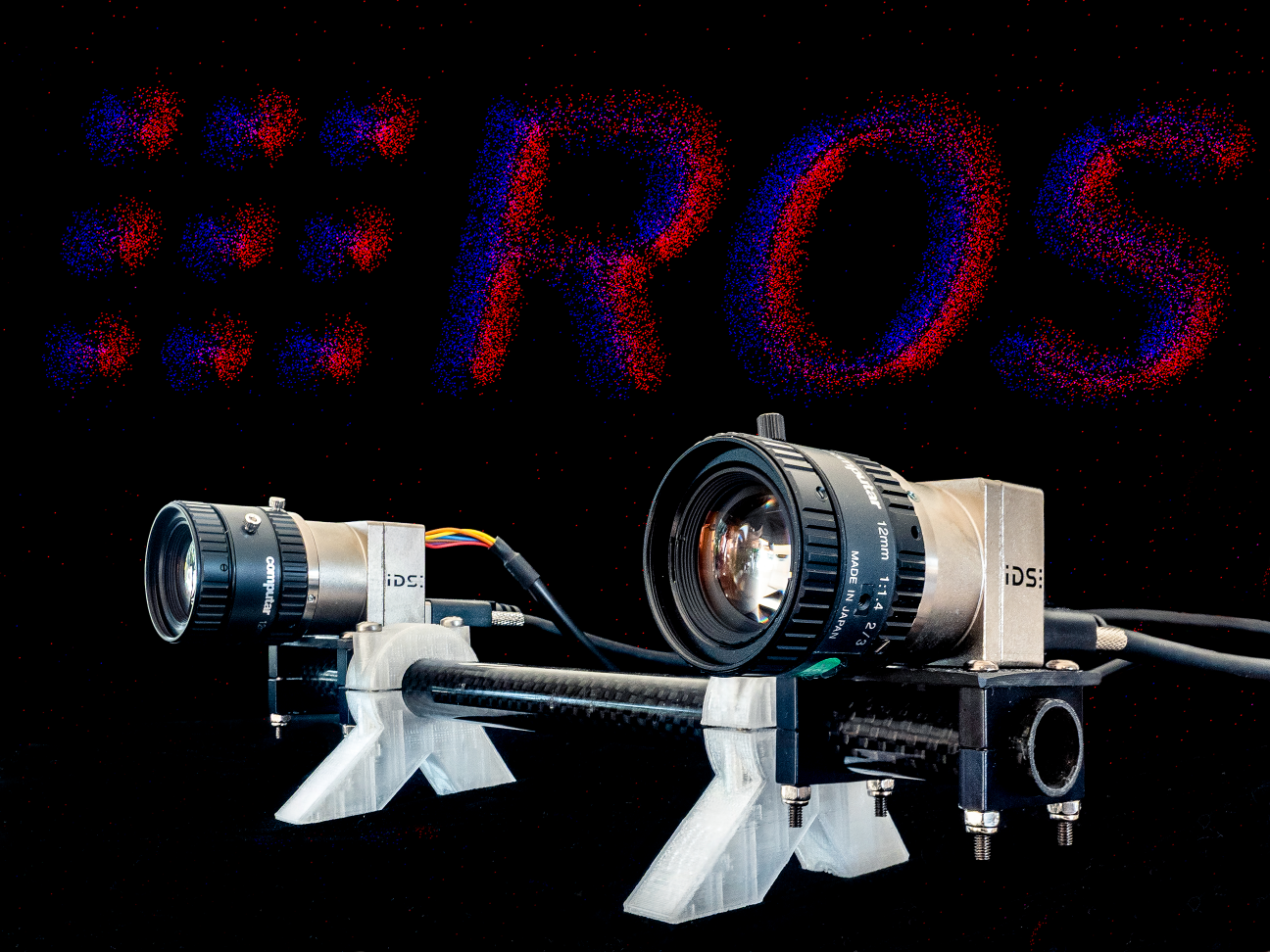
If you are looking for more speed and features than the official Prophesee ROS driver you have found the right repository. This driver can cope with the large amount of data produced by Prophesee’s Gen3 and later sensors because it does little more than getting the RAW (currently EVT3 format) events from the camera and publishing them in ROS event_camera_msgs format.
The events can be decoded and displayed using the following ROS packages:
- event_camera_codecs has C++ routines to decode event_camera_msgs.
- event_camera_py module for fast event decoding in python.
- event_camera_renderer a node / nodelet that renders and publishes ROS image messages.
-
event_camera_tools
a set of tools to echo, monitor performance and convert
event_camera_msgsto legacy formats and into “RAW” format.
Supported platforms
Tested on ROS2 Humble and later with Metavision SDK (OpenEB) 5.0.0 Notes:
- Metavision 4.2.0 and 4.6.2 worked in previous versions but are no longer tested
- ROS1 is EOL and no longer supported. There is however an unmaintained ROS1 branch.
Tested on the following hardware:
- IDS ueye XCP-E
- SilkyEVCam VGA (Gen 3.1 sensor)
- SilkyEVCam HD (Gen 4 sensor)
- Prophesee EVK4 (Gen 4 sensor)
Explicitly not supported: any data in the old EVT2 format. The sensor must produce data in the EVT3 format. The new EVT4 format is not yet supported.
Installation from binaries
Install apt packages via
sudo apt install ros-${ROS_DISTRO}-metavision-driver
This will also install a version of OpenEB under /opt/ros/${ROS_DISTRO}, and
the driver will preference those libraries over OpenEB/MetavisionSDK libraries installed
elsewhere. But beware that paths are set up correctly for other applications such
that they pick up the libraries they have been built against.
On top of installing the driver binaries, you will have to install the right udev files and, (for non-Prophesee cameras) also the camera-specific plugins.
-
For Prophesee EVK cameras: Unless you also install OpenEB, install the required udev rules from the source tree directory
udev/rules.d/, and restart udev, see OpenEB. - For the SilkyEV cameras, install the plugin that
matches the OpenEB version that the ROS OpenEB vendor package
is currently using (see the
CMakeLists.txtfile). The required udev files should be automatically installed by the plugin installer. Make - For the IDS cameras, download the plugin (a debian package) from the “Downloads” tab of the respective camera page,
for instance for the XCP-E camera. Get the
version that matches the one that the ROS OpenEB vendor package
is currently using (see the
CMakeLists.txtfile). The debian package however depends on the metavision-sdk-bin package. To avoid installing said package, extract the files from the plugin package, run the install scripts for the udev files and plugins, and copy the plugins into the right location:
  dpkg-deb -x ./ueye-evs_5.0.0.3_amd64.deb  ./ids  # extract all files in deb package into "ids" directory
  sudo ./ids/usr/lib/ids/ueye_evs/scripts/add_udev_rules.sh
  sudo ./ids/usr/lib/ids/ueye_evs/scripts/add_ueye_evs_users_group.sh
  sudo mkdir -p /usr/lib/ids/ueye_evs/hal/plugins
  sudo cp ./ids/usr/lib/ids/ueye_evs/hal/plugins/lib*.so /usr/lib/ids/ueye_evs/hal/plugins/
Finally, make sure that the MV_HAL_PLUGIN_PATH is pointing to the plugins:
export MV_HAL_PLUGIN_PATH=/usr/lib/CenturyArks/hal/plugins:/usr/lib/ids/ueye_evs/hal/plugins
If you can’t get the binary installation working, install OpenEB and the plugins, and build the ROS driver from source, without using the openeb_vendor package. The ROS metavision driver should recognize that OpenEB is installed, and compile against those header files and libraries.
How to build from source
Prerequisites:
File truncated at 100 lines see the full file
CONTRIBUTING
Any contribution that you make to this repository will be under the Apache 2 License, as dictated by that license:
5. Submission of Contributions. Unless You explicitly state otherwise,
   any Contribution intentionally submitted for inclusion in the Work
   by You to the Licensor shall be under the terms and conditions of
   this License, without any additional terms or conditions.
   Notwithstanding the above, nothing herein shall supersede or modify
   the terms of any separate license agreement you may have executed
   with Licensor regarding such Contributions.
Contributors must sign-off each commit by adding a Signed-off-by: ...
line to commit messages to certify that they have the right to submit
the code they are contributing to the project according to the
Developer Certificate of Origin (DCO).
Repository Summary
| Checkout URI | https://github.com/ros-event-camera/metavision_driver.git |
| VCS Type | git |
| VCS Version | release |
| Last Updated | 2025-12-06 |
| Dev Status | DEVELOPED |
| Released | RELEASED |
| Contributing |
Help Wanted (-)
Good First Issues (-) Pull Requests to Review (-) |
Packages
| Name | Version |
|---|---|
| metavision_driver | 3.0.0 |
README
metavision_driver
A ROS2 driver for event based cameras using Prophesee’s Metavision SDK. This driver is not written or supported by Prophesee.
If you are looking for more speed and features than the official Prophesee ROS driver you have found the right repository. This driver can cope with the large amount of data produced by Prophesee’s Gen3 and later sensors because it does little more than getting the RAW (currently EVT3 format) events from the camera and publishing them in ROS event_camera_msgs format.
The events can be decoded and displayed using the following ROS packages:
- event_camera_codecs has C++ routines to decode event_camera_msgs.
- event_camera_py module for fast event decoding in python.
- event_camera_renderer a node / nodelet that renders and publishes ROS image messages.
-
event_camera_tools
a set of tools to echo, monitor performance and convert
event_camera_msgsto legacy formats and into “RAW” format.
Supported platforms
Tested on ROS2 Humble and later with Metavision SDK (OpenEB) 5.0.0 Notes:
- Metavision 4.2.0 and 4.6.2 worked in previous versions but are no longer tested
- ROS1 is EOL and no longer supported. There is however an unmaintained ROS1 branch.
Tested on the following hardware:
- IDS ueye XCP-E
- SilkyEVCam VGA (Gen 3.1 sensor)
- SilkyEVCam HD (Gen 4 sensor)
- Prophesee EVK4 (Gen 4 sensor)
Explicitly not supported: any data in the old EVT2 format. The sensor must produce data in the EVT3 format. The new EVT4 format is not yet supported.
Installation from binaries
Install apt packages via
sudo apt install ros-${ROS_DISTRO}-metavision-driver
This will also install a version of OpenEB under /opt/ros/${ROS_DISTRO}, and
the driver will preference those libraries over OpenEB/MetavisionSDK libraries installed
elsewhere. But beware that paths are set up correctly for other applications such
that they pick up the libraries they have been built against.
On top of installing the driver binaries, you will have to install the right udev files and, (for non-Prophesee cameras) also the camera-specific plugins.
-
For Prophesee EVK cameras: Unless you also install OpenEB, install the required udev rules from the source tree directory
udev/rules.d/, and restart udev, see OpenEB. - For the SilkyEV cameras, install the plugin that
matches the OpenEB version that the ROS OpenEB vendor package
is currently using (see the
CMakeLists.txtfile). The required udev files should be automatically installed by the plugin installer. Make - For the IDS cameras, download the plugin (a debian package) from the “Downloads” tab of the respective camera page,
for instance for the XCP-E camera. Get the
version that matches the one that the ROS OpenEB vendor package
is currently using (see the
CMakeLists.txtfile). The debian package however depends on the metavision-sdk-bin package. To avoid installing said package, extract the files from the plugin package, run the install scripts for the udev files and plugins, and copy the plugins into the right location:
  dpkg-deb -x ./ueye-evs_5.0.0.3_amd64.deb  ./ids  # extract all files in deb package into "ids" directory
  sudo ./ids/usr/lib/ids/ueye_evs/scripts/add_udev_rules.sh
  sudo ./ids/usr/lib/ids/ueye_evs/scripts/add_ueye_evs_users_group.sh
  sudo mkdir -p /usr/lib/ids/ueye_evs/hal/plugins
  sudo cp ./ids/usr/lib/ids/ueye_evs/hal/plugins/lib*.so /usr/lib/ids/ueye_evs/hal/plugins/
Finally, make sure that the MV_HAL_PLUGIN_PATH is pointing to the plugins:
export MV_HAL_PLUGIN_PATH=/usr/lib/CenturyArks/hal/plugins:/usr/lib/ids/ueye_evs/hal/plugins
If you can’t get the binary installation working, install OpenEB and the plugins, and build the ROS driver from source, without using the openeb_vendor package. The ROS metavision driver should recognize that OpenEB is installed, and compile against those header files and libraries.
How to build from source
Prerequisites:
File truncated at 100 lines see the full file
CONTRIBUTING
Any contribution that you make to this repository will be under the Apache 2 License, as dictated by that license:
5. Submission of Contributions. Unless You explicitly state otherwise,
   any Contribution intentionally submitted for inclusion in the Work
   by You to the Licensor shall be under the terms and conditions of
   this License, without any additional terms or conditions.
   Notwithstanding the above, nothing herein shall supersede or modify
   the terms of any separate license agreement you may have executed
   with Licensor regarding such Contributions.
Contributors must sign-off each commit by adding a Signed-off-by: ...
line to commit messages to certify that they have the right to submit
the code they are contributing to the project according to the
Developer Certificate of Origin (DCO).
Repository Summary
| Checkout URI | https://github.com/ros-event-camera/metavision_driver.git |
| VCS Type | git |
| VCS Version | release |
| Last Updated | 2025-12-06 |
| Dev Status | DEVELOPED |
| Released | RELEASED |
| Contributing |
Help Wanted (-)
Good First Issues (-) Pull Requests to Review (-) |
Packages
| Name | Version |
|---|---|
| metavision_driver | 3.0.0 |
README
metavision_driver
A ROS2 driver for event based cameras using Prophesee’s Metavision SDK. This driver is not written or supported by Prophesee.
If you are looking for more speed and features than the official Prophesee ROS driver you have found the right repository. This driver can cope with the large amount of data produced by Prophesee’s Gen3 and later sensors because it does little more than getting the RAW (currently EVT3 format) events from the camera and publishing them in ROS event_camera_msgs format.
The events can be decoded and displayed using the following ROS packages:
- event_camera_codecs has C++ routines to decode event_camera_msgs.
- event_camera_py module for fast event decoding in python.
- event_camera_renderer a node / nodelet that renders and publishes ROS image messages.
-
event_camera_tools
a set of tools to echo, monitor performance and convert
event_camera_msgsto legacy formats and into “RAW” format.
Supported platforms
Tested on ROS2 Humble and later with Metavision SDK (OpenEB) 5.0.0 Notes:
- Metavision 4.2.0 and 4.6.2 worked in previous versions but are no longer tested
- ROS1 is EOL and no longer supported. There is however an unmaintained ROS1 branch.
Tested on the following hardware:
- IDS ueye XCP-E
- SilkyEVCam VGA (Gen 3.1 sensor)
- SilkyEVCam HD (Gen 4 sensor)
- Prophesee EVK4 (Gen 4 sensor)
Explicitly not supported: any data in the old EVT2 format. The sensor must produce data in the EVT3 format. The new EVT4 format is not yet supported.
Installation from binaries
Install apt packages via
sudo apt install ros-${ROS_DISTRO}-metavision-driver
This will also install a version of OpenEB under /opt/ros/${ROS_DISTRO}, and
the driver will preference those libraries over OpenEB/MetavisionSDK libraries installed
elsewhere. But beware that paths are set up correctly for other applications such
that they pick up the libraries they have been built against.
On top of installing the driver binaries, you will have to install the right udev files and, (for non-Prophesee cameras) also the camera-specific plugins.
-
For Prophesee EVK cameras: Unless you also install OpenEB, install the required udev rules from the source tree directory
udev/rules.d/, and restart udev, see OpenEB. - For the SilkyEV cameras, install the plugin that
matches the OpenEB version that the ROS OpenEB vendor package
is currently using (see the
CMakeLists.txtfile). The required udev files should be automatically installed by the plugin installer. Make - For the IDS cameras, download the plugin (a debian package) from the “Downloads” tab of the respective camera page,
for instance for the XCP-E camera. Get the
version that matches the one that the ROS OpenEB vendor package
is currently using (see the
CMakeLists.txtfile). The debian package however depends on the metavision-sdk-bin package. To avoid installing said package, extract the files from the plugin package, run the install scripts for the udev files and plugins, and copy the plugins into the right location:
  dpkg-deb -x ./ueye-evs_5.0.0.3_amd64.deb  ./ids  # extract all files in deb package into "ids" directory
  sudo ./ids/usr/lib/ids/ueye_evs/scripts/add_udev_rules.sh
  sudo ./ids/usr/lib/ids/ueye_evs/scripts/add_ueye_evs_users_group.sh
  sudo mkdir -p /usr/lib/ids/ueye_evs/hal/plugins
  sudo cp ./ids/usr/lib/ids/ueye_evs/hal/plugins/lib*.so /usr/lib/ids/ueye_evs/hal/plugins/
Finally, make sure that the MV_HAL_PLUGIN_PATH is pointing to the plugins:
export MV_HAL_PLUGIN_PATH=/usr/lib/CenturyArks/hal/plugins:/usr/lib/ids/ueye_evs/hal/plugins
If you can’t get the binary installation working, install OpenEB and the plugins, and build the ROS driver from source, without using the openeb_vendor package. The ROS metavision driver should recognize that OpenEB is installed, and compile against those header files and libraries.
How to build from source
Prerequisites:
File truncated at 100 lines see the full file
CONTRIBUTING
Any contribution that you make to this repository will be under the Apache 2 License, as dictated by that license:
5. Submission of Contributions. Unless You explicitly state otherwise,
   any Contribution intentionally submitted for inclusion in the Work
   by You to the Licensor shall be under the terms and conditions of
   this License, without any additional terms or conditions.
   Notwithstanding the above, nothing herein shall supersede or modify
   the terms of any separate license agreement you may have executed
   with Licensor regarding such Contributions.
Contributors must sign-off each commit by adding a Signed-off-by: ...
line to commit messages to certify that they have the right to submit
the code they are contributing to the project according to the
Developer Certificate of Origin (DCO).
Repository Summary
| Checkout URI | https://github.com/ros-event-camera/metavision_driver.git |
| VCS Type | git |
| VCS Version | release |
| Last Updated | 2025-12-06 |
| Dev Status | DEVELOPED |
| Released | RELEASED |
| Contributing |
Help Wanted (-)
Good First Issues (-) Pull Requests to Review (-) |
Packages
| Name | Version |
|---|---|
| metavision_driver | 3.0.0 |
README
metavision_driver
A ROS2 driver for event based cameras using Prophesee’s Metavision SDK. This driver is not written or supported by Prophesee.
If you are looking for more speed and features than the official Prophesee ROS driver you have found the right repository. This driver can cope with the large amount of data produced by Prophesee’s Gen3 and later sensors because it does little more than getting the RAW (currently EVT3 format) events from the camera and publishing them in ROS event_camera_msgs format.
The events can be decoded and displayed using the following ROS packages:
- event_camera_codecs has C++ routines to decode event_camera_msgs.
- event_camera_py module for fast event decoding in python.
- event_camera_renderer a node / nodelet that renders and publishes ROS image messages.
-
event_camera_tools
a set of tools to echo, monitor performance and convert
event_camera_msgsto legacy formats and into “RAW” format.
Supported platforms
Tested on ROS2 Humble and later with Metavision SDK (OpenEB) 5.0.0 Notes:
- Metavision 4.2.0 and 4.6.2 worked in previous versions but are no longer tested
- ROS1 is EOL and no longer supported. There is however an unmaintained ROS1 branch.
Tested on the following hardware:
- IDS ueye XCP-E
- SilkyEVCam VGA (Gen 3.1 sensor)
- SilkyEVCam HD (Gen 4 sensor)
- Prophesee EVK4 (Gen 4 sensor)
Explicitly not supported: any data in the old EVT2 format. The sensor must produce data in the EVT3 format. The new EVT4 format is not yet supported.
Installation from binaries
Install apt packages via
sudo apt install ros-${ROS_DISTRO}-metavision-driver
This will also install a version of OpenEB under /opt/ros/${ROS_DISTRO}, and
the driver will preference those libraries over OpenEB/MetavisionSDK libraries installed
elsewhere. But beware that paths are set up correctly for other applications such
that they pick up the libraries they have been built against.
On top of installing the driver binaries, you will have to install the right udev files and, (for non-Prophesee cameras) also the camera-specific plugins.
-
For Prophesee EVK cameras: Unless you also install OpenEB, install the required udev rules from the source tree directory
udev/rules.d/, and restart udev, see OpenEB. - For the SilkyEV cameras, install the plugin that
matches the OpenEB version that the ROS OpenEB vendor package
is currently using (see the
CMakeLists.txtfile). The required udev files should be automatically installed by the plugin installer. Make - For the IDS cameras, download the plugin (a debian package) from the “Downloads” tab of the respective camera page,
for instance for the XCP-E camera. Get the
version that matches the one that the ROS OpenEB vendor package
is currently using (see the
CMakeLists.txtfile). The debian package however depends on the metavision-sdk-bin package. To avoid installing said package, extract the files from the plugin package, run the install scripts for the udev files and plugins, and copy the plugins into the right location:
  dpkg-deb -x ./ueye-evs_5.0.0.3_amd64.deb  ./ids  # extract all files in deb package into "ids" directory
  sudo ./ids/usr/lib/ids/ueye_evs/scripts/add_udev_rules.sh
  sudo ./ids/usr/lib/ids/ueye_evs/scripts/add_ueye_evs_users_group.sh
  sudo mkdir -p /usr/lib/ids/ueye_evs/hal/plugins
  sudo cp ./ids/usr/lib/ids/ueye_evs/hal/plugins/lib*.so /usr/lib/ids/ueye_evs/hal/plugins/
Finally, make sure that the MV_HAL_PLUGIN_PATH is pointing to the plugins:
export MV_HAL_PLUGIN_PATH=/usr/lib/CenturyArks/hal/plugins:/usr/lib/ids/ueye_evs/hal/plugins
If you can’t get the binary installation working, install OpenEB and the plugins, and build the ROS driver from source, without using the openeb_vendor package. The ROS metavision driver should recognize that OpenEB is installed, and compile against those header files and libraries.
How to build from source
Prerequisites:
File truncated at 100 lines see the full file
CONTRIBUTING
Any contribution that you make to this repository will be under the Apache 2 License, as dictated by that license:
5. Submission of Contributions. Unless You explicitly state otherwise,
   any Contribution intentionally submitted for inclusion in the Work
   by You to the Licensor shall be under the terms and conditions of
   this License, without any additional terms or conditions.
   Notwithstanding the above, nothing herein shall supersede or modify
   the terms of any separate license agreement you may have executed
   with Licensor regarding such Contributions.
Contributors must sign-off each commit by adding a Signed-off-by: ...
line to commit messages to certify that they have the right to submit
the code they are contributing to the project according to the
Developer Certificate of Origin (DCO).
Repository Summary
| Checkout URI | https://github.com/ros-event-camera/metavision_driver.git |
| VCS Type | git |
| VCS Version | release |
| Last Updated | 2025-12-06 |
| Dev Status | DEVELOPED |
| Released | RELEASED |
| Contributing |
Help Wanted (-)
Good First Issues (-) Pull Requests to Review (-) |
Packages
| Name | Version |
|---|---|
| metavision_driver | 3.0.0 |
README
metavision_driver
A ROS2 driver for event based cameras using Prophesee’s Metavision SDK. This driver is not written or supported by Prophesee.
If you are looking for more speed and features than the official Prophesee ROS driver you have found the right repository. This driver can cope with the large amount of data produced by Prophesee’s Gen3 and later sensors because it does little more than getting the RAW (currently EVT3 format) events from the camera and publishing them in ROS event_camera_msgs format.
The events can be decoded and displayed using the following ROS packages:
- event_camera_codecs has C++ routines to decode event_camera_msgs.
- event_camera_py module for fast event decoding in python.
- event_camera_renderer a node / nodelet that renders and publishes ROS image messages.
-
event_camera_tools
a set of tools to echo, monitor performance and convert
event_camera_msgsto legacy formats and into “RAW” format.
Supported platforms
Tested on ROS2 Humble and later with Metavision SDK (OpenEB) 5.0.0 Notes:
- Metavision 4.2.0 and 4.6.2 worked in previous versions but are no longer tested
- ROS1 is EOL and no longer supported. There is however an unmaintained ROS1 branch.
Tested on the following hardware:
- IDS ueye XCP-E
- SilkyEVCam VGA (Gen 3.1 sensor)
- SilkyEVCam HD (Gen 4 sensor)
- Prophesee EVK4 (Gen 4 sensor)
Explicitly not supported: any data in the old EVT2 format. The sensor must produce data in the EVT3 format. The new EVT4 format is not yet supported.
Installation from binaries
Install apt packages via
sudo apt install ros-${ROS_DISTRO}-metavision-driver
This will also install a version of OpenEB under /opt/ros/${ROS_DISTRO}, and
the driver will preference those libraries over OpenEB/MetavisionSDK libraries installed
elsewhere. But beware that paths are set up correctly for other applications such
that they pick up the libraries they have been built against.
On top of installing the driver binaries, you will have to install the right udev files and, (for non-Prophesee cameras) also the camera-specific plugins.
-
For Prophesee EVK cameras: Unless you also install OpenEB, install the required udev rules from the source tree directory
udev/rules.d/, and restart udev, see OpenEB. - For the SilkyEV cameras, install the plugin that
matches the OpenEB version that the ROS OpenEB vendor package
is currently using (see the
CMakeLists.txtfile). The required udev files should be automatically installed by the plugin installer. Make - For the IDS cameras, download the plugin (a debian package) from the “Downloads” tab of the respective camera page,
for instance for the XCP-E camera. Get the
version that matches the one that the ROS OpenEB vendor package
is currently using (see the
CMakeLists.txtfile). The debian package however depends on the metavision-sdk-bin package. To avoid installing said package, extract the files from the plugin package, run the install scripts for the udev files and plugins, and copy the plugins into the right location:
  dpkg-deb -x ./ueye-evs_5.0.0.3_amd64.deb  ./ids  # extract all files in deb package into "ids" directory
  sudo ./ids/usr/lib/ids/ueye_evs/scripts/add_udev_rules.sh
  sudo ./ids/usr/lib/ids/ueye_evs/scripts/add_ueye_evs_users_group.sh
  sudo mkdir -p /usr/lib/ids/ueye_evs/hal/plugins
  sudo cp ./ids/usr/lib/ids/ueye_evs/hal/plugins/lib*.so /usr/lib/ids/ueye_evs/hal/plugins/
Finally, make sure that the MV_HAL_PLUGIN_PATH is pointing to the plugins:
export MV_HAL_PLUGIN_PATH=/usr/lib/CenturyArks/hal/plugins:/usr/lib/ids/ueye_evs/hal/plugins
If you can’t get the binary installation working, install OpenEB and the plugins, and build the ROS driver from source, without using the openeb_vendor package. The ROS metavision driver should recognize that OpenEB is installed, and compile against those header files and libraries.
How to build from source
Prerequisites:
File truncated at 100 lines see the full file
CONTRIBUTING
Any contribution that you make to this repository will be under the Apache 2 License, as dictated by that license:
5. Submission of Contributions. Unless You explicitly state otherwise,
   any Contribution intentionally submitted for inclusion in the Work
   by You to the Licensor shall be under the terms and conditions of
   this License, without any additional terms or conditions.
   Notwithstanding the above, nothing herein shall supersede or modify
   the terms of any separate license agreement you may have executed
   with Licensor regarding such Contributions.
Contributors must sign-off each commit by adding a Signed-off-by: ...
line to commit messages to certify that they have the right to submit
the code they are contributing to the project according to the
Developer Certificate of Origin (DCO).
Repository Summary
| Checkout URI | https://github.com/ros-event-camera/metavision_driver.git |
| VCS Type | git |
| VCS Version | release |
| Last Updated | 2025-12-06 |
| Dev Status | DEVELOPED |
| Released | RELEASED |
| Contributing |
Help Wanted (-)
Good First Issues (-) Pull Requests to Review (-) |
Packages
| Name | Version |
|---|---|
| metavision_driver | 3.0.0 |
README
metavision_driver
A ROS2 driver for event based cameras using Prophesee’s Metavision SDK. This driver is not written or supported by Prophesee.
If you are looking for more speed and features than the official Prophesee ROS driver you have found the right repository. This driver can cope with the large amount of data produced by Prophesee’s Gen3 and later sensors because it does little more than getting the RAW (currently EVT3 format) events from the camera and publishing them in ROS event_camera_msgs format.
The events can be decoded and displayed using the following ROS packages:
- event_camera_codecs has C++ routines to decode event_camera_msgs.
- event_camera_py module for fast event decoding in python.
- event_camera_renderer a node / nodelet that renders and publishes ROS image messages.
-
event_camera_tools
a set of tools to echo, monitor performance and convert
event_camera_msgsto legacy formats and into “RAW” format.
Supported platforms
Tested on ROS2 Humble and later with Metavision SDK (OpenEB) 5.0.0 Notes:
- Metavision 4.2.0 and 4.6.2 worked in previous versions but are no longer tested
- ROS1 is EOL and no longer supported. There is however an unmaintained ROS1 branch.
Tested on the following hardware:
- IDS ueye XCP-E
- SilkyEVCam VGA (Gen 3.1 sensor)
- SilkyEVCam HD (Gen 4 sensor)
- Prophesee EVK4 (Gen 4 sensor)
Explicitly not supported: any data in the old EVT2 format. The sensor must produce data in the EVT3 format. The new EVT4 format is not yet supported.
Installation from binaries
Install apt packages via
sudo apt install ros-${ROS_DISTRO}-metavision-driver
This will also install a version of OpenEB under /opt/ros/${ROS_DISTRO}, and
the driver will preference those libraries over OpenEB/MetavisionSDK libraries installed
elsewhere. But beware that paths are set up correctly for other applications such
that they pick up the libraries they have been built against.
On top of installing the driver binaries, you will have to install the right udev files and, (for non-Prophesee cameras) also the camera-specific plugins.
-
For Prophesee EVK cameras: Unless you also install OpenEB, install the required udev rules from the source tree directory
udev/rules.d/, and restart udev, see OpenEB. - For the SilkyEV cameras, install the plugin that
matches the OpenEB version that the ROS OpenEB vendor package
is currently using (see the
CMakeLists.txtfile). The required udev files should be automatically installed by the plugin installer. Make - For the IDS cameras, download the plugin (a debian package) from the “Downloads” tab of the respective camera page,
for instance for the XCP-E camera. Get the
version that matches the one that the ROS OpenEB vendor package
is currently using (see the
CMakeLists.txtfile). The debian package however depends on the metavision-sdk-bin package. To avoid installing said package, extract the files from the plugin package, run the install scripts for the udev files and plugins, and copy the plugins into the right location:
  dpkg-deb -x ./ueye-evs_5.0.0.3_amd64.deb  ./ids  # extract all files in deb package into "ids" directory
  sudo ./ids/usr/lib/ids/ueye_evs/scripts/add_udev_rules.sh
  sudo ./ids/usr/lib/ids/ueye_evs/scripts/add_ueye_evs_users_group.sh
  sudo mkdir -p /usr/lib/ids/ueye_evs/hal/plugins
  sudo cp ./ids/usr/lib/ids/ueye_evs/hal/plugins/lib*.so /usr/lib/ids/ueye_evs/hal/plugins/
Finally, make sure that the MV_HAL_PLUGIN_PATH is pointing to the plugins:
export MV_HAL_PLUGIN_PATH=/usr/lib/CenturyArks/hal/plugins:/usr/lib/ids/ueye_evs/hal/plugins
If you can’t get the binary installation working, install OpenEB and the plugins, and build the ROS driver from source, without using the openeb_vendor package. The ROS metavision driver should recognize that OpenEB is installed, and compile against those header files and libraries.
How to build from source
Prerequisites:
File truncated at 100 lines see the full file
CONTRIBUTING
Any contribution that you make to this repository will be under the Apache 2 License, as dictated by that license:
5. Submission of Contributions. Unless You explicitly state otherwise,
   any Contribution intentionally submitted for inclusion in the Work
   by You to the Licensor shall be under the terms and conditions of
   this License, without any additional terms or conditions.
   Notwithstanding the above, nothing herein shall supersede or modify
   the terms of any separate license agreement you may have executed
   with Licensor regarding such Contributions.
Contributors must sign-off each commit by adding a Signed-off-by: ...
line to commit messages to certify that they have the right to submit
the code they are contributing to the project according to the
Developer Certificate of Origin (DCO).
Repository Summary
| Checkout URI | https://github.com/ros-event-camera/metavision_driver.git |
| VCS Type | git |
| VCS Version | release |
| Last Updated | 2025-12-06 |
| Dev Status | DEVELOPED |
| Released | RELEASED |
| Contributing |
Help Wanted (-)
Good First Issues (-) Pull Requests to Review (-) |
Packages
| Name | Version |
|---|---|
| metavision_driver | 3.0.0 |
README
metavision_driver
A ROS2 driver for event based cameras using Prophesee’s Metavision SDK. This driver is not written or supported by Prophesee.
If you are looking for more speed and features than the official Prophesee ROS driver you have found the right repository. This driver can cope with the large amount of data produced by Prophesee’s Gen3 and later sensors because it does little more than getting the RAW (currently EVT3 format) events from the camera and publishing them in ROS event_camera_msgs format.
The events can be decoded and displayed using the following ROS packages:
- event_camera_codecs has C++ routines to decode event_camera_msgs.
- event_camera_py module for fast event decoding in python.
- event_camera_renderer a node / nodelet that renders and publishes ROS image messages.
-
event_camera_tools
a set of tools to echo, monitor performance and convert
event_camera_msgsto legacy formats and into “RAW” format.
Supported platforms
Tested on ROS2 Humble and later with Metavision SDK (OpenEB) 5.0.0 Notes:
- Metavision 4.2.0 and 4.6.2 worked in previous versions but are no longer tested
- ROS1 is EOL and no longer supported. There is however an unmaintained ROS1 branch.
Tested on the following hardware:
- IDS ueye XCP-E
- SilkyEVCam VGA (Gen 3.1 sensor)
- SilkyEVCam HD (Gen 4 sensor)
- Prophesee EVK4 (Gen 4 sensor)
Explicitly not supported: any data in the old EVT2 format. The sensor must produce data in the EVT3 format. The new EVT4 format is not yet supported.
Installation from binaries
Install apt packages via
sudo apt install ros-${ROS_DISTRO}-metavision-driver
This will also install a version of OpenEB under /opt/ros/${ROS_DISTRO}, and
the driver will preference those libraries over OpenEB/MetavisionSDK libraries installed
elsewhere. But beware that paths are set up correctly for other applications such
that they pick up the libraries they have been built against.
On top of installing the driver binaries, you will have to install the right udev files and, (for non-Prophesee cameras) also the camera-specific plugins.
-
For Prophesee EVK cameras: Unless you also install OpenEB, install the required udev rules from the source tree directory
udev/rules.d/, and restart udev, see OpenEB. - For the SilkyEV cameras, install the plugin that
matches the OpenEB version that the ROS OpenEB vendor package
is currently using (see the
CMakeLists.txtfile). The required udev files should be automatically installed by the plugin installer. Make - For the IDS cameras, download the plugin (a debian package) from the “Downloads” tab of the respective camera page,
for instance for the XCP-E camera. Get the
version that matches the one that the ROS OpenEB vendor package
is currently using (see the
CMakeLists.txtfile). The debian package however depends on the metavision-sdk-bin package. To avoid installing said package, extract the files from the plugin package, run the install scripts for the udev files and plugins, and copy the plugins into the right location:
  dpkg-deb -x ./ueye-evs_5.0.0.3_amd64.deb  ./ids  # extract all files in deb package into "ids" directory
  sudo ./ids/usr/lib/ids/ueye_evs/scripts/add_udev_rules.sh
  sudo ./ids/usr/lib/ids/ueye_evs/scripts/add_ueye_evs_users_group.sh
  sudo mkdir -p /usr/lib/ids/ueye_evs/hal/plugins
  sudo cp ./ids/usr/lib/ids/ueye_evs/hal/plugins/lib*.so /usr/lib/ids/ueye_evs/hal/plugins/
Finally, make sure that the MV_HAL_PLUGIN_PATH is pointing to the plugins:
export MV_HAL_PLUGIN_PATH=/usr/lib/CenturyArks/hal/plugins:/usr/lib/ids/ueye_evs/hal/plugins
If you can’t get the binary installation working, install OpenEB and the plugins, and build the ROS driver from source, without using the openeb_vendor package. The ROS metavision driver should recognize that OpenEB is installed, and compile against those header files and libraries.
How to build from source
Prerequisites:
File truncated at 100 lines see the full file
CONTRIBUTING
Any contribution that you make to this repository will be under the Apache 2 License, as dictated by that license:
5. Submission of Contributions. Unless You explicitly state otherwise,
   any Contribution intentionally submitted for inclusion in the Work
   by You to the Licensor shall be under the terms and conditions of
   this License, without any additional terms or conditions.
   Notwithstanding the above, nothing herein shall supersede or modify
   the terms of any separate license agreement you may have executed
   with Licensor regarding such Contributions.
Contributors must sign-off each commit by adding a Signed-off-by: ...
line to commit messages to certify that they have the right to submit
the code they are contributing to the project according to the
Developer Certificate of Origin (DCO).
Repository Summary
| Checkout URI | https://github.com/ros-event-camera/metavision_driver.git |
| VCS Type | git |
| VCS Version | release |
| Last Updated | 2025-12-06 |
| Dev Status | DEVELOPED |
| Released | RELEASED |
| Contributing |
Help Wanted (-)
Good First Issues (-) Pull Requests to Review (-) |
Packages
| Name | Version |
|---|---|
| metavision_driver | 3.0.0 |
README
metavision_driver
A ROS2 driver for event based cameras using Prophesee’s Metavision SDK. This driver is not written or supported by Prophesee.
If you are looking for more speed and features than the official Prophesee ROS driver you have found the right repository. This driver can cope with the large amount of data produced by Prophesee’s Gen3 and later sensors because it does little more than getting the RAW (currently EVT3 format) events from the camera and publishing them in ROS event_camera_msgs format.
The events can be decoded and displayed using the following ROS packages:
- event_camera_codecs has C++ routines to decode event_camera_msgs.
- event_camera_py module for fast event decoding in python.
- event_camera_renderer a node / nodelet that renders and publishes ROS image messages.
-
event_camera_tools
a set of tools to echo, monitor performance and convert
event_camera_msgsto legacy formats and into “RAW” format.
Supported platforms
Tested on ROS2 Humble and later with Metavision SDK (OpenEB) 5.0.0 Notes:
- Metavision 4.2.0 and 4.6.2 worked in previous versions but are no longer tested
- ROS1 is EOL and no longer supported. There is however an unmaintained ROS1 branch.
Tested on the following hardware:
- IDS ueye XCP-E
- SilkyEVCam VGA (Gen 3.1 sensor)
- SilkyEVCam HD (Gen 4 sensor)
- Prophesee EVK4 (Gen 4 sensor)
Explicitly not supported: any data in the old EVT2 format. The sensor must produce data in the EVT3 format. The new EVT4 format is not yet supported.
Installation from binaries
Install apt packages via
sudo apt install ros-${ROS_DISTRO}-metavision-driver
This will also install a version of OpenEB under /opt/ros/${ROS_DISTRO}, and
the driver will preference those libraries over OpenEB/MetavisionSDK libraries installed
elsewhere. But beware that paths are set up correctly for other applications such
that they pick up the libraries they have been built against.
On top of installing the driver binaries, you will have to install the right udev files and, (for non-Prophesee cameras) also the camera-specific plugins.
-
For Prophesee EVK cameras: Unless you also install OpenEB, install the required udev rules from the source tree directory
udev/rules.d/, and restart udev, see OpenEB. - For the SilkyEV cameras, install the plugin that
matches the OpenEB version that the ROS OpenEB vendor package
is currently using (see the
CMakeLists.txtfile). The required udev files should be automatically installed by the plugin installer. Make - For the IDS cameras, download the plugin (a debian package) from the “Downloads” tab of the respective camera page,
for instance for the XCP-E camera. Get the
version that matches the one that the ROS OpenEB vendor package
is currently using (see the
CMakeLists.txtfile). The debian package however depends on the metavision-sdk-bin package. To avoid installing said package, extract the files from the plugin package, run the install scripts for the udev files and plugins, and copy the plugins into the right location:
  dpkg-deb -x ./ueye-evs_5.0.0.3_amd64.deb  ./ids  # extract all files in deb package into "ids" directory
  sudo ./ids/usr/lib/ids/ueye_evs/scripts/add_udev_rules.sh
  sudo ./ids/usr/lib/ids/ueye_evs/scripts/add_ueye_evs_users_group.sh
  sudo mkdir -p /usr/lib/ids/ueye_evs/hal/plugins
  sudo cp ./ids/usr/lib/ids/ueye_evs/hal/plugins/lib*.so /usr/lib/ids/ueye_evs/hal/plugins/
Finally, make sure that the MV_HAL_PLUGIN_PATH is pointing to the plugins:
export MV_HAL_PLUGIN_PATH=/usr/lib/CenturyArks/hal/plugins:/usr/lib/ids/ueye_evs/hal/plugins
If you can’t get the binary installation working, install OpenEB and the plugins, and build the ROS driver from source, without using the openeb_vendor package. The ROS metavision driver should recognize that OpenEB is installed, and compile against those header files and libraries.
How to build from source
Prerequisites:
File truncated at 100 lines see the full file
CONTRIBUTING
Any contribution that you make to this repository will be under the Apache 2 License, as dictated by that license:
5. Submission of Contributions. Unless You explicitly state otherwise,
   any Contribution intentionally submitted for inclusion in the Work
   by You to the Licensor shall be under the terms and conditions of
   this License, without any additional terms or conditions.
   Notwithstanding the above, nothing herein shall supersede or modify
   the terms of any separate license agreement you may have executed
   with Licensor regarding such Contributions.
Contributors must sign-off each commit by adding a Signed-off-by: ...
line to commit messages to certify that they have the right to submit
the code they are contributing to the project according to the
Developer Certificate of Origin (DCO).
Repository Summary
| Checkout URI | https://github.com/ros-event-camera/metavision_driver.git |
| VCS Type | git |
| VCS Version | release |
| Last Updated | 2025-12-06 |
| Dev Status | DEVELOPED |
| Released | RELEASED |
| Contributing |
Help Wanted (-)
Good First Issues (-) Pull Requests to Review (-) |
Packages
| Name | Version |
|---|---|
| metavision_driver | 3.0.0 |
README
metavision_driver
A ROS2 driver for event based cameras using Prophesee’s Metavision SDK. This driver is not written or supported by Prophesee.
If you are looking for more speed and features than the official Prophesee ROS driver you have found the right repository. This driver can cope with the large amount of data produced by Prophesee’s Gen3 and later sensors because it does little more than getting the RAW (currently EVT3 format) events from the camera and publishing them in ROS event_camera_msgs format.
The events can be decoded and displayed using the following ROS packages:
- event_camera_codecs has C++ routines to decode event_camera_msgs.
- event_camera_py module for fast event decoding in python.
- event_camera_renderer a node / nodelet that renders and publishes ROS image messages.
-
event_camera_tools
a set of tools to echo, monitor performance and convert
event_camera_msgsto legacy formats and into “RAW” format.
Supported platforms
Tested on ROS2 Humble and later with Metavision SDK (OpenEB) 5.0.0 Notes:
- Metavision 4.2.0 and 4.6.2 worked in previous versions but are no longer tested
- ROS1 is EOL and no longer supported. There is however an unmaintained ROS1 branch.
Tested on the following hardware:
- IDS ueye XCP-E
- SilkyEVCam VGA (Gen 3.1 sensor)
- SilkyEVCam HD (Gen 4 sensor)
- Prophesee EVK4 (Gen 4 sensor)
Explicitly not supported: any data in the old EVT2 format. The sensor must produce data in the EVT3 format. The new EVT4 format is not yet supported.
Installation from binaries
Install apt packages via
sudo apt install ros-${ROS_DISTRO}-metavision-driver
This will also install a version of OpenEB under /opt/ros/${ROS_DISTRO}, and
the driver will preference those libraries over OpenEB/MetavisionSDK libraries installed
elsewhere. But beware that paths are set up correctly for other applications such
that they pick up the libraries they have been built against.
On top of installing the driver binaries, you will have to install the right udev files and, (for non-Prophesee cameras) also the camera-specific plugins.
-
For Prophesee EVK cameras: Unless you also install OpenEB, install the required udev rules from the source tree directory
udev/rules.d/, and restart udev, see OpenEB. - For the SilkyEV cameras, install the plugin that
matches the OpenEB version that the ROS OpenEB vendor package
is currently using (see the
CMakeLists.txtfile). The required udev files should be automatically installed by the plugin installer. Make - For the IDS cameras, download the plugin (a debian package) from the “Downloads” tab of the respective camera page,
for instance for the XCP-E camera. Get the
version that matches the one that the ROS OpenEB vendor package
is currently using (see the
CMakeLists.txtfile). The debian package however depends on the metavision-sdk-bin package. To avoid installing said package, extract the files from the plugin package, run the install scripts for the udev files and plugins, and copy the plugins into the right location:
  dpkg-deb -x ./ueye-evs_5.0.0.3_amd64.deb  ./ids  # extract all files in deb package into "ids" directory
  sudo ./ids/usr/lib/ids/ueye_evs/scripts/add_udev_rules.sh
  sudo ./ids/usr/lib/ids/ueye_evs/scripts/add_ueye_evs_users_group.sh
  sudo mkdir -p /usr/lib/ids/ueye_evs/hal/plugins
  sudo cp ./ids/usr/lib/ids/ueye_evs/hal/plugins/lib*.so /usr/lib/ids/ueye_evs/hal/plugins/
Finally, make sure that the MV_HAL_PLUGIN_PATH is pointing to the plugins:
export MV_HAL_PLUGIN_PATH=/usr/lib/CenturyArks/hal/plugins:/usr/lib/ids/ueye_evs/hal/plugins
If you can’t get the binary installation working, install OpenEB and the plugins, and build the ROS driver from source, without using the openeb_vendor package. The ROS metavision driver should recognize that OpenEB is installed, and compile against those header files and libraries.
How to build from source
Prerequisites:
File truncated at 100 lines see the full file
CONTRIBUTING
Any contribution that you make to this repository will be under the Apache 2 License, as dictated by that license:
5. Submission of Contributions. Unless You explicitly state otherwise,
   any Contribution intentionally submitted for inclusion in the Work
   by You to the Licensor shall be under the terms and conditions of
   this License, without any additional terms or conditions.
   Notwithstanding the above, nothing herein shall supersede or modify
   the terms of any separate license agreement you may have executed
   with Licensor regarding such Contributions.
Contributors must sign-off each commit by adding a Signed-off-by: ...
line to commit messages to certify that they have the right to submit
the code they are contributing to the project according to the
Developer Certificate of Origin (DCO).
Repository Summary
| Checkout URI | https://github.com/ros-event-camera/metavision_driver.git |
| VCS Type | git |
| VCS Version | release |
| Last Updated | 2025-12-06 |
| Dev Status | DEVELOPED |
| Released | RELEASED |
| Contributing |
Help Wanted (-)
Good First Issues (-) Pull Requests to Review (-) |
Packages
| Name | Version |
|---|---|
| metavision_driver | 3.0.0 |
README
metavision_driver
A ROS2 driver for event based cameras using Prophesee’s Metavision SDK. This driver is not written or supported by Prophesee.
If you are looking for more speed and features than the official Prophesee ROS driver you have found the right repository. This driver can cope with the large amount of data produced by Prophesee’s Gen3 and later sensors because it does little more than getting the RAW (currently EVT3 format) events from the camera and publishing them in ROS event_camera_msgs format.
The events can be decoded and displayed using the following ROS packages:
- event_camera_codecs has C++ routines to decode event_camera_msgs.
- event_camera_py module for fast event decoding in python.
- event_camera_renderer a node / nodelet that renders and publishes ROS image messages.
-
event_camera_tools
a set of tools to echo, monitor performance and convert
event_camera_msgsto legacy formats and into “RAW” format.
Supported platforms
Tested on ROS2 Humble and later with Metavision SDK (OpenEB) 5.0.0 Notes:
- Metavision 4.2.0 and 4.6.2 worked in previous versions but are no longer tested
- ROS1 is EOL and no longer supported. There is however an unmaintained ROS1 branch.
Tested on the following hardware:
- IDS ueye XCP-E
- SilkyEVCam VGA (Gen 3.1 sensor)
- SilkyEVCam HD (Gen 4 sensor)
- Prophesee EVK4 (Gen 4 sensor)
Explicitly not supported: any data in the old EVT2 format. The sensor must produce data in the EVT3 format. The new EVT4 format is not yet supported.
Installation from binaries
Install apt packages via
sudo apt install ros-${ROS_DISTRO}-metavision-driver
This will also install a version of OpenEB under /opt/ros/${ROS_DISTRO}, and
the driver will preference those libraries over OpenEB/MetavisionSDK libraries installed
elsewhere. But beware that paths are set up correctly for other applications such
that they pick up the libraries they have been built against.
On top of installing the driver binaries, you will have to install the right udev files and, (for non-Prophesee cameras) also the camera-specific plugins.
-
For Prophesee EVK cameras: Unless you also install OpenEB, install the required udev rules from the source tree directory
udev/rules.d/, and restart udev, see OpenEB. - For the SilkyEV cameras, install the plugin that
matches the OpenEB version that the ROS OpenEB vendor package
is currently using (see the
CMakeLists.txtfile). The required udev files should be automatically installed by the plugin installer. Make - For the IDS cameras, download the plugin (a debian package) from the “Downloads” tab of the respective camera page,
for instance for the XCP-E camera. Get the
version that matches the one that the ROS OpenEB vendor package
is currently using (see the
CMakeLists.txtfile). The debian package however depends on the metavision-sdk-bin package. To avoid installing said package, extract the files from the plugin package, run the install scripts for the udev files and plugins, and copy the plugins into the right location:
  dpkg-deb -x ./ueye-evs_5.0.0.3_amd64.deb  ./ids  # extract all files in deb package into "ids" directory
  sudo ./ids/usr/lib/ids/ueye_evs/scripts/add_udev_rules.sh
  sudo ./ids/usr/lib/ids/ueye_evs/scripts/add_ueye_evs_users_group.sh
  sudo mkdir -p /usr/lib/ids/ueye_evs/hal/plugins
  sudo cp ./ids/usr/lib/ids/ueye_evs/hal/plugins/lib*.so /usr/lib/ids/ueye_evs/hal/plugins/
Finally, make sure that the MV_HAL_PLUGIN_PATH is pointing to the plugins:
export MV_HAL_PLUGIN_PATH=/usr/lib/CenturyArks/hal/plugins:/usr/lib/ids/ueye_evs/hal/plugins
If you can’t get the binary installation working, install OpenEB and the plugins, and build the ROS driver from source, without using the openeb_vendor package. The ROS metavision driver should recognize that OpenEB is installed, and compile against those header files and libraries.
How to build from source
Prerequisites:
File truncated at 100 lines see the full file
CONTRIBUTING
Any contribution that you make to this repository will be under the Apache 2 License, as dictated by that license:
5. Submission of Contributions. Unless You explicitly state otherwise,
   any Contribution intentionally submitted for inclusion in the Work
   by You to the Licensor shall be under the terms and conditions of
   this License, without any additional terms or conditions.
   Notwithstanding the above, nothing herein shall supersede or modify
   the terms of any separate license agreement you may have executed
   with Licensor regarding such Contributions.
Contributors must sign-off each commit by adding a Signed-off-by: ...
line to commit messages to certify that they have the right to submit
the code they are contributing to the project according to the
Developer Certificate of Origin (DCO).
Repository Summary
| Checkout URI | https://github.com/ros-event-camera/metavision_driver.git |
| VCS Type | git |
| VCS Version | release |
| Last Updated | 2025-12-06 |
| Dev Status | DEVELOPED |
| Released | RELEASED |
| Contributing |
Help Wanted (-)
Good First Issues (-) Pull Requests to Review (-) |
Packages
| Name | Version |
|---|---|
| metavision_driver | 3.0.0 |
README
metavision_driver
A ROS2 driver for event based cameras using Prophesee’s Metavision SDK. This driver is not written or supported by Prophesee.
If you are looking for more speed and features than the official Prophesee ROS driver you have found the right repository. This driver can cope with the large amount of data produced by Prophesee’s Gen3 and later sensors because it does little more than getting the RAW (currently EVT3 format) events from the camera and publishing them in ROS event_camera_msgs format.
The events can be decoded and displayed using the following ROS packages:
- event_camera_codecs has C++ routines to decode event_camera_msgs.
- event_camera_py module for fast event decoding in python.
- event_camera_renderer a node / nodelet that renders and publishes ROS image messages.
-
event_camera_tools
a set of tools to echo, monitor performance and convert
event_camera_msgsto legacy formats and into “RAW” format.
Supported platforms
Tested on ROS2 Humble and later with Metavision SDK (OpenEB) 5.0.0 Notes:
- Metavision 4.2.0 and 4.6.2 worked in previous versions but are no longer tested
- ROS1 is EOL and no longer supported. There is however an unmaintained ROS1 branch.
Tested on the following hardware:
- IDS ueye XCP-E
- SilkyEVCam VGA (Gen 3.1 sensor)
- SilkyEVCam HD (Gen 4 sensor)
- Prophesee EVK4 (Gen 4 sensor)
Explicitly not supported: any data in the old EVT2 format. The sensor must produce data in the EVT3 format. The new EVT4 format is not yet supported.
Installation from binaries
Install apt packages via
sudo apt install ros-${ROS_DISTRO}-metavision-driver
This will also install a version of OpenEB under /opt/ros/${ROS_DISTRO}, and
the driver will preference those libraries over OpenEB/MetavisionSDK libraries installed
elsewhere. But beware that paths are set up correctly for other applications such
that they pick up the libraries they have been built against.
On top of installing the driver binaries, you will have to install the right udev files and, (for non-Prophesee cameras) also the camera-specific plugins.
-
For Prophesee EVK cameras: Unless you also install OpenEB, install the required udev rules from the source tree directory
udev/rules.d/, and restart udev, see OpenEB. - For the SilkyEV cameras, install the plugin that
matches the OpenEB version that the ROS OpenEB vendor package
is currently using (see the
CMakeLists.txtfile). The required udev files should be automatically installed by the plugin installer. Make - For the IDS cameras, download the plugin (a debian package) from the “Downloads” tab of the respective camera page,
for instance for the XCP-E camera. Get the
version that matches the one that the ROS OpenEB vendor package
is currently using (see the
CMakeLists.txtfile). The debian package however depends on the metavision-sdk-bin package. To avoid installing said package, extract the files from the plugin package, run the install scripts for the udev files and plugins, and copy the plugins into the right location:
  dpkg-deb -x ./ueye-evs_5.0.0.3_amd64.deb  ./ids  # extract all files in deb package into "ids" directory
  sudo ./ids/usr/lib/ids/ueye_evs/scripts/add_udev_rules.sh
  sudo ./ids/usr/lib/ids/ueye_evs/scripts/add_ueye_evs_users_group.sh
  sudo mkdir -p /usr/lib/ids/ueye_evs/hal/plugins
  sudo cp ./ids/usr/lib/ids/ueye_evs/hal/plugins/lib*.so /usr/lib/ids/ueye_evs/hal/plugins/
Finally, make sure that the MV_HAL_PLUGIN_PATH is pointing to the plugins:
export MV_HAL_PLUGIN_PATH=/usr/lib/CenturyArks/hal/plugins:/usr/lib/ids/ueye_evs/hal/plugins
If you can’t get the binary installation working, install OpenEB and the plugins, and build the ROS driver from source, without using the openeb_vendor package. The ROS metavision driver should recognize that OpenEB is installed, and compile against those header files and libraries.
How to build from source
Prerequisites:
File truncated at 100 lines see the full file
CONTRIBUTING
Any contribution that you make to this repository will be under the Apache 2 License, as dictated by that license:
5. Submission of Contributions. Unless You explicitly state otherwise,
   any Contribution intentionally submitted for inclusion in the Work
   by You to the Licensor shall be under the terms and conditions of
   this License, without any additional terms or conditions.
   Notwithstanding the above, nothing herein shall supersede or modify
   the terms of any separate license agreement you may have executed
   with Licensor regarding such Contributions.
Contributors must sign-off each commit by adding a Signed-off-by: ...
line to commit messages to certify that they have the right to submit
the code they are contributing to the project according to the
Developer Certificate of Origin (DCO).
Repository Summary
| Checkout URI | https://github.com/ros-event-camera/metavision_driver.git |
| VCS Type | git |
| VCS Version | release |
| Last Updated | 2025-12-06 |
| Dev Status | DEVELOPED |
| Released | RELEASED |
| Contributing |
Help Wanted (-)
Good First Issues (-) Pull Requests to Review (-) |
Packages
| Name | Version |
|---|---|
| metavision_driver | 3.0.0 |
README
metavision_driver
A ROS2 driver for event based cameras using Prophesee’s Metavision SDK. This driver is not written or supported by Prophesee.
If you are looking for more speed and features than the official Prophesee ROS driver you have found the right repository. This driver can cope with the large amount of data produced by Prophesee’s Gen3 and later sensors because it does little more than getting the RAW (currently EVT3 format) events from the camera and publishing them in ROS event_camera_msgs format.
The events can be decoded and displayed using the following ROS packages:
- event_camera_codecs has C++ routines to decode event_camera_msgs.
- event_camera_py module for fast event decoding in python.
- event_camera_renderer a node / nodelet that renders and publishes ROS image messages.
-
event_camera_tools
a set of tools to echo, monitor performance and convert
event_camera_msgsto legacy formats and into “RAW” format.
Supported platforms
Tested on ROS2 Humble and later with Metavision SDK (OpenEB) 5.0.0 Notes:
- Metavision 4.2.0 and 4.6.2 worked in previous versions but are no longer tested
- ROS1 is EOL and no longer supported. There is however an unmaintained ROS1 branch.
Tested on the following hardware:
- IDS ueye XCP-E
- SilkyEVCam VGA (Gen 3.1 sensor)
- SilkyEVCam HD (Gen 4 sensor)
- Prophesee EVK4 (Gen 4 sensor)
Explicitly not supported: any data in the old EVT2 format. The sensor must produce data in the EVT3 format. The new EVT4 format is not yet supported.
Installation from binaries
Install apt packages via
sudo apt install ros-${ROS_DISTRO}-metavision-driver
This will also install a version of OpenEB under /opt/ros/${ROS_DISTRO}, and
the driver will preference those libraries over OpenEB/MetavisionSDK libraries installed
elsewhere. But beware that paths are set up correctly for other applications such
that they pick up the libraries they have been built against.
On top of installing the driver binaries, you will have to install the right udev files and, (for non-Prophesee cameras) also the camera-specific plugins.
-
For Prophesee EVK cameras: Unless you also install OpenEB, install the required udev rules from the source tree directory
udev/rules.d/, and restart udev, see OpenEB. - For the SilkyEV cameras, install the plugin that
matches the OpenEB version that the ROS OpenEB vendor package
is currently using (see the
CMakeLists.txtfile). The required udev files should be automatically installed by the plugin installer. Make - For the IDS cameras, download the plugin (a debian package) from the “Downloads” tab of the respective camera page,
for instance for the XCP-E camera. Get the
version that matches the one that the ROS OpenEB vendor package
is currently using (see the
CMakeLists.txtfile). The debian package however depends on the metavision-sdk-bin package. To avoid installing said package, extract the files from the plugin package, run the install scripts for the udev files and plugins, and copy the plugins into the right location:
  dpkg-deb -x ./ueye-evs_5.0.0.3_amd64.deb  ./ids  # extract all files in deb package into "ids" directory
  sudo ./ids/usr/lib/ids/ueye_evs/scripts/add_udev_rules.sh
  sudo ./ids/usr/lib/ids/ueye_evs/scripts/add_ueye_evs_users_group.sh
  sudo mkdir -p /usr/lib/ids/ueye_evs/hal/plugins
  sudo cp ./ids/usr/lib/ids/ueye_evs/hal/plugins/lib*.so /usr/lib/ids/ueye_evs/hal/plugins/
Finally, make sure that the MV_HAL_PLUGIN_PATH is pointing to the plugins:
export MV_HAL_PLUGIN_PATH=/usr/lib/CenturyArks/hal/plugins:/usr/lib/ids/ueye_evs/hal/plugins
If you can’t get the binary installation working, install OpenEB and the plugins, and build the ROS driver from source, without using the openeb_vendor package. The ROS metavision driver should recognize that OpenEB is installed, and compile against those header files and libraries.
How to build from source
Prerequisites:
File truncated at 100 lines see the full file
CONTRIBUTING
Any contribution that you make to this repository will be under the Apache 2 License, as dictated by that license:
5. Submission of Contributions. Unless You explicitly state otherwise,
   any Contribution intentionally submitted for inclusion in the Work
   by You to the Licensor shall be under the terms and conditions of
   this License, without any additional terms or conditions.
   Notwithstanding the above, nothing herein shall supersede or modify
   the terms of any separate license agreement you may have executed
   with Licensor regarding such Contributions.
Contributors must sign-off each commit by adding a Signed-off-by: ...
line to commit messages to certify that they have the right to submit
the code they are contributing to the project according to the
Developer Certificate of Origin (DCO).
Repository Summary
| Checkout URI | https://github.com/ros-event-camera/metavision_driver.git |
| VCS Type | git |
| VCS Version | release |
| Last Updated | 2025-12-06 |
| Dev Status | DEVELOPED |
| Released | RELEASED |
| Contributing |
Help Wanted (-)
Good First Issues (-) Pull Requests to Review (-) |
Packages
| Name | Version |
|---|---|
| metavision_driver | 3.0.0 |
README
metavision_driver
A ROS2 driver for event based cameras using Prophesee’s Metavision SDK. This driver is not written or supported by Prophesee.
If you are looking for more speed and features than the official Prophesee ROS driver you have found the right repository. This driver can cope with the large amount of data produced by Prophesee’s Gen3 and later sensors because it does little more than getting the RAW (currently EVT3 format) events from the camera and publishing them in ROS event_camera_msgs format.
The events can be decoded and displayed using the following ROS packages:
- event_camera_codecs has C++ routines to decode event_camera_msgs.
- event_camera_py module for fast event decoding in python.
- event_camera_renderer a node / nodelet that renders and publishes ROS image messages.
-
event_camera_tools
a set of tools to echo, monitor performance and convert
event_camera_msgsto legacy formats and into “RAW” format.
Supported platforms
Tested on ROS2 Humble and later with Metavision SDK (OpenEB) 5.0.0 Notes:
- Metavision 4.2.0 and 4.6.2 worked in previous versions but are no longer tested
- ROS1 is EOL and no longer supported. There is however an unmaintained ROS1 branch.
Tested on the following hardware:
- IDS ueye XCP-E
- SilkyEVCam VGA (Gen 3.1 sensor)
- SilkyEVCam HD (Gen 4 sensor)
- Prophesee EVK4 (Gen 4 sensor)
Explicitly not supported: any data in the old EVT2 format. The sensor must produce data in the EVT3 format. The new EVT4 format is not yet supported.
Installation from binaries
Install apt packages via
sudo apt install ros-${ROS_DISTRO}-metavision-driver
This will also install a version of OpenEB under /opt/ros/${ROS_DISTRO}, and
the driver will preference those libraries over OpenEB/MetavisionSDK libraries installed
elsewhere. But beware that paths are set up correctly for other applications such
that they pick up the libraries they have been built against.
On top of installing the driver binaries, you will have to install the right udev files and, (for non-Prophesee cameras) also the camera-specific plugins.
-
For Prophesee EVK cameras: Unless you also install OpenEB, install the required udev rules from the source tree directory
udev/rules.d/, and restart udev, see OpenEB. - For the SilkyEV cameras, install the plugin that
matches the OpenEB version that the ROS OpenEB vendor package
is currently using (see the
CMakeLists.txtfile). The required udev files should be automatically installed by the plugin installer. Make - For the IDS cameras, download the plugin (a debian package) from the “Downloads” tab of the respective camera page,
for instance for the XCP-E camera. Get the
version that matches the one that the ROS OpenEB vendor package
is currently using (see the
CMakeLists.txtfile). The debian package however depends on the metavision-sdk-bin package. To avoid installing said package, extract the files from the plugin package, run the install scripts for the udev files and plugins, and copy the plugins into the right location:
  dpkg-deb -x ./ueye-evs_5.0.0.3_amd64.deb  ./ids  # extract all files in deb package into "ids" directory
  sudo ./ids/usr/lib/ids/ueye_evs/scripts/add_udev_rules.sh
  sudo ./ids/usr/lib/ids/ueye_evs/scripts/add_ueye_evs_users_group.sh
  sudo mkdir -p /usr/lib/ids/ueye_evs/hal/plugins
  sudo cp ./ids/usr/lib/ids/ueye_evs/hal/plugins/lib*.so /usr/lib/ids/ueye_evs/hal/plugins/
Finally, make sure that the MV_HAL_PLUGIN_PATH is pointing to the plugins:
export MV_HAL_PLUGIN_PATH=/usr/lib/CenturyArks/hal/plugins:/usr/lib/ids/ueye_evs/hal/plugins
If you can’t get the binary installation working, install OpenEB and the plugins, and build the ROS driver from source, without using the openeb_vendor package. The ROS metavision driver should recognize that OpenEB is installed, and compile against those header files and libraries.
How to build from source
Prerequisites:
File truncated at 100 lines see the full file
CONTRIBUTING
Any contribution that you make to this repository will be under the Apache 2 License, as dictated by that license:
5. Submission of Contributions. Unless You explicitly state otherwise,
   any Contribution intentionally submitted for inclusion in the Work
   by You to the Licensor shall be under the terms and conditions of
   this License, without any additional terms or conditions.
   Notwithstanding the above, nothing herein shall supersede or modify
   the terms of any separate license agreement you may have executed
   with Licensor regarding such Contributions.
Contributors must sign-off each commit by adding a Signed-off-by: ...
line to commit messages to certify that they have the right to submit
the code they are contributing to the project according to the
Developer Certificate of Origin (DCO).
Repository Summary
| Checkout URI | https://github.com/ros-event-camera/metavision_driver.git |
| VCS Type | git |
| VCS Version | release |
| Last Updated | 2025-12-06 |
| Dev Status | DEVELOPED |
| Released | RELEASED |
| Contributing |
Help Wanted (-)
Good First Issues (-) Pull Requests to Review (-) |
Packages
| Name | Version |
|---|---|
| metavision_driver | 3.0.0 |
README
metavision_driver
A ROS2 driver for event based cameras using Prophesee’s Metavision SDK. This driver is not written or supported by Prophesee.
If you are looking for more speed and features than the official Prophesee ROS driver you have found the right repository. This driver can cope with the large amount of data produced by Prophesee’s Gen3 and later sensors because it does little more than getting the RAW (currently EVT3 format) events from the camera and publishing them in ROS event_camera_msgs format.
The events can be decoded and displayed using the following ROS packages:
- event_camera_codecs has C++ routines to decode event_camera_msgs.
- event_camera_py module for fast event decoding in python.
- event_camera_renderer a node / nodelet that renders and publishes ROS image messages.
-
event_camera_tools
a set of tools to echo, monitor performance and convert
event_camera_msgsto legacy formats and into “RAW” format.
Supported platforms
Tested on ROS2 Humble and later with Metavision SDK (OpenEB) 5.0.0 Notes:
- Metavision 4.2.0 and 4.6.2 worked in previous versions but are no longer tested
- ROS1 is EOL and no longer supported. There is however an unmaintained ROS1 branch.
Tested on the following hardware:
- IDS ueye XCP-E
- SilkyEVCam VGA (Gen 3.1 sensor)
- SilkyEVCam HD (Gen 4 sensor)
- Prophesee EVK4 (Gen 4 sensor)
Explicitly not supported: any data in the old EVT2 format. The sensor must produce data in the EVT3 format. The new EVT4 format is not yet supported.
Installation from binaries
Install apt packages via
sudo apt install ros-${ROS_DISTRO}-metavision-driver
This will also install a version of OpenEB under /opt/ros/${ROS_DISTRO}, and
the driver will preference those libraries over OpenEB/MetavisionSDK libraries installed
elsewhere. But beware that paths are set up correctly for other applications such
that they pick up the libraries they have been built against.
On top of installing the driver binaries, you will have to install the right udev files and, (for non-Prophesee cameras) also the camera-specific plugins.
-
For Prophesee EVK cameras: Unless you also install OpenEB, install the required udev rules from the source tree directory
udev/rules.d/, and restart udev, see OpenEB. - For the SilkyEV cameras, install the plugin that
matches the OpenEB version that the ROS OpenEB vendor package
is currently using (see the
CMakeLists.txtfile). The required udev files should be automatically installed by the plugin installer. Make - For the IDS cameras, download the plugin (a debian package) from the “Downloads” tab of the respective camera page,
for instance for the XCP-E camera. Get the
version that matches the one that the ROS OpenEB vendor package
is currently using (see the
CMakeLists.txtfile). The debian package however depends on the metavision-sdk-bin package. To avoid installing said package, extract the files from the plugin package, run the install scripts for the udev files and plugins, and copy the plugins into the right location:
  dpkg-deb -x ./ueye-evs_5.0.0.3_amd64.deb  ./ids  # extract all files in deb package into "ids" directory
  sudo ./ids/usr/lib/ids/ueye_evs/scripts/add_udev_rules.sh
  sudo ./ids/usr/lib/ids/ueye_evs/scripts/add_ueye_evs_users_group.sh
  sudo mkdir -p /usr/lib/ids/ueye_evs/hal/plugins
  sudo cp ./ids/usr/lib/ids/ueye_evs/hal/plugins/lib*.so /usr/lib/ids/ueye_evs/hal/plugins/
Finally, make sure that the MV_HAL_PLUGIN_PATH is pointing to the plugins:
export MV_HAL_PLUGIN_PATH=/usr/lib/CenturyArks/hal/plugins:/usr/lib/ids/ueye_evs/hal/plugins
If you can’t get the binary installation working, install OpenEB and the plugins, and build the ROS driver from source, without using the openeb_vendor package. The ROS metavision driver should recognize that OpenEB is installed, and compile against those header files and libraries.
How to build from source
Prerequisites:
File truncated at 100 lines see the full file
CONTRIBUTING
Any contribution that you make to this repository will be under the Apache 2 License, as dictated by that license:
5. Submission of Contributions. Unless You explicitly state otherwise,
   any Contribution intentionally submitted for inclusion in the Work
   by You to the Licensor shall be under the terms and conditions of
   this License, without any additional terms or conditions.
   Notwithstanding the above, nothing herein shall supersede or modify
   the terms of any separate license agreement you may have executed
   with Licensor regarding such Contributions.
Contributors must sign-off each commit by adding a Signed-off-by: ...
line to commit messages to certify that they have the right to submit
the code they are contributing to the project according to the
Developer Certificate of Origin (DCO).
Repository Summary
| Checkout URI | https://github.com/ros-event-camera/metavision_driver.git |
| VCS Type | git |
| VCS Version | release |
| Last Updated | 2025-12-06 |
| Dev Status | DEVELOPED |
| Released | RELEASED |
| Contributing |
Help Wanted (-)
Good First Issues (-) Pull Requests to Review (-) |
Packages
| Name | Version |
|---|---|
| metavision_driver | 3.0.0 |
README
metavision_driver
A ROS2 driver for event based cameras using Prophesee’s Metavision SDK. This driver is not written or supported by Prophesee.
If you are looking for more speed and features than the official Prophesee ROS driver you have found the right repository. This driver can cope with the large amount of data produced by Prophesee’s Gen3 and later sensors because it does little more than getting the RAW (currently EVT3 format) events from the camera and publishing them in ROS event_camera_msgs format.
The events can be decoded and displayed using the following ROS packages:
- event_camera_codecs has C++ routines to decode event_camera_msgs.
- event_camera_py module for fast event decoding in python.
- event_camera_renderer a node / nodelet that renders and publishes ROS image messages.
-
event_camera_tools
a set of tools to echo, monitor performance and convert
event_camera_msgsto legacy formats and into “RAW” format.
Supported platforms
Tested on ROS2 Humble and later with Metavision SDK (OpenEB) 5.0.0 Notes:
- Metavision 4.2.0 and 4.6.2 worked in previous versions but are no longer tested
- ROS1 is EOL and no longer supported. There is however an unmaintained ROS1 branch.
Tested on the following hardware:
- IDS ueye XCP-E
- SilkyEVCam VGA (Gen 3.1 sensor)
- SilkyEVCam HD (Gen 4 sensor)
- Prophesee EVK4 (Gen 4 sensor)
Explicitly not supported: any data in the old EVT2 format. The sensor must produce data in the EVT3 format. The new EVT4 format is not yet supported.
Installation from binaries
Install apt packages via
sudo apt install ros-${ROS_DISTRO}-metavision-driver
This will also install a version of OpenEB under /opt/ros/${ROS_DISTRO}, and
the driver will preference those libraries over OpenEB/MetavisionSDK libraries installed
elsewhere. But beware that paths are set up correctly for other applications such
that they pick up the libraries they have been built against.
On top of installing the driver binaries, you will have to install the right udev files and, (for non-Prophesee cameras) also the camera-specific plugins.
-
For Prophesee EVK cameras: Unless you also install OpenEB, install the required udev rules from the source tree directory
udev/rules.d/, and restart udev, see OpenEB. - For the SilkyEV cameras, install the plugin that
matches the OpenEB version that the ROS OpenEB vendor package
is currently using (see the
CMakeLists.txtfile). The required udev files should be automatically installed by the plugin installer. Make - For the IDS cameras, download the plugin (a debian package) from the “Downloads” tab of the respective camera page,
for instance for the XCP-E camera. Get the
version that matches the one that the ROS OpenEB vendor package
is currently using (see the
CMakeLists.txtfile). The debian package however depends on the metavision-sdk-bin package. To avoid installing said package, extract the files from the plugin package, run the install scripts for the udev files and plugins, and copy the plugins into the right location:
  dpkg-deb -x ./ueye-evs_5.0.0.3_amd64.deb  ./ids  # extract all files in deb package into "ids" directory
  sudo ./ids/usr/lib/ids/ueye_evs/scripts/add_udev_rules.sh
  sudo ./ids/usr/lib/ids/ueye_evs/scripts/add_ueye_evs_users_group.sh
  sudo mkdir -p /usr/lib/ids/ueye_evs/hal/plugins
  sudo cp ./ids/usr/lib/ids/ueye_evs/hal/plugins/lib*.so /usr/lib/ids/ueye_evs/hal/plugins/
Finally, make sure that the MV_HAL_PLUGIN_PATH is pointing to the plugins:
export MV_HAL_PLUGIN_PATH=/usr/lib/CenturyArks/hal/plugins:/usr/lib/ids/ueye_evs/hal/plugins
If you can’t get the binary installation working, install OpenEB and the plugins, and build the ROS driver from source, without using the openeb_vendor package. The ROS metavision driver should recognize that OpenEB is installed, and compile against those header files and libraries.
How to build from source
Prerequisites:
File truncated at 100 lines see the full file
CONTRIBUTING
Any contribution that you make to this repository will be under the Apache 2 License, as dictated by that license:
5. Submission of Contributions. Unless You explicitly state otherwise,
   any Contribution intentionally submitted for inclusion in the Work
   by You to the Licensor shall be under the terms and conditions of
   this License, without any additional terms or conditions.
   Notwithstanding the above, nothing herein shall supersede or modify
   the terms of any separate license agreement you may have executed
   with Licensor regarding such Contributions.
Contributors must sign-off each commit by adding a Signed-off-by: ...
line to commit messages to certify that they have the right to submit
the code they are contributing to the project according to the
Developer Certificate of Origin (DCO).
Repository Summary
| Checkout URI | https://github.com/ros-event-camera/metavision_driver.git |
| VCS Type | git |
| VCS Version | release |
| Last Updated | 2025-12-06 |
| Dev Status | DEVELOPED |
| Released | RELEASED |
| Contributing |
Help Wanted (-)
Good First Issues (-) Pull Requests to Review (-) |
Packages
| Name | Version |
|---|---|
| metavision_driver | 3.0.0 |
README
metavision_driver
A ROS2 driver for event based cameras using Prophesee’s Metavision SDK. This driver is not written or supported by Prophesee.
If you are looking for more speed and features than the official Prophesee ROS driver you have found the right repository. This driver can cope with the large amount of data produced by Prophesee’s Gen3 and later sensors because it does little more than getting the RAW (currently EVT3 format) events from the camera and publishing them in ROS event_camera_msgs format.
The events can be decoded and displayed using the following ROS packages:
- event_camera_codecs has C++ routines to decode event_camera_msgs.
- event_camera_py module for fast event decoding in python.
- event_camera_renderer a node / nodelet that renders and publishes ROS image messages.
-
event_camera_tools
a set of tools to echo, monitor performance and convert
event_camera_msgsto legacy formats and into “RAW” format.
Supported platforms
Tested on ROS2 Humble and later with Metavision SDK (OpenEB) 5.0.0 Notes:
- Metavision 4.2.0 and 4.6.2 worked in previous versions but are no longer tested
- ROS1 is EOL and no longer supported. There is however an unmaintained ROS1 branch.
Tested on the following hardware:
- IDS ueye XCP-E
- SilkyEVCam VGA (Gen 3.1 sensor)
- SilkyEVCam HD (Gen 4 sensor)
- Prophesee EVK4 (Gen 4 sensor)
Explicitly not supported: any data in the old EVT2 format. The sensor must produce data in the EVT3 format. The new EVT4 format is not yet supported.
Installation from binaries
Install apt packages via
sudo apt install ros-${ROS_DISTRO}-metavision-driver
This will also install a version of OpenEB under /opt/ros/${ROS_DISTRO}, and
the driver will preference those libraries over OpenEB/MetavisionSDK libraries installed
elsewhere. But beware that paths are set up correctly for other applications such
that they pick up the libraries they have been built against.
On top of installing the driver binaries, you will have to install the right udev files and, (for non-Prophesee cameras) also the camera-specific plugins.
-
For Prophesee EVK cameras: Unless you also install OpenEB, install the required udev rules from the source tree directory
udev/rules.d/, and restart udev, see OpenEB. - For the SilkyEV cameras, install the plugin that
matches the OpenEB version that the ROS OpenEB vendor package
is currently using (see the
CMakeLists.txtfile). The required udev files should be automatically installed by the plugin installer. Make - For the IDS cameras, download the plugin (a debian package) from the “Downloads” tab of the respective camera page,
for instance for the XCP-E camera. Get the
version that matches the one that the ROS OpenEB vendor package
is currently using (see the
CMakeLists.txtfile). The debian package however depends on the metavision-sdk-bin package. To avoid installing said package, extract the files from the plugin package, run the install scripts for the udev files and plugins, and copy the plugins into the right location:
  dpkg-deb -x ./ueye-evs_5.0.0.3_amd64.deb  ./ids  # extract all files in deb package into "ids" directory
  sudo ./ids/usr/lib/ids/ueye_evs/scripts/add_udev_rules.sh
  sudo ./ids/usr/lib/ids/ueye_evs/scripts/add_ueye_evs_users_group.sh
  sudo mkdir -p /usr/lib/ids/ueye_evs/hal/plugins
  sudo cp ./ids/usr/lib/ids/ueye_evs/hal/plugins/lib*.so /usr/lib/ids/ueye_evs/hal/plugins/
Finally, make sure that the MV_HAL_PLUGIN_PATH is pointing to the plugins:
export MV_HAL_PLUGIN_PATH=/usr/lib/CenturyArks/hal/plugins:/usr/lib/ids/ueye_evs/hal/plugins
If you can’t get the binary installation working, install OpenEB and the plugins, and build the ROS driver from source, without using the openeb_vendor package. The ROS metavision driver should recognize that OpenEB is installed, and compile against those header files and libraries.
How to build from source
Prerequisites:
File truncated at 100 lines see the full file
CONTRIBUTING
Any contribution that you make to this repository will be under the Apache 2 License, as dictated by that license:
5. Submission of Contributions. Unless You explicitly state otherwise,
   any Contribution intentionally submitted for inclusion in the Work
   by You to the Licensor shall be under the terms and conditions of
   this License, without any additional terms or conditions.
   Notwithstanding the above, nothing herein shall supersede or modify
   the terms of any separate license agreement you may have executed
   with Licensor regarding such Contributions.
Contributors must sign-off each commit by adding a Signed-off-by: ...
line to commit messages to certify that they have the right to submit
the code they are contributing to the project according to the
Developer Certificate of Origin (DCO).
Repository Summary
| Checkout URI | https://github.com/ros-event-camera/metavision_driver.git |
| VCS Type | git |
| VCS Version | release |
| Last Updated | 2025-12-06 |
| Dev Status | DEVELOPED |
| Released | RELEASED |
| Contributing |
Help Wanted (-)
Good First Issues (-) Pull Requests to Review (-) |
Packages
| Name | Version |
|---|---|
| metavision_driver | 3.0.0 |
README
metavision_driver
A ROS2 driver for event based cameras using Prophesee’s Metavision SDK. This driver is not written or supported by Prophesee.
If you are looking for more speed and features than the official Prophesee ROS driver you have found the right repository. This driver can cope with the large amount of data produced by Prophesee’s Gen3 and later sensors because it does little more than getting the RAW (currently EVT3 format) events from the camera and publishing them in ROS event_camera_msgs format.
The events can be decoded and displayed using the following ROS packages:
- event_camera_codecs has C++ routines to decode event_camera_msgs.
- event_camera_py module for fast event decoding in python.
- event_camera_renderer a node / nodelet that renders and publishes ROS image messages.
-
event_camera_tools
a set of tools to echo, monitor performance and convert
event_camera_msgsto legacy formats and into “RAW” format.
Supported platforms
Tested on ROS2 Humble and later with Metavision SDK (OpenEB) 5.0.0 Notes:
- Metavision 4.2.0 and 4.6.2 worked in previous versions but are no longer tested
- ROS1 is EOL and no longer supported. There is however an unmaintained ROS1 branch.
Tested on the following hardware:
- IDS ueye XCP-E
- SilkyEVCam VGA (Gen 3.1 sensor)
- SilkyEVCam HD (Gen 4 sensor)
- Prophesee EVK4 (Gen 4 sensor)
Explicitly not supported: any data in the old EVT2 format. The sensor must produce data in the EVT3 format. The new EVT4 format is not yet supported.
Installation from binaries
Install apt packages via
sudo apt install ros-${ROS_DISTRO}-metavision-driver
This will also install a version of OpenEB under /opt/ros/${ROS_DISTRO}, and
the driver will preference those libraries over OpenEB/MetavisionSDK libraries installed
elsewhere. But beware that paths are set up correctly for other applications such
that they pick up the libraries they have been built against.
On top of installing the driver binaries, you will have to install the right udev files and, (for non-Prophesee cameras) also the camera-specific plugins.
-
For Prophesee EVK cameras: Unless you also install OpenEB, install the required udev rules from the source tree directory
udev/rules.d/, and restart udev, see OpenEB. - For the SilkyEV cameras, install the plugin that
matches the OpenEB version that the ROS OpenEB vendor package
is currently using (see the
CMakeLists.txtfile). The required udev files should be automatically installed by the plugin installer. Make - For the IDS cameras, download the plugin (a debian package) from the “Downloads” tab of the respective camera page,
for instance for the XCP-E camera. Get the
version that matches the one that the ROS OpenEB vendor package
is currently using (see the
CMakeLists.txtfile). The debian package however depends on the metavision-sdk-bin package. To avoid installing said package, extract the files from the plugin package, run the install scripts for the udev files and plugins, and copy the plugins into the right location:
  dpkg-deb -x ./ueye-evs_5.0.0.3_amd64.deb  ./ids  # extract all files in deb package into "ids" directory
  sudo ./ids/usr/lib/ids/ueye_evs/scripts/add_udev_rules.sh
  sudo ./ids/usr/lib/ids/ueye_evs/scripts/add_ueye_evs_users_group.sh
  sudo mkdir -p /usr/lib/ids/ueye_evs/hal/plugins
  sudo cp ./ids/usr/lib/ids/ueye_evs/hal/plugins/lib*.so /usr/lib/ids/ueye_evs/hal/plugins/
Finally, make sure that the MV_HAL_PLUGIN_PATH is pointing to the plugins:
export MV_HAL_PLUGIN_PATH=/usr/lib/CenturyArks/hal/plugins:/usr/lib/ids/ueye_evs/hal/plugins
If you can’t get the binary installation working, install OpenEB and the plugins, and build the ROS driver from source, without using the openeb_vendor package. The ROS metavision driver should recognize that OpenEB is installed, and compile against those header files and libraries.
How to build from source
Prerequisites:
File truncated at 100 lines see the full file
CONTRIBUTING
Any contribution that you make to this repository will be under the Apache 2 License, as dictated by that license:
5. Submission of Contributions. Unless You explicitly state otherwise,
   any Contribution intentionally submitted for inclusion in the Work
   by You to the Licensor shall be under the terms and conditions of
   this License, without any additional terms or conditions.
   Notwithstanding the above, nothing herein shall supersede or modify
   the terms of any separate license agreement you may have executed
   with Licensor regarding such Contributions.
Contributors must sign-off each commit by adding a Signed-off-by: ...
line to commit messages to certify that they have the right to submit
the code they are contributing to the project according to the
Developer Certificate of Origin (DCO).
Repository Summary
| Checkout URI | https://github.com/ros-event-camera/metavision_driver.git |
| VCS Type | git |
| VCS Version | release |
| Last Updated | 2025-12-06 |
| Dev Status | DEVELOPED |
| Released | RELEASED |
| Contributing |
Help Wanted (-)
Good First Issues (-) Pull Requests to Review (-) |
Packages
| Name | Version |
|---|---|
| metavision_driver | 3.0.0 |
README
metavision_driver
A ROS2 driver for event based cameras using Prophesee’s Metavision SDK. This driver is not written or supported by Prophesee.
If you are looking for more speed and features than the official Prophesee ROS driver you have found the right repository. This driver can cope with the large amount of data produced by Prophesee’s Gen3 and later sensors because it does little more than getting the RAW (currently EVT3 format) events from the camera and publishing them in ROS event_camera_msgs format.
The events can be decoded and displayed using the following ROS packages:
- event_camera_codecs has C++ routines to decode event_camera_msgs.
- event_camera_py module for fast event decoding in python.
- event_camera_renderer a node / nodelet that renders and publishes ROS image messages.
-
event_camera_tools
a set of tools to echo, monitor performance and convert
event_camera_msgsto legacy formats and into “RAW” format.
Supported platforms
Tested on ROS2 Humble and later with Metavision SDK (OpenEB) 5.0.0 Notes:
- Metavision 4.2.0 and 4.6.2 worked in previous versions but are no longer tested
- ROS1 is EOL and no longer supported. There is however an unmaintained ROS1 branch.
Tested on the following hardware:
- IDS ueye XCP-E
- SilkyEVCam VGA (Gen 3.1 sensor)
- SilkyEVCam HD (Gen 4 sensor)
- Prophesee EVK4 (Gen 4 sensor)
Explicitly not supported: any data in the old EVT2 format. The sensor must produce data in the EVT3 format. The new EVT4 format is not yet supported.
Installation from binaries
Install apt packages via
sudo apt install ros-${ROS_DISTRO}-metavision-driver
This will also install a version of OpenEB under /opt/ros/${ROS_DISTRO}, and
the driver will preference those libraries over OpenEB/MetavisionSDK libraries installed
elsewhere. But beware that paths are set up correctly for other applications such
that they pick up the libraries they have been built against.
On top of installing the driver binaries, you will have to install the right udev files and, (for non-Prophesee cameras) also the camera-specific plugins.
-
For Prophesee EVK cameras: Unless you also install OpenEB, install the required udev rules from the source tree directory
udev/rules.d/, and restart udev, see OpenEB. - For the SilkyEV cameras, install the plugin that
matches the OpenEB version that the ROS OpenEB vendor package
is currently using (see the
CMakeLists.txtfile). The required udev files should be automatically installed by the plugin installer. Make - For the IDS cameras, download the plugin (a debian package) from the “Downloads” tab of the respective camera page,
for instance for the XCP-E camera. Get the
version that matches the one that the ROS OpenEB vendor package
is currently using (see the
CMakeLists.txtfile). The debian package however depends on the metavision-sdk-bin package. To avoid installing said package, extract the files from the plugin package, run the install scripts for the udev files and plugins, and copy the plugins into the right location:
  dpkg-deb -x ./ueye-evs_5.0.0.3_amd64.deb  ./ids  # extract all files in deb package into "ids" directory
  sudo ./ids/usr/lib/ids/ueye_evs/scripts/add_udev_rules.sh
  sudo ./ids/usr/lib/ids/ueye_evs/scripts/add_ueye_evs_users_group.sh
  sudo mkdir -p /usr/lib/ids/ueye_evs/hal/plugins
  sudo cp ./ids/usr/lib/ids/ueye_evs/hal/plugins/lib*.so /usr/lib/ids/ueye_evs/hal/plugins/
Finally, make sure that the MV_HAL_PLUGIN_PATH is pointing to the plugins:
export MV_HAL_PLUGIN_PATH=/usr/lib/CenturyArks/hal/plugins:/usr/lib/ids/ueye_evs/hal/plugins
If you can’t get the binary installation working, install OpenEB and the plugins, and build the ROS driver from source, without using the openeb_vendor package. The ROS metavision driver should recognize that OpenEB is installed, and compile against those header files and libraries.
How to build from source
Prerequisites:
File truncated at 100 lines see the full file
CONTRIBUTING
Any contribution that you make to this repository will be under the Apache 2 License, as dictated by that license:
5. Submission of Contributions. Unless You explicitly state otherwise,
   any Contribution intentionally submitted for inclusion in the Work
   by You to the Licensor shall be under the terms and conditions of
   this License, without any additional terms or conditions.
   Notwithstanding the above, nothing herein shall supersede or modify
   the terms of any separate license agreement you may have executed
   with Licensor regarding such Contributions.
Contributors must sign-off each commit by adding a Signed-off-by: ...
line to commit messages to certify that they have the right to submit
the code they are contributing to the project according to the
Developer Certificate of Origin (DCO).
Repository Summary
| Checkout URI | https://github.com/ros-event-camera/metavision_driver.git |
| VCS Type | git |
| VCS Version | release |
| Last Updated | 2025-12-06 |
| Dev Status | DEVELOPED |
| Released | RELEASED |
| Contributing |
Help Wanted (-)
Good First Issues (-) Pull Requests to Review (-) |
Packages
| Name | Version |
|---|---|
| metavision_driver | 3.0.0 |
README
metavision_driver
A ROS2 driver for event based cameras using Prophesee’s Metavision SDK. This driver is not written or supported by Prophesee.
If you are looking for more speed and features than the official Prophesee ROS driver you have found the right repository. This driver can cope with the large amount of data produced by Prophesee’s Gen3 and later sensors because it does little more than getting the RAW (currently EVT3 format) events from the camera and publishing them in ROS event_camera_msgs format.
The events can be decoded and displayed using the following ROS packages:
- event_camera_codecs has C++ routines to decode event_camera_msgs.
- event_camera_py module for fast event decoding in python.
- event_camera_renderer a node / nodelet that renders and publishes ROS image messages.
-
event_camera_tools
a set of tools to echo, monitor performance and convert
event_camera_msgsto legacy formats and into “RAW” format.
Supported platforms
Tested on ROS2 Humble and later with Metavision SDK (OpenEB) 5.0.0 Notes:
- Metavision 4.2.0 and 4.6.2 worked in previous versions but are no longer tested
- ROS1 is EOL and no longer supported. There is however an unmaintained ROS1 branch.
Tested on the following hardware:
- IDS ueye XCP-E
- SilkyEVCam VGA (Gen 3.1 sensor)
- SilkyEVCam HD (Gen 4 sensor)
- Prophesee EVK4 (Gen 4 sensor)
Explicitly not supported: any data in the old EVT2 format. The sensor must produce data in the EVT3 format. The new EVT4 format is not yet supported.
Installation from binaries
Install apt packages via
sudo apt install ros-${ROS_DISTRO}-metavision-driver
This will also install a version of OpenEB under /opt/ros/${ROS_DISTRO}, and
the driver will preference those libraries over OpenEB/MetavisionSDK libraries installed
elsewhere. But beware that paths are set up correctly for other applications such
that they pick up the libraries they have been built against.
On top of installing the driver binaries, you will have to install the right udev files and, (for non-Prophesee cameras) also the camera-specific plugins.
-
For Prophesee EVK cameras: Unless you also install OpenEB, install the required udev rules from the source tree directory
udev/rules.d/, and restart udev, see OpenEB. - For the SilkyEV cameras, install the plugin that
matches the OpenEB version that the ROS OpenEB vendor package
is currently using (see the
CMakeLists.txtfile). The required udev files should be automatically installed by the plugin installer. Make - For the IDS cameras, download the plugin (a debian package) from the “Downloads” tab of the respective camera page,
for instance for the XCP-E camera. Get the
version that matches the one that the ROS OpenEB vendor package
is currently using (see the
CMakeLists.txtfile). The debian package however depends on the metavision-sdk-bin package. To avoid installing said package, extract the files from the plugin package, run the install scripts for the udev files and plugins, and copy the plugins into the right location:
  dpkg-deb -x ./ueye-evs_5.0.0.3_amd64.deb  ./ids  # extract all files in deb package into "ids" directory
  sudo ./ids/usr/lib/ids/ueye_evs/scripts/add_udev_rules.sh
  sudo ./ids/usr/lib/ids/ueye_evs/scripts/add_ueye_evs_users_group.sh
  sudo mkdir -p /usr/lib/ids/ueye_evs/hal/plugins
  sudo cp ./ids/usr/lib/ids/ueye_evs/hal/plugins/lib*.so /usr/lib/ids/ueye_evs/hal/plugins/
Finally, make sure that the MV_HAL_PLUGIN_PATH is pointing to the plugins:
export MV_HAL_PLUGIN_PATH=/usr/lib/CenturyArks/hal/plugins:/usr/lib/ids/ueye_evs/hal/plugins
If you can’t get the binary installation working, install OpenEB and the plugins, and build the ROS driver from source, without using the openeb_vendor package. The ROS metavision driver should recognize that OpenEB is installed, and compile against those header files and libraries.
How to build from source
Prerequisites:
File truncated at 100 lines see the full file
CONTRIBUTING
Any contribution that you make to this repository will be under the Apache 2 License, as dictated by that license:
5. Submission of Contributions. Unless You explicitly state otherwise,
   any Contribution intentionally submitted for inclusion in the Work
   by You to the Licensor shall be under the terms and conditions of
   this License, without any additional terms or conditions.
   Notwithstanding the above, nothing herein shall supersede or modify
   the terms of any separate license agreement you may have executed
   with Licensor regarding such Contributions.
Contributors must sign-off each commit by adding a Signed-off-by: ...
line to commit messages to certify that they have the right to submit
the code they are contributing to the project according to the
Developer Certificate of Origin (DCO).
Repository Summary
| Checkout URI | https://github.com/ros-event-camera/metavision_driver.git |
| VCS Type | git |
| VCS Version | release |
| Last Updated | 2025-12-06 |
| Dev Status | DEVELOPED |
| Released | RELEASED |
| Contributing |
Help Wanted (-)
Good First Issues (-) Pull Requests to Review (-) |
Packages
| Name | Version |
|---|---|
| metavision_driver | 3.0.0 |
README
metavision_driver
A ROS2 driver for event based cameras using Prophesee’s Metavision SDK. This driver is not written or supported by Prophesee.
If you are looking for more speed and features than the official Prophesee ROS driver you have found the right repository. This driver can cope with the large amount of data produced by Prophesee’s Gen3 and later sensors because it does little more than getting the RAW (currently EVT3 format) events from the camera and publishing them in ROS event_camera_msgs format.
The events can be decoded and displayed using the following ROS packages:
- event_camera_codecs has C++ routines to decode event_camera_msgs.
- event_camera_py module for fast event decoding in python.
- event_camera_renderer a node / nodelet that renders and publishes ROS image messages.
-
event_camera_tools
a set of tools to echo, monitor performance and convert
event_camera_msgsto legacy formats and into “RAW” format.
Supported platforms
Tested on ROS2 Humble and later with Metavision SDK (OpenEB) 5.0.0 Notes:
- Metavision 4.2.0 and 4.6.2 worked in previous versions but are no longer tested
- ROS1 is EOL and no longer supported. There is however an unmaintained ROS1 branch.
Tested on the following hardware:
- IDS ueye XCP-E
- SilkyEVCam VGA (Gen 3.1 sensor)
- SilkyEVCam HD (Gen 4 sensor)
- Prophesee EVK4 (Gen 4 sensor)
Explicitly not supported: any data in the old EVT2 format. The sensor must produce data in the EVT3 format. The new EVT4 format is not yet supported.
Installation from binaries
Install apt packages via
sudo apt install ros-${ROS_DISTRO}-metavision-driver
This will also install a version of OpenEB under /opt/ros/${ROS_DISTRO}, and
the driver will preference those libraries over OpenEB/MetavisionSDK libraries installed
elsewhere. But beware that paths are set up correctly for other applications such
that they pick up the libraries they have been built against.
On top of installing the driver binaries, you will have to install the right udev files and, (for non-Prophesee cameras) also the camera-specific plugins.
-
For Prophesee EVK cameras: Unless you also install OpenEB, install the required udev rules from the source tree directory
udev/rules.d/, and restart udev, see OpenEB. - For the SilkyEV cameras, install the plugin that
matches the OpenEB version that the ROS OpenEB vendor package
is currently using (see the
CMakeLists.txtfile). The required udev files should be automatically installed by the plugin installer. Make - For the IDS cameras, download the plugin (a debian package) from the “Downloads” tab of the respective camera page,
for instance for the XCP-E camera. Get the
version that matches the one that the ROS OpenEB vendor package
is currently using (see the
CMakeLists.txtfile). The debian package however depends on the metavision-sdk-bin package. To avoid installing said package, extract the files from the plugin package, run the install scripts for the udev files and plugins, and copy the plugins into the right location:
  dpkg-deb -x ./ueye-evs_5.0.0.3_amd64.deb  ./ids  # extract all files in deb package into "ids" directory
  sudo ./ids/usr/lib/ids/ueye_evs/scripts/add_udev_rules.sh
  sudo ./ids/usr/lib/ids/ueye_evs/scripts/add_ueye_evs_users_group.sh
  sudo mkdir -p /usr/lib/ids/ueye_evs/hal/plugins
  sudo cp ./ids/usr/lib/ids/ueye_evs/hal/plugins/lib*.so /usr/lib/ids/ueye_evs/hal/plugins/
Finally, make sure that the MV_HAL_PLUGIN_PATH is pointing to the plugins:
export MV_HAL_PLUGIN_PATH=/usr/lib/CenturyArks/hal/plugins:/usr/lib/ids/ueye_evs/hal/plugins
If you can’t get the binary installation working, install OpenEB and the plugins, and build the ROS driver from source, without using the openeb_vendor package. The ROS metavision driver should recognize that OpenEB is installed, and compile against those header files and libraries.
How to build from source
Prerequisites:
File truncated at 100 lines see the full file
CONTRIBUTING
Any contribution that you make to this repository will be under the Apache 2 License, as dictated by that license:
5. Submission of Contributions. Unless You explicitly state otherwise,
   any Contribution intentionally submitted for inclusion in the Work
   by You to the Licensor shall be under the terms and conditions of
   this License, without any additional terms or conditions.
   Notwithstanding the above, nothing herein shall supersede or modify
   the terms of any separate license agreement you may have executed
   with Licensor regarding such Contributions.
Contributors must sign-off each commit by adding a Signed-off-by: ...
line to commit messages to certify that they have the right to submit
the code they are contributing to the project according to the
Developer Certificate of Origin (DCO).